Home Screen
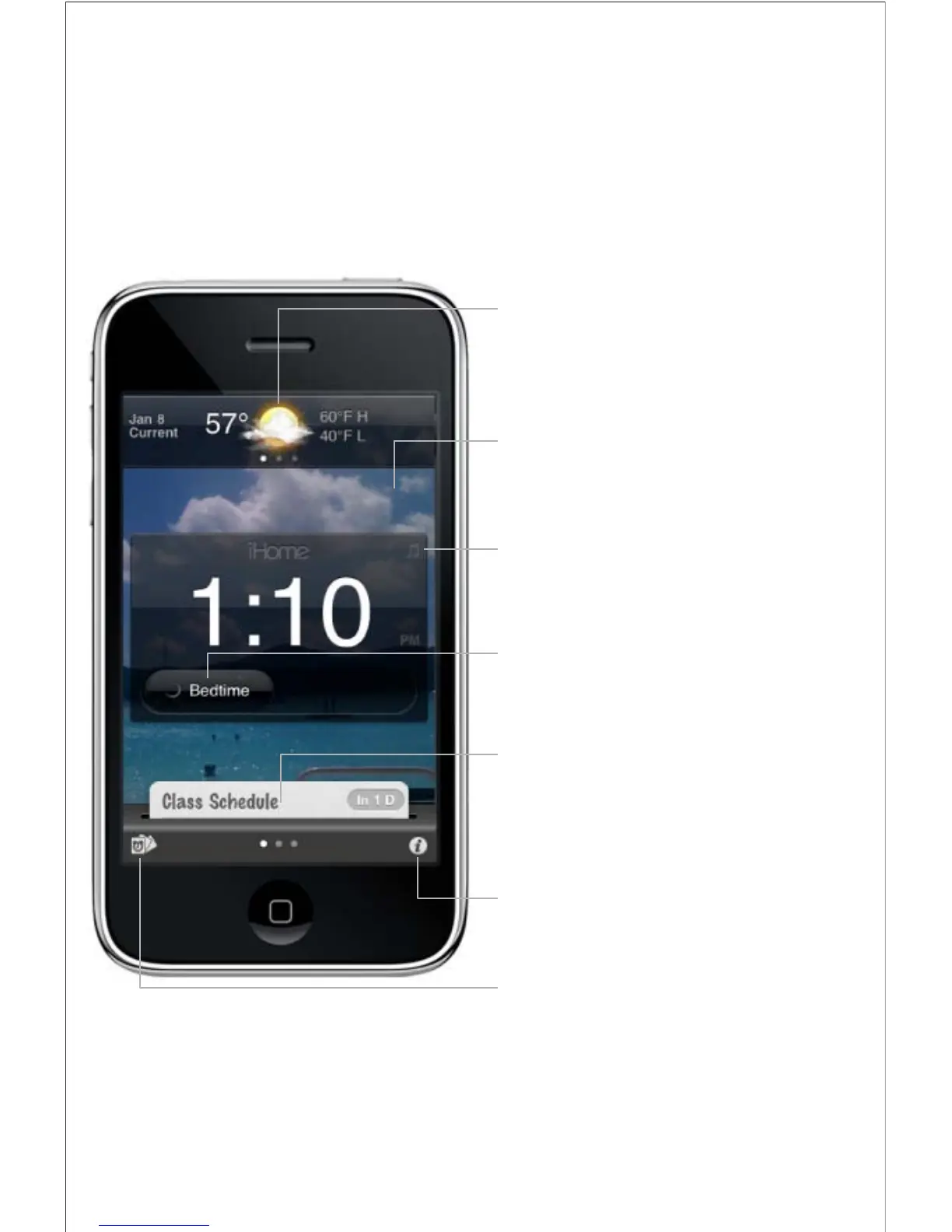
Launching iHome+Sleep will bring you to the clock home
screen from which you can control and access all other settings
• swipe to view contextual weather forecast for the
day ahead
• change temperature scale, location or turn off via
weather settings
Weather Widget
• slide right to execute bedtime and wakeup
events and keep track of your sleep stats
Bedtime & Wakeup Events
• change from 12 or 24 hour mode
• select any photo in your library for your home
screen background
Clock with Custom Background
• slide left/right to view multiple active alarms
• alarm time preview - tap alarm time to switch
between a) alarm count down and b) alarm time
• press alarm card to view alarm settings view
Active Alarms
• press to view sleep stats and access app settings
Settings
• press to access alarm and nap cards settings
Sleep Card Manager
• press the music note icon to bring up the iPod
transport music control panel
iPod controls



 To Next Page