EasyManua.ls Logo

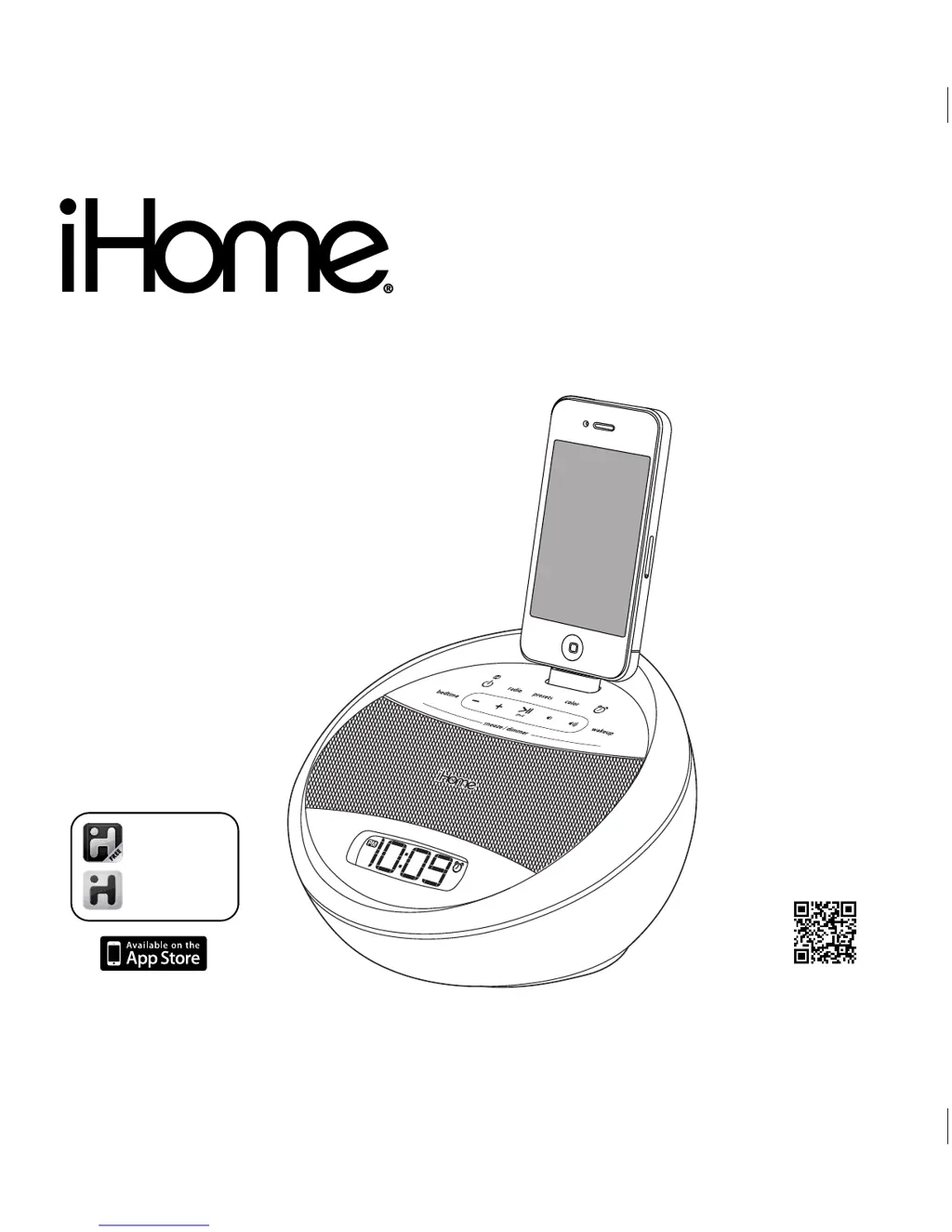
iHome IA17 - User Manual

iHome IA17
12 pages
Print Icon
To Next Page IconTo Next Page
Loading...
Model: iA17 ( for UK Version)
Instruction Manual (English)
Date: Apr 30, 2011
Print color : Black text on white paper
Model iA17
App-enhanced
Color Changing
Alarm Clock Radio for Your
iPhone / iPod
Questions? Visit www.ihomeaudio.com
iHome + Sleep
works with
download QR code
reader app and scan
iHome + Radio
alarm clock app
internet radio app

Questions and Answers

  • K
    Kayla Macias DDSAug 11, 2025
    How to fix iPhone/iPod not docking properly on iHome IA17 Alarm Clock?
    • J
      James CastroAug 11, 2025
      To fix an iPhone/iPod that won't dock properly on your iHome Alarm Clock, remove your iPhone/iPod from the connector and check for any obstruction on the connectors in the dock. Also, check your iPhone/iPod for obstructions, such as a case or skin. If present, remove the case or skin and reseat the iPhone/iPod in the dock.
  • T
    Tonya SmithAug 18, 2025
    Why is the sound distorted on my iHome IA17 Alarm Clock?
    • C
      Cody JonesAug 18, 2025
      Sound distortion on your iHome Alarm Clock can occur if the volume level is too high; try decreasing the unit volume. Also, the sound source may be distorted. If the original sound file is of poor quality, distortion and noise are easily noticed with high-power speakers. Try a file from a trusted audio source such as iTunes. If you are using an iPod Shuffle or external sound source like an older generation iPod, try reducing the output volume on the device itself. Also, try turning bass boost OFF under iPod settings.
  • C
    Cory ReidAug 26, 2025
    What to do if my iHome IA17 Alarm Clock doesn’t respond (no power)?
    • M
      Marco WardAug 26, 2025
      If your iHome Alarm Clock doesn’t respond, first ensure the AC adapter is correctly plugged into a functioning wall outlet and that the connector is securely plugged into the power supply jack on the back of the unit. If it still doesn't work, plug another device into the same outlet to confirm the outlet is working.
  • C
    cassidy95Sep 2, 2025
    What to do if there is no sound when playing iPhone/iPod on iHome IA17?
    • T
      Thomas SmithSep 2, 2025
      If there is no sound when playing your iPhone/iPod on your iHome Alarm Clock, remove your iPhone/iPod from the connector and check for any obstruction on the connectors in the dock and on your iPhone/iPod. Then reseat it in the dock. Press the play button on your iPhone/Pod to play it manually. Please make sure your iPhone/iPod is working properly before docking it to the unit. Please refer to your manual for details. Please connect them with Line-in.

Summary

Getting Started and Maintenance

Connecting Power

How to connect the AC adapter to power the unit.

Controls and Indicators

iA17 Quick Start Guide

Time Setting Procedures

Alarm Setup

Setting the Alarm Parameters

Steps to set the alarm time, source, volume, and wake-to color.

Alarm Operation

Operating the Alarm Functions

How to turn off, snooze, or adjust alarm settings.

iPhone;iPod Playback and Charging

FM Radio Mode: Tuning and Playback

FM Radio Mode: Presets and Regional Settings

Product Safety Guidelines

General Usage and Environmental Safety

Covers water, ventilation, heat, power, cleaning, and object entry precautions.

Electrical Protection and Maintenance

Addresses surge protection, overloading, servicing, and non-use precautions.

Troubleshooting Common Issues

Unit Power Issues

Solutions for the unit failing to power on.

iPhone;iPod Docking Problems

Troubleshooting steps for docking issues with iPhone/iPod.

No Sound from iPhone;iPod

Solutions when audio playback from iPhone/iPod is not heard.

iPhone;iPod Charging Issues

Steps to resolve issues with iPhone/iPod not charging.

iHome IA17 Specifications

General IconGeneral
BrandiHome
ModelIA17
CategoryAlarm Clock
LanguageEnglish

Related product manuals