Reviewing Battery Charge Level
(Charger is Disconnected and unit is ON)
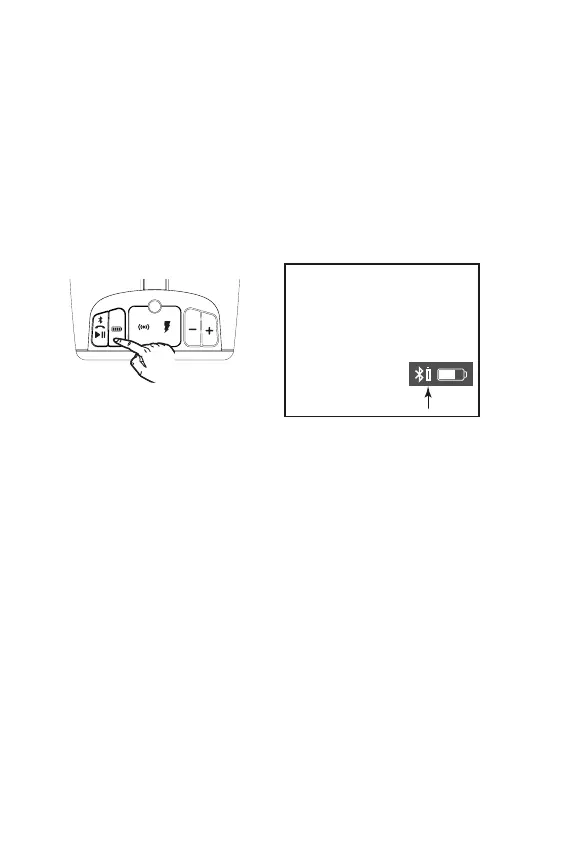
1. Press and hold the Battery Button when unit is ON but not charging
(micro USB cable not connected) to enter Battery Review Mode. The
built-in voice will announce the current battery level.
5
TIP: On some iOS (Apple)
devices, you can view the iBT77
battery status on your device’s
screen. When device is paired
and connected, look for a
vertical battery icon next to the
Bluetooth icon on the upper
right corner of the
device’s screen.
iBT77



 To Next Page