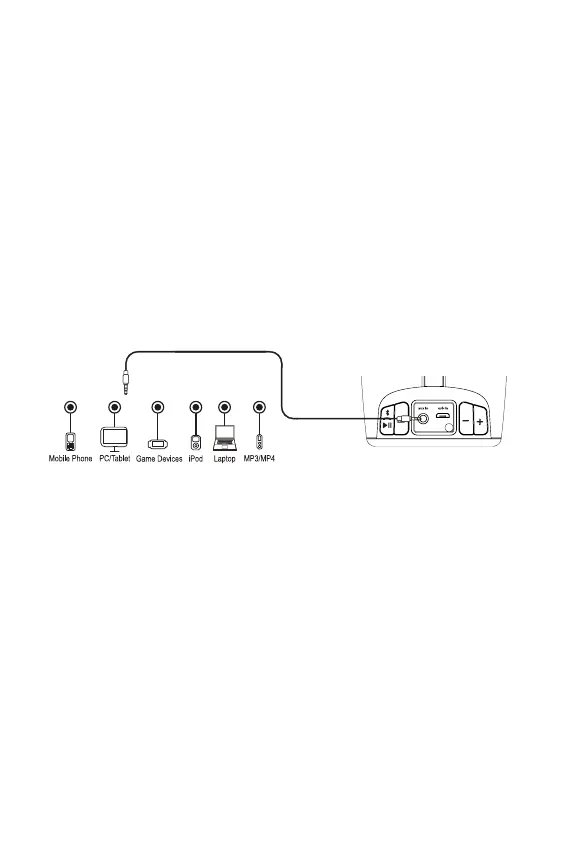
Playing Audio via Aux In
1. Connect micro USB charging/audio cable to the Charging/Aux-in USB Port on
the side of the unit and connect the 3.5mm audio plug end to the headphone or
line-out jack on your audio device.
2. Press and hold the Power Button to turn the unit ON.
3. Power on the audio device and use the controls on the device to play or pause
audio and to navigate tracks.
4. Press the – or
+
Button to adjust the system volume. You can also adjust
volume from your device.
5. When done listening, press the Power Button to turn the unit OFF. Remember
to turn o your device, too.
NOTE: Make sure Bluetooth audio is not playing or you will not hear aux audio.
Wireless Stereo Mode
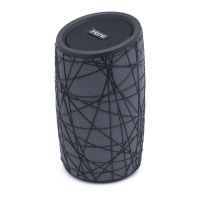
The iBT77 features Wireless Stereo capability, allowing you to enjoy real stereo
sound when two iBT77 speakers are linked (additional speaker sold separately).
1. Press and hold the Power Button on BOTH speakers within 10 seconds.
2. Press and hold the Bluetooth/Speakerphone Button AND the – Button together
at the same time on each speaker to begin linking process. The status indicator
on the speaker will flash green.
3. When linked, a voice will announce “LEFT CHANNEL” and “RIGHT CHANNEL”
and the status indicator on the right speaker will glow solid green.
4. Delete earlier instances of “iHome iBT77” from your device Bluetooth menu. Then
re-pair speakers to Bluetooth device.
5. Press the
Bluetooth/Speakerphone/Play/Pause Button
to play, pause and
navigate tracks.
6. Press the – or
+
Button to adjust the iBT77 volume. You can also adjust volume
on your device.
7. Press the Power Button on EITHER speaker to turn both speakers OFF.
8
Using the iBT77


 To Next Page