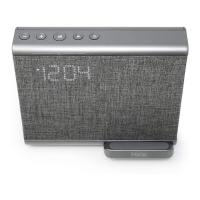
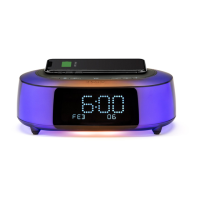
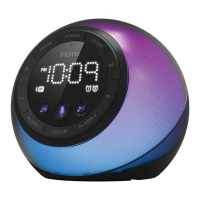
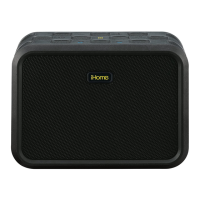
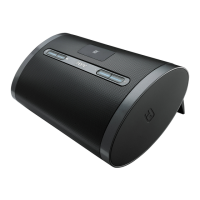
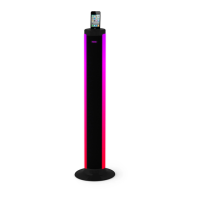
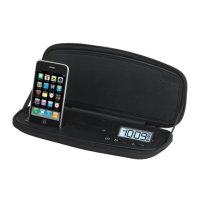
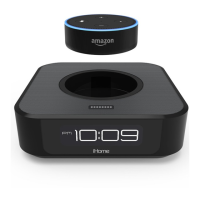
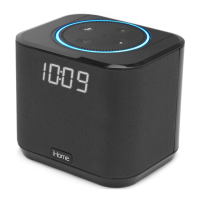
The iHome iBTW39v2 is a versatile Bluetooth bedside/home office speaker system that integrates a range of features including audio playback, alarm clock functionality, speakerphone capabilities, voice control, and Qi wireless charging. Designed for convenience and multi-functionality, it serves as a central hub for personal audio and device charging.
Function Description:
The iBTW39v2 functions primarily as a Bluetooth speaker system, allowing users to stream audio wirelessly from their Bluetooth-enabled devices. It also includes a digital alarm clock with dual alarms, snooze functionality, and automatic daylight saving time (DST) adjustment. A built-in speakerphone feature enables hands-free calling, and voice control integration supports Siri or Google Assistant for enhanced interaction. A key feature is its Qi wireless charging pad, which allows compatible devices to charge wirelessly, complemented by a USB charging port for wired charging of other devices.
Important Technical Specifications:
- Model: iBTW39v2
- Power Input: DC 9V, 3A (via AC adapter)
- Backup Battery: 1x CR2450 3V (for clock and alarm settings during power outages)
- USB Charging Port Output: 1A
- Wireless Charging: Qi-compatible
- Bluetooth: Supports Bluetooth audio streaming and pairing with devices like "iHome iBT39v2".
- Display: Digital LED display with PM time indicator, Bluetooth pairing indicator (Blue LED), Alarm 1 and 2 active indicators, and a Low Backup Battery indicator (Red LED).
Usage Features:
- Connecting the Unit: The unit is powered by an included AC adapter connected to a DC jack on the back.
- Bluetooth Pairing: Upon initial power-on, the unit automatically enters pairing mode. Users can manually initiate pairing by pressing the Bluetooth Pairing Button. Devices connect by selecting "iHome iBT39v2" from their Bluetooth menu. A voice prompt "PAIRING" and a flashing Bluetooth indicator confirm pairing mode. A successful connection is indicated by a voice prompt "CONNECTED" and a solid blue Bluetooth indicator.
- Setting the Clock: The clock is set by pressing and holding the Time Set Button until the display flashes. The +/- buttons adjust selections (time, year, month, date), and Time Set confirms each setting.
- Automatic DST: The unit can automatically adjust for daylight saving time. This feature is enabled by holding the Time Set Button for 5 seconds and then using the +/- buttons to select DST ON/OFF.
- Charging Devices:
- Qi Wireless Charging: Place a Qi-compatible device on the charging rest. An amber LED glows for 10 seconds if charging properly, a solid green LED indicates the device is charged, and a rapid blinking amber LED indicates improper charging or device repositioning is needed.
- USB Charging Port: A 1A USB port on the back allows wired charging for devices using a standard USB cable (not included). The unit must be plugged into a working outlet for charging to function.
- Setting and Using the Alarm: Dual alarms can be set. Press and hold the Alarm Button (1 or 2) for 2 seconds to enter alarm setting mode. Use the +/- buttons to adjust time and source (Bluetooth or built-in tones t1-t4), and the Alarm Button to confirm. The alarm icon on the display indicates an armed alarm.
- Previewing and Turning Alarms On/Off: Pressing the Alarm Button views the current alarm time. Pressing it again toggles the alarm ON and OFF, indicated by a red/white alarm indicator. When an alarm sounds, pressing the Power Button or the Alarm Button (1 or 2) disables it until the next day.
- Snooze/Display Dimmer: Pressing the Snooze/Display Dimmer button during normal operation adjusts display brightness (Hi, 3, 2, Lo, Off). When an alarm sounds, pressing this button provides a 9-minute snooze.
- Playing Audio Via Bluetooth: Once connected, "bt" and the Bluetooth indicator appear on the display. Press the Play/Pause/Voice Control Button to play or pause audio. The +/- buttons adjust volume. Press the Power Button to turn the unit off.
- Speakerphone Feature: When a call is received, music mutes, and "Call" flashes on the display. Press the Play/Pause/Voice Control Button to answer, or press and hold it to ignore. Press it again to end the call.
- Voice Control Feature: Press and hold the Play/Pause/Voice Control Button for 2 seconds to activate voice control (Siri or Google Assistant). "CALL" appears on the display, and a beep indicates activation. Requires an active internet connection on the connected Bluetooth device.
Maintenance Features:
- Cleaning: The unit should be cleaned only as recommended in the Maintenance section. Generally, a soft cloth moistened with mild soap and water is suitable. Avoid benzene, thinner, or similar materials.
- Backup Battery Replacement: The unit uses a CR2450 backup battery. When the Low Backup Battery Red LED flashes, it's time to replace it. The compartment is on the bottom and requires a Phillips screwdriver to open. Ensure the AC adapter is connected during replacement to prevent loss of settings. Insert the new CR2450 battery with the + side facing up. Dispose of old batteries properly according to local regulations.
- Safety Precautions for Batteries: Lithium batteries can explode or cause burns if mishandled. Do not ingest coin/button cell batteries as they pose a chemical burn hazard. Keep new and used batteries away from children. Seek immediate medical attention if ingestion is suspected.
- General Care: Place the unit on a level surface away from direct sunlight or excessive heat. Protect furniture by placing the unit on a natural wood or lacquered finish.
- Troubleshooting: The manual provides guidance for common issues such as no sound, unit not responding, and Bluetooth pairing difficulties. For instance, if the unit doesn't respond, a reset by disconnecting power and removing the backup battery for 2 minutes may be necessary. For Bluetooth issues, ensure the device is within range (about 33 feet) and check the device's manual for pairing details.

 Need help?
 General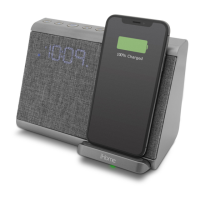

 To Next Page