EasyManua.ls Logo

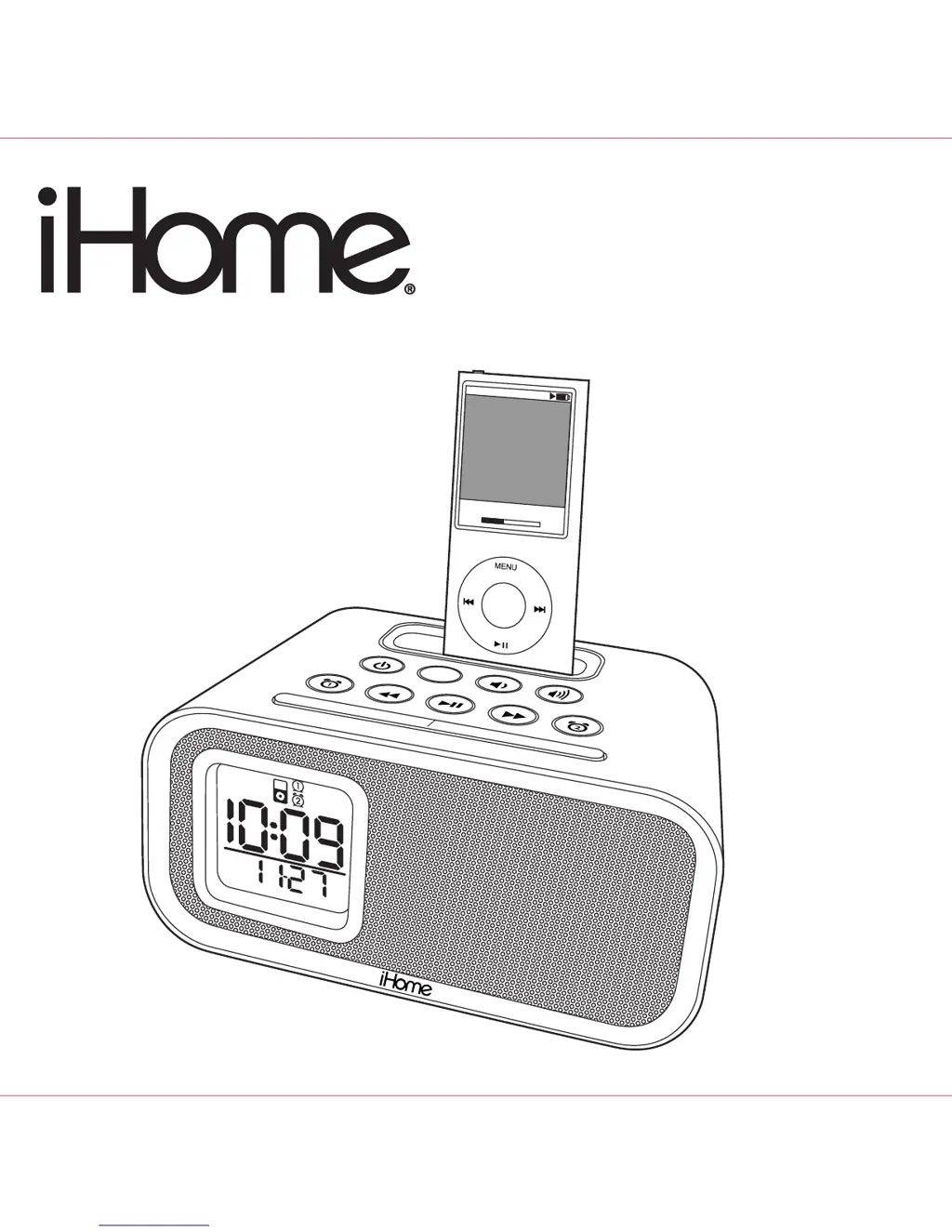
iHome iH22 - User Manual

iHome iH22
12 pages
Print Icon
To Next Page IconTo Next Page
Loading...
Now Playin
g
Keith LuBrant
1:03
-2:30
All I Want To Be
s
noo
ze
dimmer
alm.
r
e
se
t
s
leep
Model : iH22 IB (English)
Date : Feb 13, 2009.
Color : Black
Model iH22
Dual Alarm Clock
for your iPod
®

Questions and Answers

  • K
    kathryn38Jul 25, 2025
    What to do if my iPod doesn’t charge on my iHome iH22?
    • K
      Kelly WilliamsonJul 26, 2025
      If your iPod doesn’t charge when docked in your iHome Alarm Clock, first remove the iPod from the dock and check for any obstructions on the connectors, both in the dock and on your iPod. Then, reseat the iPod in the dock. Also, be aware that the iHome Alarm Clock doesn’t support 3rd generation iPods. Finally, ensure your iPod is working properly before docking it into the unit, referring to your iPod manual if necessary.
  • K
    Kimberly MartinezAug 2, 2025
    What to do if my iPod does not respond to my iHome Alarm Clock?
    • T
      Timothy WilliamsAug 2, 2025
      If your iPod does not respond to the iHome Alarm Clock, first, remove your iPod from the dock and check for any obstructions on the connectors, both in the dock and on your iPod. Then reseat it in the dock. Also, ensure that the software on your iPod is up to date by upgrading it via iTunes. Finally, make sure your iPod is working properly before docking it in the unit, referring to your iPod manual for details if needed.
  • J
    Joseph BriggsAug 10, 2025
    Why is the sound distorted on my iHome iH22?
    • E
      elizabethcookAug 10, 2025
      If the sound from your iHome Alarm Clock is distorted, first try decreasing the volume. If the sound source itself is of poor quality (for example, with an iPod), distortion and noise are easily noticed with high-power speakers, so try a different audio source, such as a music CD. If you are using an iPod Shuffle or external sound source, try reducing the output volume on the device itself and also try reducing bass.
  • L
    lisafordAug 17, 2025
    How to dock iPod properly with iHome Alarm Clock?
    • D
      Dr. Michael RollinsAug 17, 2025
      If your iPod does not dock properly with your iHome Alarm Clock, ensure you are using the correct dock insert for your specific iPod model. Also, remove your iPod from the dock and check for any obstructions on the connectors, both in the dock and on your iPod. Then, reseat the iPod in the dock.

Summary

Safety Warnings and Precautions

Electrical Shock Hazard

Details risks of electric shock, warnings against opening the unit, and proper plug usage.

Fire and Moisture Hazard

Advises against exposing the appliance to rain or moisture to prevent fire or shock.

General Consumer Safety

Covers polarized plug usage and other general precautions from the consumer guide.

Important Safety Instructions

General Usage and Environmental Safety

Covers reading instructions, water, ventilation, heat, power sources, and non-use periods.

Electrical and Cord Safety

Addresses grounding, polarization, power cord protection, overloading, and lightning safety.

Maintenance and Servicing Safety

Details safety for cleaning, attachments, damage, servicing, safety checks, and antennas.

FCC Compliance

Operation Conditions and Interference

Explains FCC rules, compliance conditions, and methods to correct radio interference.

Maintenance Guidelines

Unit Placement and Cleaning

Advises on proper unit placement away from heat and sunlight, and safe cleaning methods.

Quick Start Guide

Power Connection

Instructions for plugging the AC power cord into a working wall socket.

iPod Dock Insert Setup

Guidance on selecting the correct dock insert for your iPod model.

Docking Your iPod

Steps for inserting your iPod into the dock for charging and playback.

Setting Time Zone

Procedure for setting the time zone and Daylight Saving Time (DST).

Controls and Indicators

Top Panel Controls

Identification of buttons located on the top panel of the iHome unit.

Rear Panel Connections

Identification of ports and switches located on the rear panel of the unit.

iH22 Display and Installation

iH22 Display Indicators

Explains the various indicators and displays on the iH22 unit.

Installing Clock Backup Batteries

Procedure for installing AAA batteries for clock backup and low battery indication.

Installing iPod Insert

Guide on selecting and properly installing the iPod dock insert.

Using the iH22

Setting Time and Calendar

Instructions for setting the current time, year, month, and date.

Setting and Managing Alarms

Details on setting, arming, disarming, and resetting the dual alarms.

Advanced iH22 Features

Snooze Operation

How to set the snooze time and use the snooze function when an alarm sounds.

Charging Your iPod

Information on how the iPod charges while docked and connected to AC power.

Listening to Your iPod

Steps for playing music from a docked iPod, controlling playback, and volume.

Connecting External Audio Devices

Instructions for playing audio from non-docking iPods or other devices via line-in.

Sleep and Dimmer Operation

Sleep Mode

How to use sleep mode to listen to the iPod until a set time.

Dimmer Control

Instructions for adjusting the brightness of the LCD display.

Troubleshooting

Unit Not Responding

Solutions for when the unit does not power on or respond.

iPod Docking Issues

Troubleshooting steps for iPod not docking properly or not responding.

iPod Charging and Sound Issues

Solutions for iPod not charging and distorted audio playback.

Limited 90-Day Warranty Information

Warranty Service Procedure

Steps for returning the product for warranty service, including fees and required documentation.

Disclaimer of Warranty

Details limitations, exclusions, and legal rights associated with the product warranty.

iHome iH22 Specifications

General IconGeneral
Frequency range- Hz
RMS rated power- W
Audio output channels- channels
AUX inYes
BluetoothNo
Headphone connectivity-
Product colorPink
Apple docking compatibilityiPod

Related product manuals