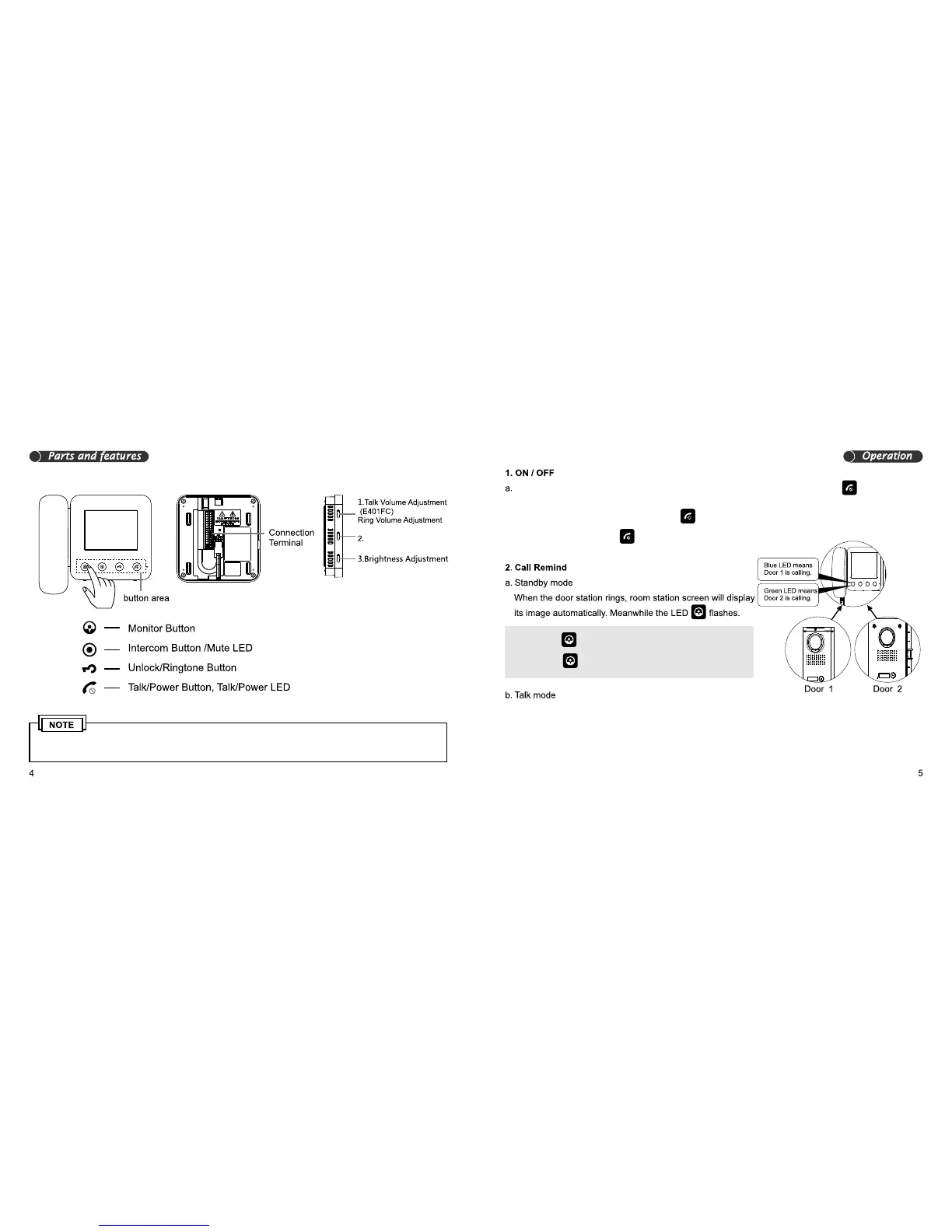
1. The function of E400FC and E401FC is almost same except for the talk button
2. Please touch the centre of the button for correct operation
Colour Adjustment
After connecting the power supply, the unit will sound “DI”, then the power LED
turns red, which means the unit is powered up and in standby mode.
b. When in standby mode, touch and hold
to turn the unit off
c. When in off mode, touch to enter standby mode.
Note: When button is blue this means Door 1 is calling.
When button is green this means Door 2 is calling.
When the room station is talking with door station, and another door station calls, the corresponding
door station LED will ash 10 times, but no ringtone will be heard.


 To Next Page