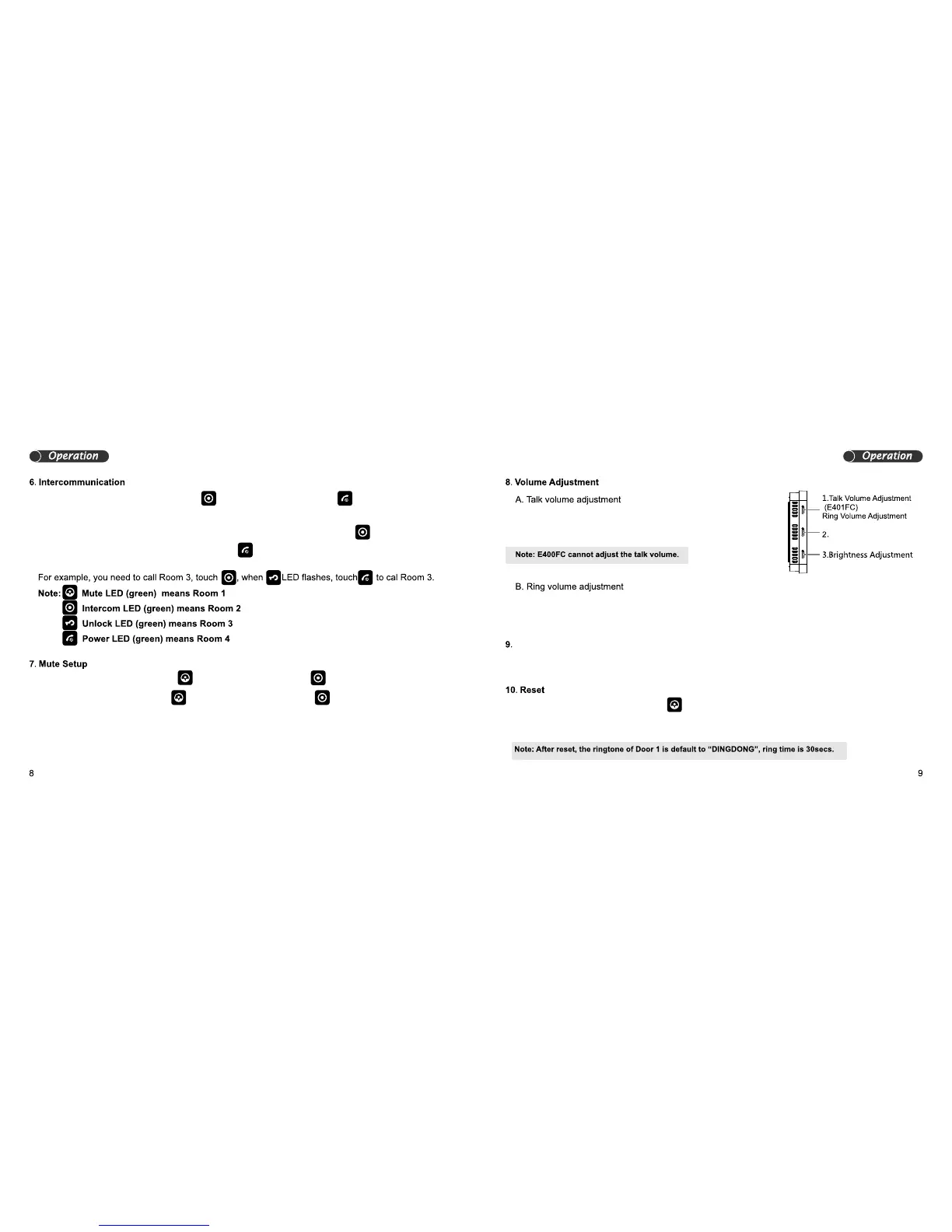
When in standby mood, touch and hold , the unit will sound “DI” and the LED will illuminate.
When in mute mood, touch and hold , the unit will sound “DI DI” and the LED will go off.
Colour/brightness Adjustment
Colour Adjustment
A. When there are only 2 room stations, touch and you will hear “DI”, then touch to call
another room station.
B. When there are more than 2 room stations, and monitor A wants to call monitor B, touch to
choose the room number you need to call, then touch to call.
When a room station is in talk mode, slide the talk volume
When a door station is calling, slide the ring volume button to adjust the ring volume.
button to adjust the talk volume.
When the screen is on, slide the colour / brightness button to make adjustments.
When in standby mode, touch and hold , the unit will sound “DI DI” all the LEDs will turn ON. After one
second they will turn off, then release the button, which means the unit has reset.


 To Next Page