ENGLISH
ENGLISH
INSTALLATION OF STAND
Install the Stand on a stable surface. The monitor may cause injury or damage if it
falls or is dropped.
CAUTION
The monitor is designed to be used with the Stand installed. Be sure to install the Stand before
operating the monitor.
Do not give a strong impact to the monitor. It may cause damage.
Unplug the monitor before installation to avoid electric shock or damage.
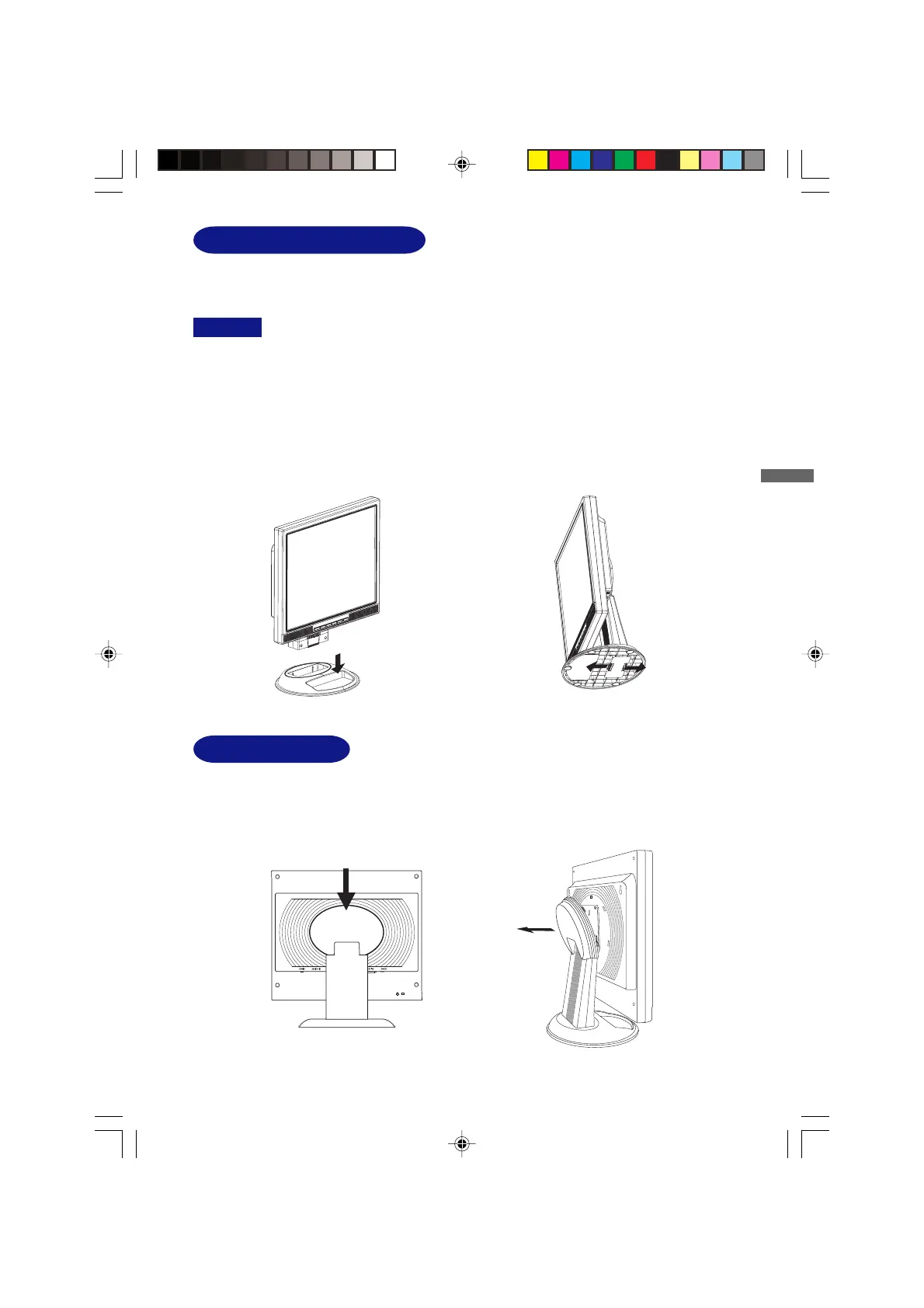
<Install>
<Remove>
.
Push the hooks in the direction of the arrows
and pull the Stand away from the post.
Hold the monitor and push the post down
into the Stand.
BEFORE YOU OPERATE THE MONITOR 6
<Remove>
Push and pull up the upside.
VESA Mount Hole
VESA Mount Hole is coverd with the hinge cover. Remove the Hinge cover if you use VESA Mount.
PLE485S-e.p65 2004/09/14, 17:2511






 To Next Page