ENGLISH
ENGLISH
7 BEFORE YOU OPERATE THE MONITOR
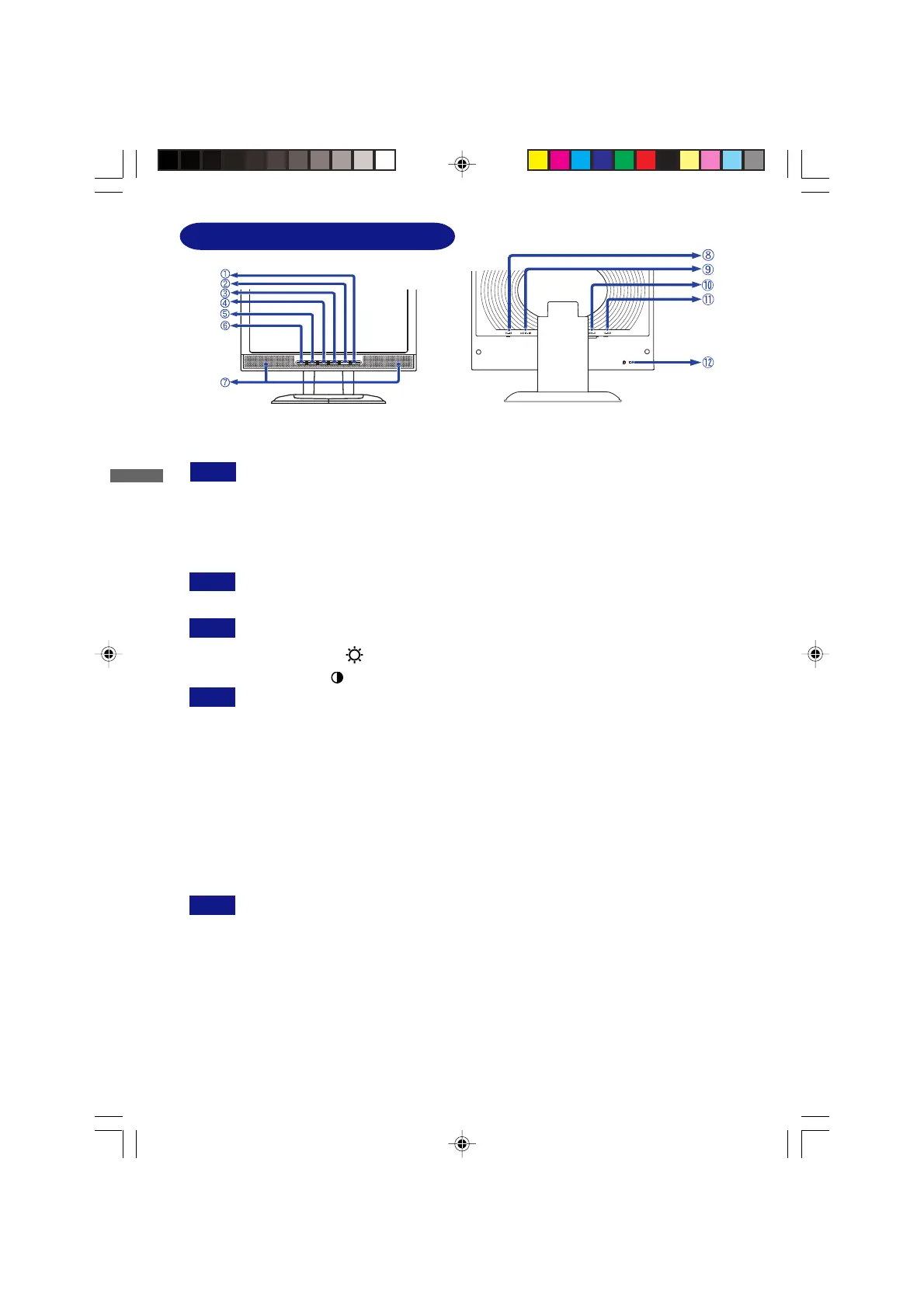
CONTROLS AND CONNECTORS
A
Power Switch / Power Indicator (LED Indicator)
Green: Normal operation
Orange: Power Management
The monitor enters into power management mode which reduces the power
consumption to less than 3W when receiving no horizontal and/or vertical
sync signal.
B
Auto/Exit Button (AUTO / EXIT )
When OSD menu is off, holding for 1-2 seconds will switch the Mute function.
C OPQ / Input Button (OPQ / INPUT )
When OSD menu is off, holding for 1-2 seconds will switch the Input signal.
D + / Brightness Button (+ / )
E – / Contrast Button (– / )
When OSD menu is off, holding the + or – button for 1-2 seconds will swich the Volume
function.
F
Menu Button
G
Speakers
H Connector for AC Adapter (DC-IN)
I
Audio Connector (AUDIO-IN)
J
DVI-D 24 pin Connector ( DVI-D)
K
D-sub mini 15pin Connector (D-SUB)
L Keyhole for Security Lock
You can fasten a security lock and cable to prevent the monitor from being removed
without your permission.
<Front>
<Back>
NOTE
NOTE
NOTE
NOTE
NOTE
PLE485S-e.p65 2004/09/14, 17:2512






 To Next Page