ENGLISH
ENGLISH
11 OPERATING THE MONITOR
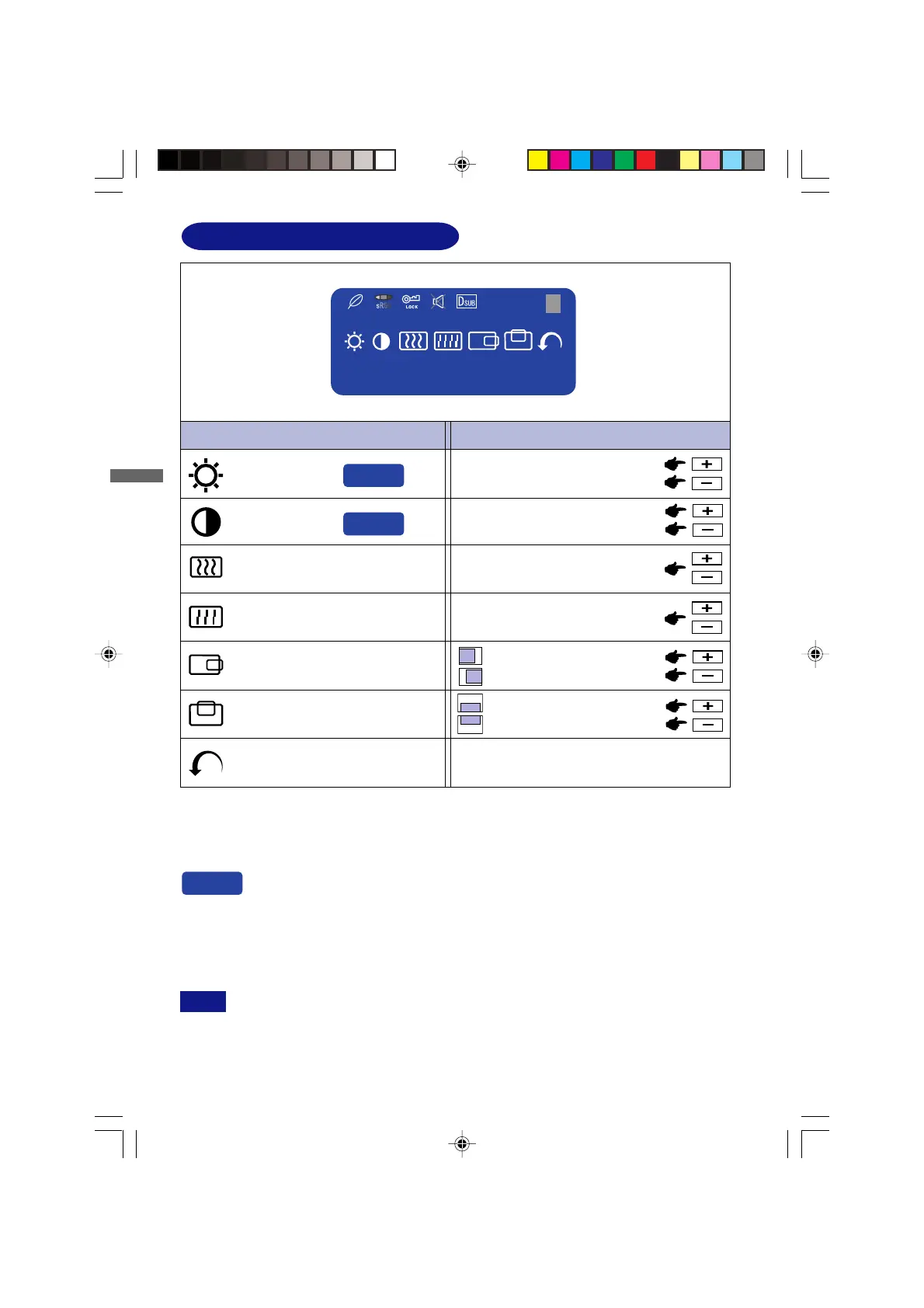
ADJUSTMENT MENU CONTENTS
Adjustment Item Problem / Option Button to Press
Menu : 1
Too dark
Too bright
Brightness *
1
Contrast
Too dull
Too intense
To correct flickering text or linesClock *
2
*
3
Phase *
2
*
3
H-Position*
3
Too far to the left
Too far to the right
V-Position*
3
Too low
Too high
Return to Menu Highlight “Menu : 1” again.
You can skip the Menu pages and display an adjustment scale directly by using the
following button operations.
Brightness: Press the Brightness Button when the Menu is not displayed.
Contrast: Press the Contrast Button when the Menu is not displayed.
To correct flickering text or lines
Direct
Direct
Direct
*
1
Adjust the Brightness when you are using the monitor in a dark room and feel the screen is too
bright.
*
2
See page 15 for SCREEN ADJUSTMENTS.
SWITCHING BRIGHTNESS / CONTRAST ADJUSTMENT
To switch between Brightness and Contrast adjustments, press the Menu Button within 5
seconds after pressing the Brightness Button or the Contrast Button during the direct
adjustments above.
NOTE
*
3
Avalible for Analog (D-Sub) only.
1280 × 1024
Menu:1
H: 80.0 KHz V: 75 Hz
1
PLE485S-e.p65 2004/09/14, 17:2616






 To Next Page