ENGLISH
ENGLISH
13 OPERATING THE MONITOR
No
Lockout is canceled.
Japanese
Adjustment Item
Problem / Option Button to Press
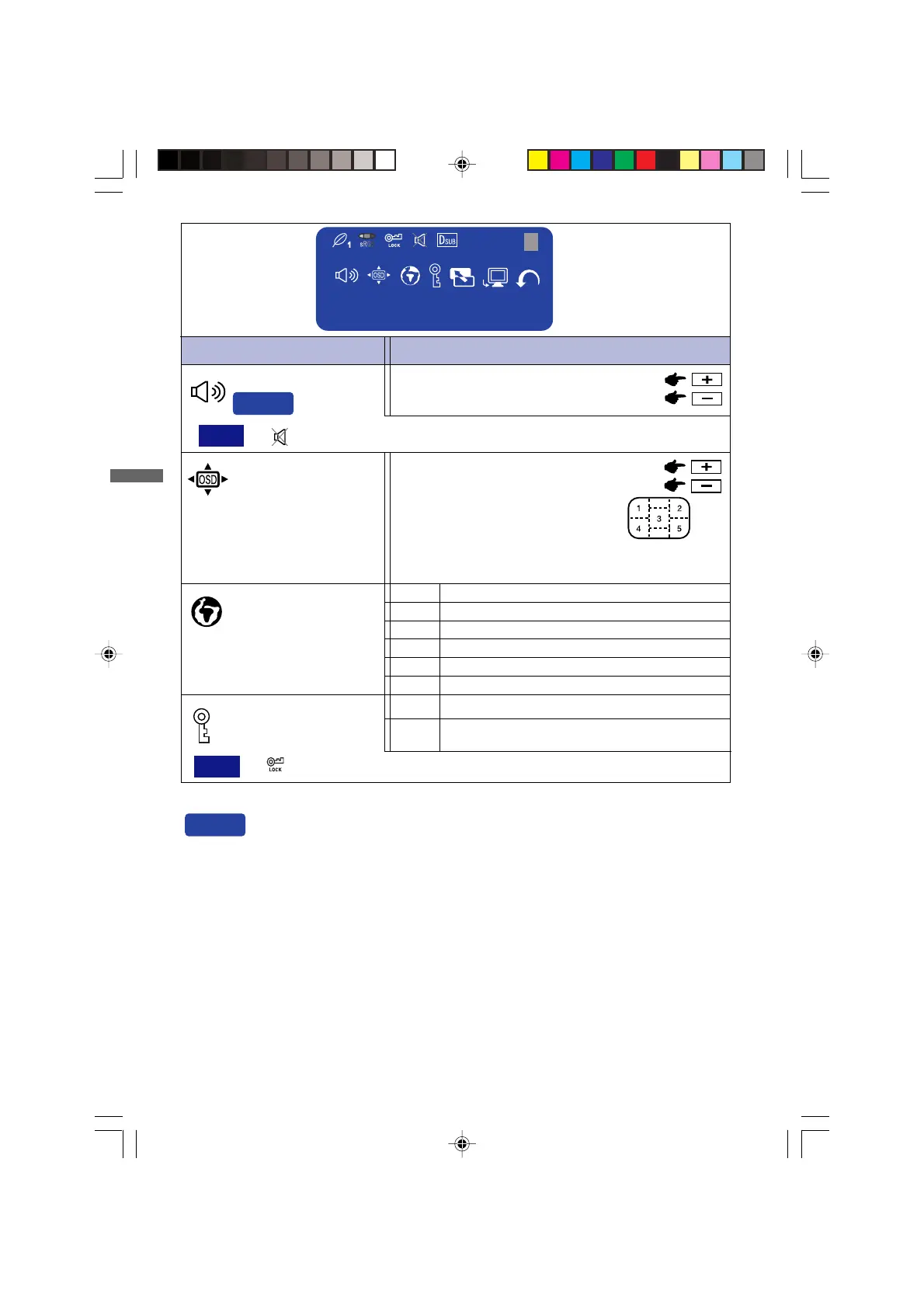
OSD Position
1 2 3 4 5
You can move the OSD display area
to any one of the following 5 positions
within the overall display:
Language
English
German
French
Spanish
Italian
Press the + Button to move the OSD in numerical order. Press
the – Button to move the OSD in reverse numerical order.
Menu : 3
Too soft
Too loud
Volume
Direct
Lockout
All adjustment items except this
function are locked out.
Yes
NOTE
. is displayed while Mute is active.
Ity
Eng
Dth
Fns
Epl
Jpn
NOTE
. is displayed while Lockout is active.
1280 × 1024
Menu:3
H: 80.0 KHz V: 75 Hz
Direct
You can skip the Menu pages and display an adjustment scale directly by using the
following button operations.
Volume: When OSD menu is off, holding the + button or – button for 1-2 seconds.
Mute: When OSD menu is off, holding the Auto / EXIT button for 1-2 seconds will switch
the Mute function.
Input: When OSD menu is off, holding OPQ / INPUT button for 1-2 seconds will switch the
Input signal.
PLE485S-e.p65 2004/09/14, 17:2618







 To Next Page