English
8
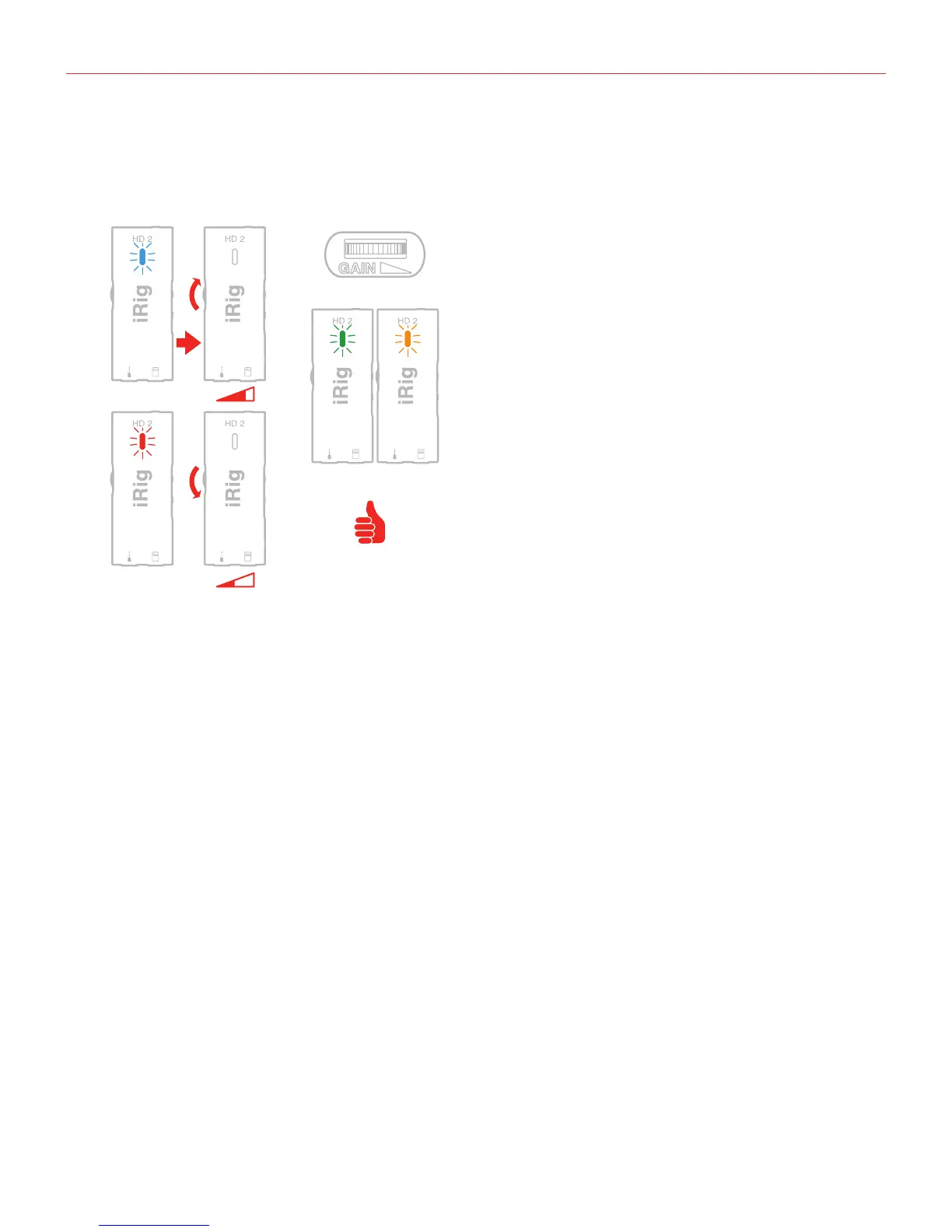
Setting input gain on iRig HD 2
When playing your instrument check the iRig HD 2 status LED.
• If the LED is alternating between BLUE and GREEN or is always GREEN, you should increase the iRig HD 2
input gain by rotating the GAIN control toward the output connector.
• If the LED is sometimes flashing RED you should decrease the iRig HD 2 input gain by rotating the GAIN
control toward the input connector.
• When your gain setting is optimal, the LED should alternate between GREEN and ORANGE while you
play.
Amplifier output jack
You can also connect an external amplifier to iRig HD 2 thanks to the “Amplifier output jack”. This allows you to
send the processed signal (i.e. from a rig inside your mobile device) or a direct unprocessed signal, out to your
amplifier or other unbalanced input.
BLUE
RED
GREEN / ORANGE


 To Next Page