UNO Synth Pro
4 – Front Panel Interface
13
4.2.2 - Mixer (MIX)
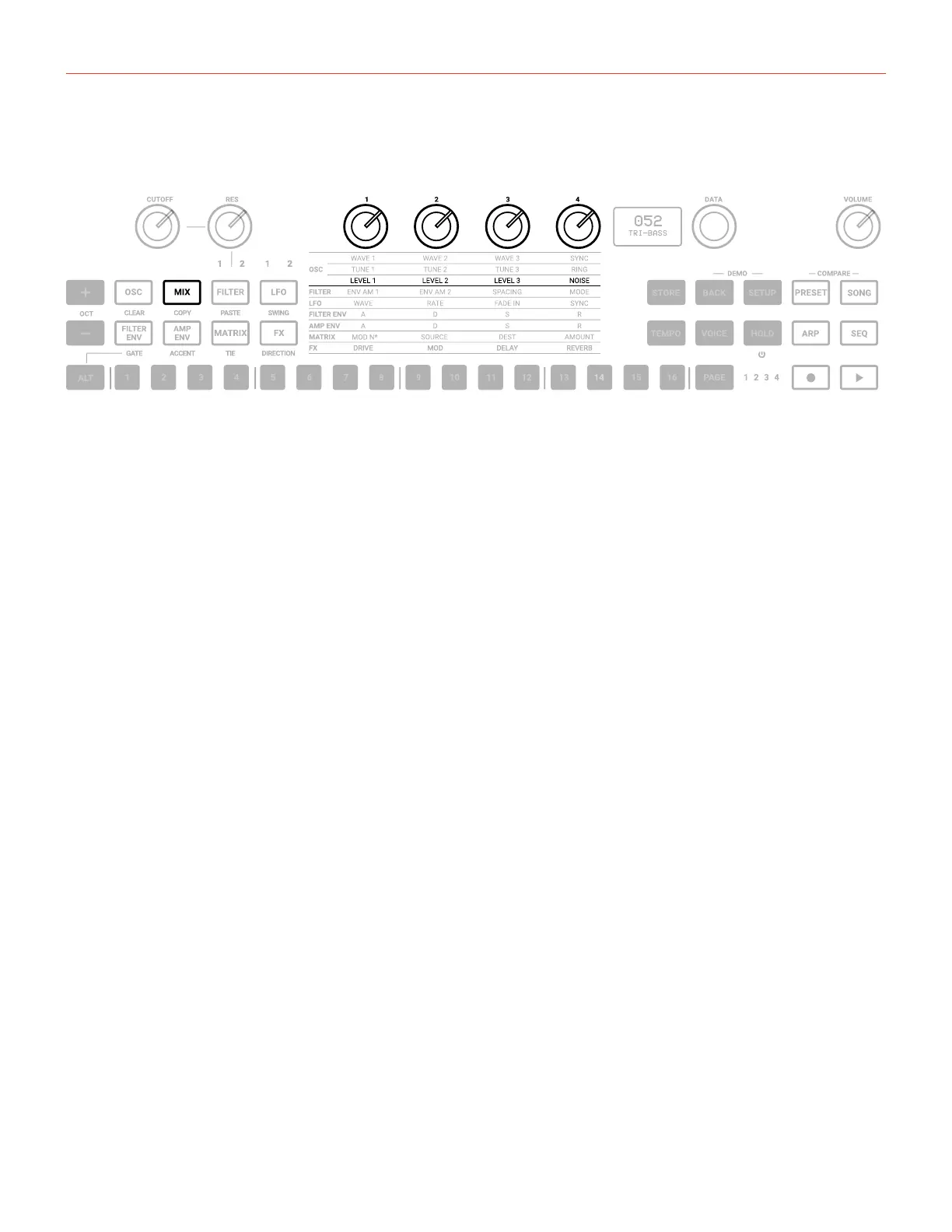
Pressing the MIXER button lights the 3rd row of text indicators.
LEVEL 1: adjusts the pre-filter volume of Oscillator 1 from 0 to 127.
LEVEL 2: adjusts the pre-filter volume of Oscillator 2 from 0 to 127.
LEVEL 3: adjusts the pre-filter volume of Oscillator 3 from 0 to 127.
NOISE: adjusts the pre-filter volume of the Noise Generator from 0 to 127.
The External audio in routing is selectable in the MIXER section inside the EDIT PRESET menu,
between PRE (so the audio enters pre-filters and became part of the audio sources) and POST (which acts as
an audio daisy chain).


 To Next Page