5.1 Settings Using Switches on the Camera
HDK-55 1206 VER1 (U)
73
CAMERA SETTINGS and ADJUSTMENT
5
5.1 Settings Using Switches on the Camera
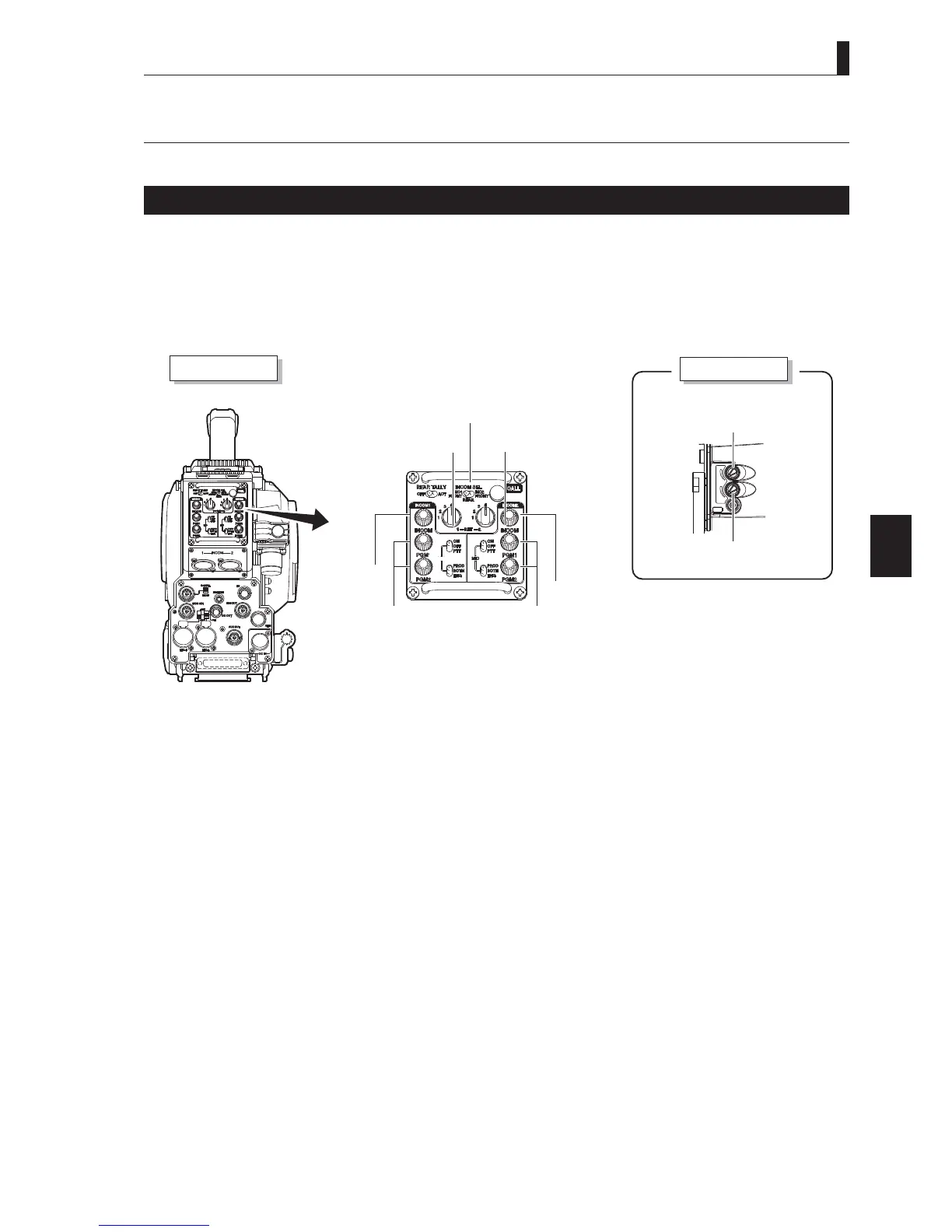
Adjusting Headset Volume
This chapter explains how to control the headset volume.
CAUTION:
Do not set the INCOM-1 control knob, INCOM-2 control knob, INCOM-1 PGM-1/2 control knob, and INCOM-2 PGM-1/2 control
knob to near maximum level from the beginning. Setting the volume level too high with the intercom headset on your ears may
damage your eardrums. If you suddenly set the volume level too high, it may also damage the headset. Excessive sound pressure from
the headset may cause a hearing loss.
INCOM
PGR
MIC
Camera right view
Camera rear view
INCOM FRONT VR
SELECT switch
INCOM-1 MIC switch
INCOM-2 MIC switch
INCOM-1
control knob
INCOM-2 PGM control knob
INCOM-2 control knob
INCOM-1 PGM
control knob
INCOM PHONE
control knob
INCOM PGM
control knob
■
Adjusting Intercom Volume
The intercom volume can be controlled on the rear or right side of the camera. Perform Step 1 to control the volume on the rear of
the camera, and Step 2 and 3 to control on the right side of the camera.
1
Turn the INCOM-1 control knob and INCOM-2 control knob on the rear of the camera to adjust the volume.
2
Set the INCOM FRONT VR SELECT switch on the rear of the camera to INCOM-1 or INCOM-2.
3
Turn the INCOM PHONE control knob on the right side of the camera to adjust the volume.
CAUTION:
Be sure to adjust the volume to the appropriate level while listening to sound through the headset.



 To Next Page