IKE 4 User Manual 13
Prepare
1
Mount
2
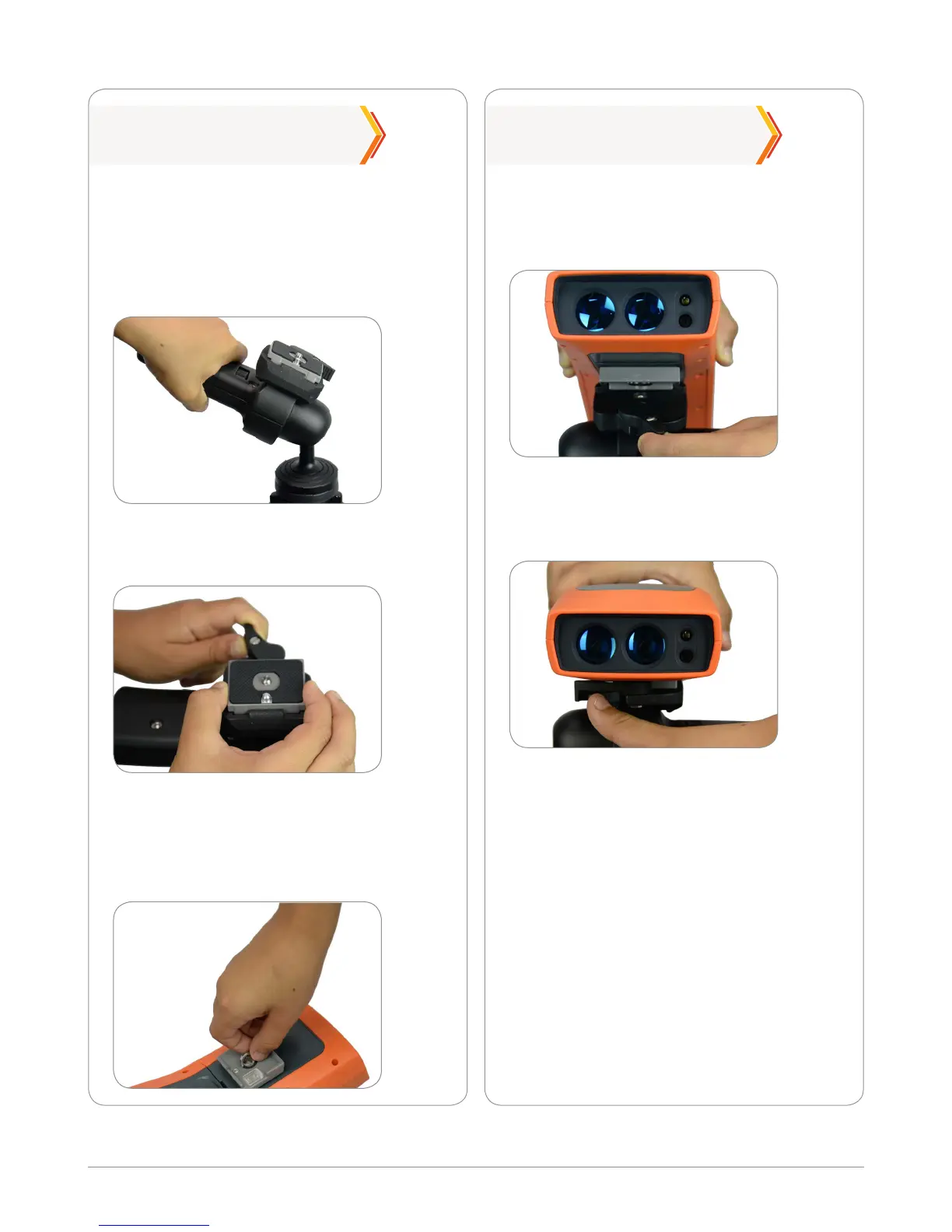
Squeeze the small lever and turn it to
release the tripod plate.
Remove the tripod from its bag. Open up
the legs of the tripod. Unclip the tripod leg
locks and extend the legs to the required
height. Clip back to secure the legs. Lower
the main lever to a horizontal position.
Hold the lever outwards and clip the
tripod plate on the back of the IKE
device to the tripod.
Attach the tripod plate to the base of
the IKE device ensuring it is positioned
correctly as shown below.
Tighten the screw until it is secure.
Lower the IKE unit into position and
then turn the lever fully to lock the
unit into place.
Ensure that the IKE unit is securely
attached.



 To Next Page