IKE 4 User Manual 15
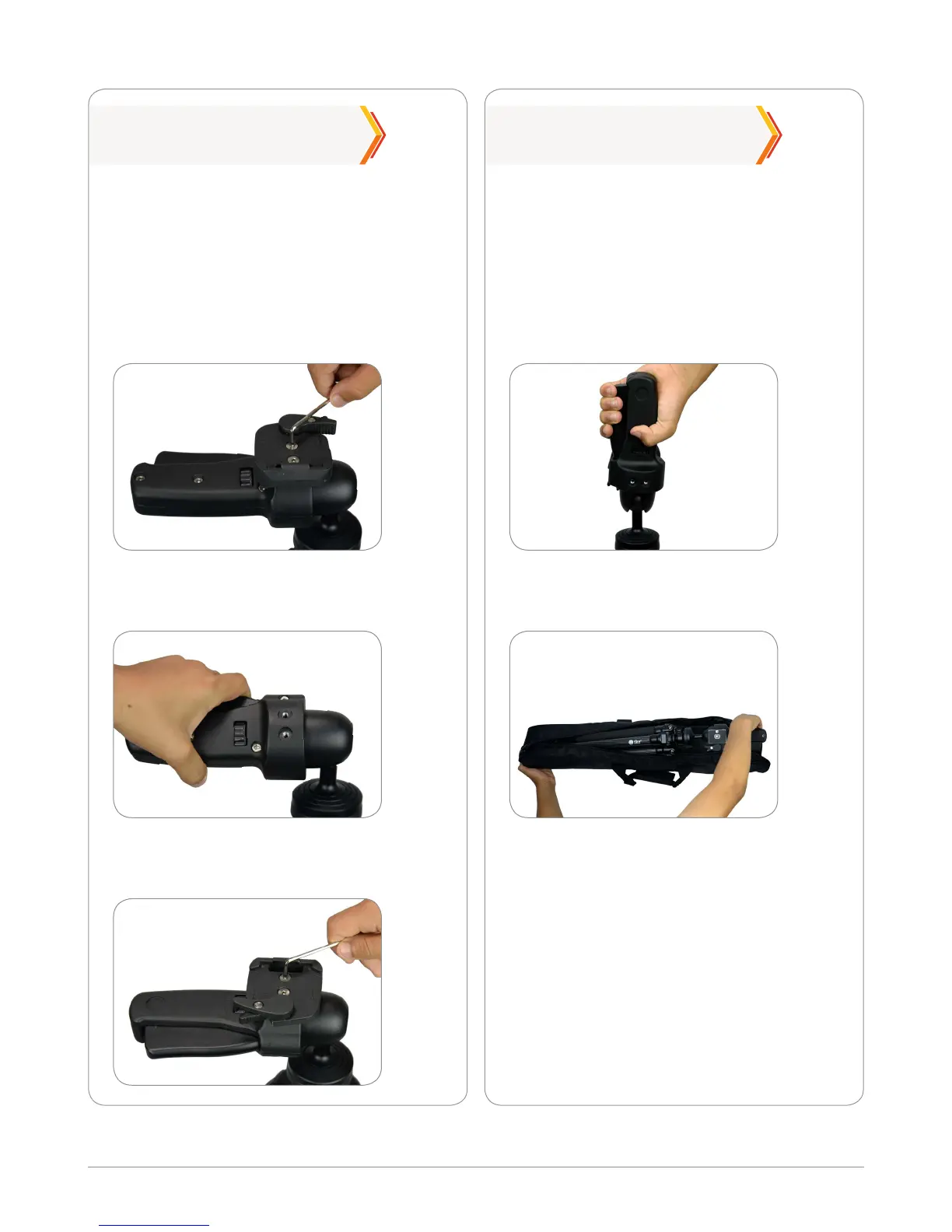
Left-Handed Use Carry Bag
Rotate the lever towards you to the
opposite side.
Place the tripod inside the carry bag
and zip up the bag.
The strap provided can be used both on
the tripod or on the carry bag.
If you are left-handed, you can change the
position of the lever to the opposite side.
With the tripod plate removed (see step
1), use the Allen key provided to unscrew
the two screws on the tripod head. Then
remove the top plate.
We recommend storing your tripod in the
carry bag after use.
Remove the IKE unit from the tripod and
make the tripod as compact as possible.
Secure the legs with the leg strap. Then
lift the main lever to a vertical position.
Replace the top plate as shown and
secure tightly with the two screws.
Specications
Aluminum, carbon ber
Max 59.5 in. (1510 mm)
5.1 lb (2.31 kg)
(with accessories)
Low magnetic
Materials:
Maximum height:
Weight:
Signature:


 To Next Page