IKE 4 User Manual 45
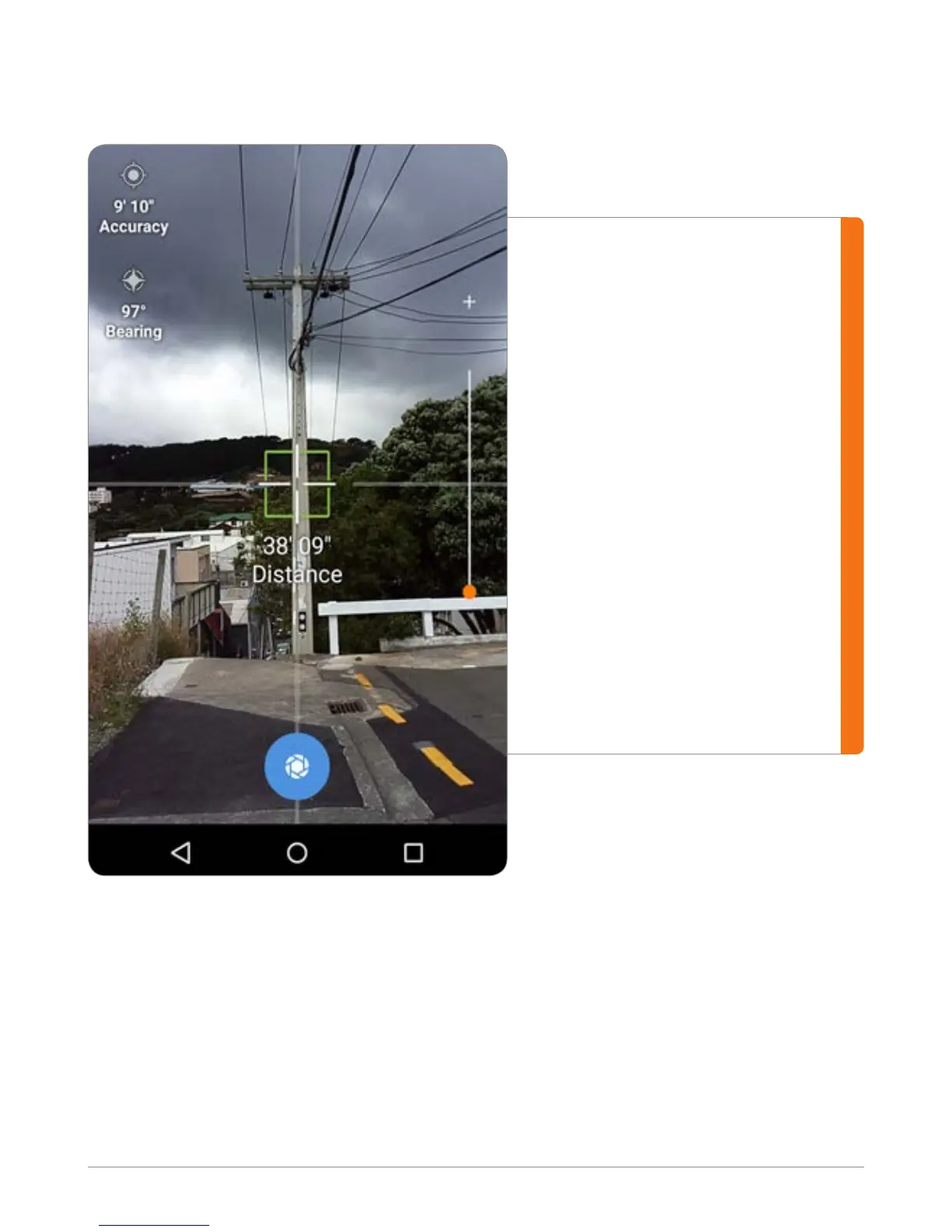
Target GPS Position
#1
Aim at the target with the
crosshair to ensure the laser is
hitting the object you want to
locate.
#2
Ensure the crosshair turns green,
which indicates that all of the
instruments (GPS, Compass and
Laser) are providing information.
#3
Tap the blue Capture button
at the bottom of the screen to
take a picture and capture the
location.
Note: You can zoom in using the slider on the right to help with aiming.
Note: Tapping on different areas of the camera will change the brightness/focus,
like a standard Android camera.


 To Next Page