50 IKE 4 User Manual
#1
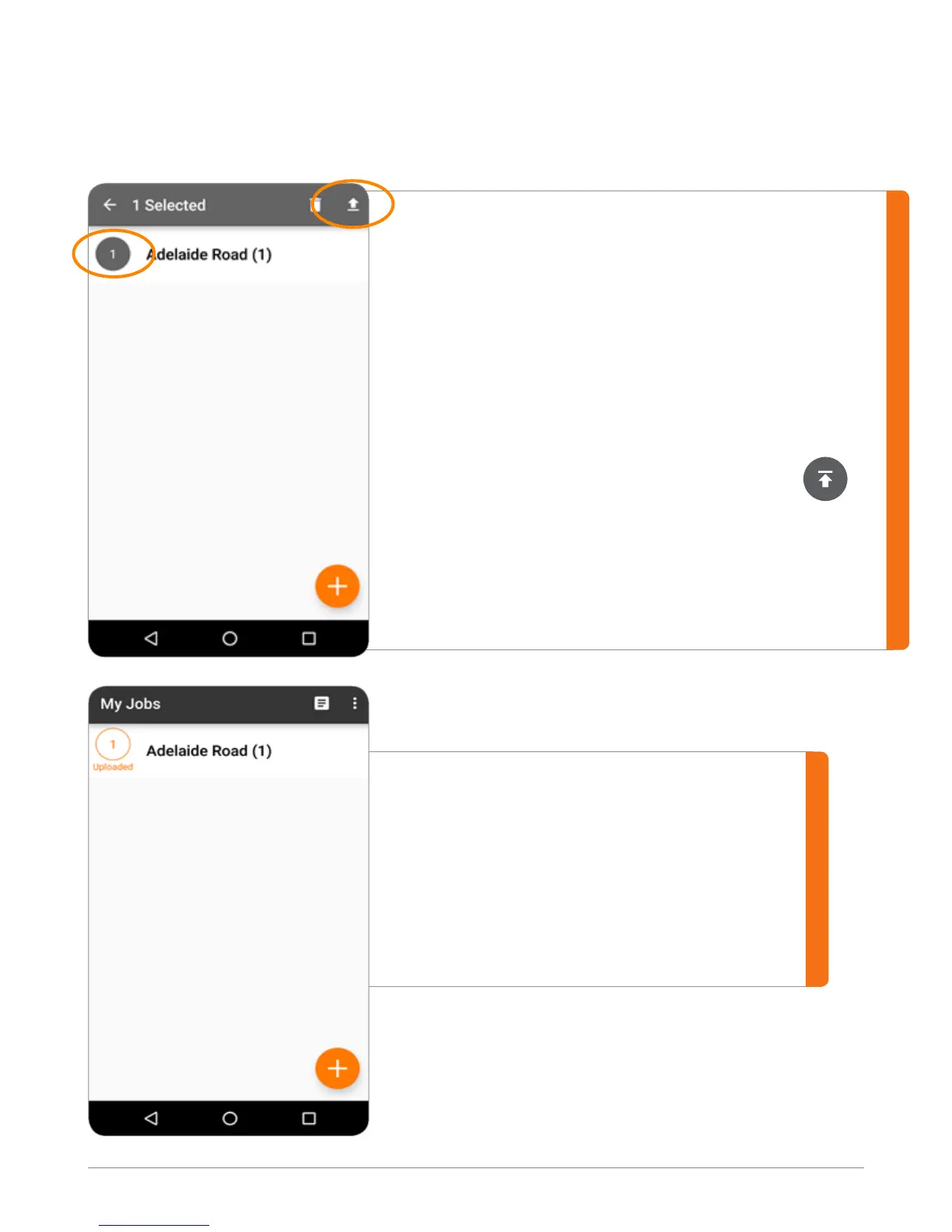
Re-establish a Wi-Fi
connection, if necessary.
#2
Return to the Jobs list on
the My Jobs screen.
#3
Touch the circle outline,
located to the left of the
Job name.
#4
Once activated, the circle
should become gray
and show the number of
selected les at the top
of the screen.
#5
Touch the upload
arrow to upload
your job.
After uploading, the job is paired with an
orange, uploaded circle.
Now you can view the job in IKE Ofce.
After uploading your les, we recommend
exiting the IKE Field app prior to powering
down the IKE device.
Upload Data
After you’ve collected the data, you will want to upload the data to the IKE Ofce.
A dialog box indicates the status of the upload
and indicates when successful.



 To Next Page