IKE 4 User Manual 7
IKE 4 Software Features
IKE Field is an Android mobile app that is preloaded on the IKE Device. The app
contains general measurements tools for eld data collection and specialized utility
pole measurements for pole heights, wire spans, attachment points, GPS location and
more. Data collection is based on adjustable workows with custom hierarchical forms
that improve the productivity and efciency in the eld. Data collected with IKE Field is
uploaded wirelessly to the IKE Ofce.
IKE Field
IKE Ofce is a cloud-based software service that has multiple functions. IKE Ofce is
used to create and then deploy the IKE custom hierarchical forms. As data is collected
in the eld, it’s uploaded from the IKE Field app to IKE Ofce where it is used to
perform functions such as measuring heights of attachment and quality assurance and
quality control. IKE Ofce stores all of the photos, measurements and eld data for
long-term archiving and retrieval.
IKE Ofce
IKE Integration provides a number of output options, enabling a user to create reports
or directly integrate data into other applications or enterprise databases. Initially,
report output formats include JSON, KMZ and PDF. Direct integration includes SPIDA
Software’s SPIDACalc pole-loading analysis solution, GIS and other third-party software
systems. Additional reporting le formats and system integrations will be released in
subsequent software updates.
IKE Integration
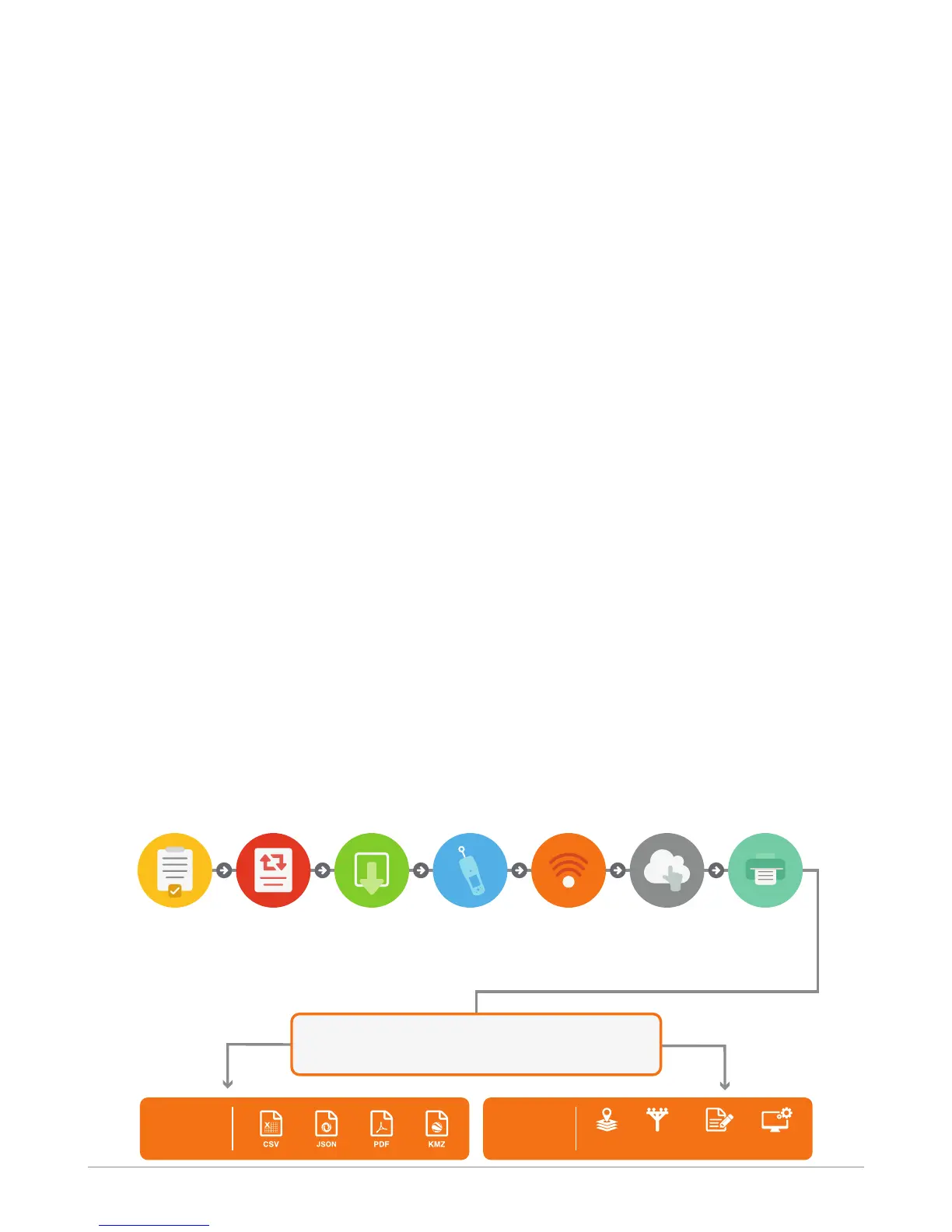
The IKE 4 Process
Pre-plan Data to
Be Collected
Use IKE Office
to Create
Workflow Forms
Output Options
Deploy
Customized
Workflow Forms
to IKE Field
Use IKE Field
to Capture
Photos & Data
in Field
Wirelessly
Upload Field
Data to IKE
Office
Access Photos
to Complete
Measurements
& Annotations
Create Reports
or Export to Other
Applications
Plan Workflow Deploy Capture Upload Access Output
Create
Reports
Direct
Integration
ASSET
MANAGEMENT
POLE
MODELING
GIS
OTHER
SYSTEMS


 To Next Page