16
Ikusi Flow guide
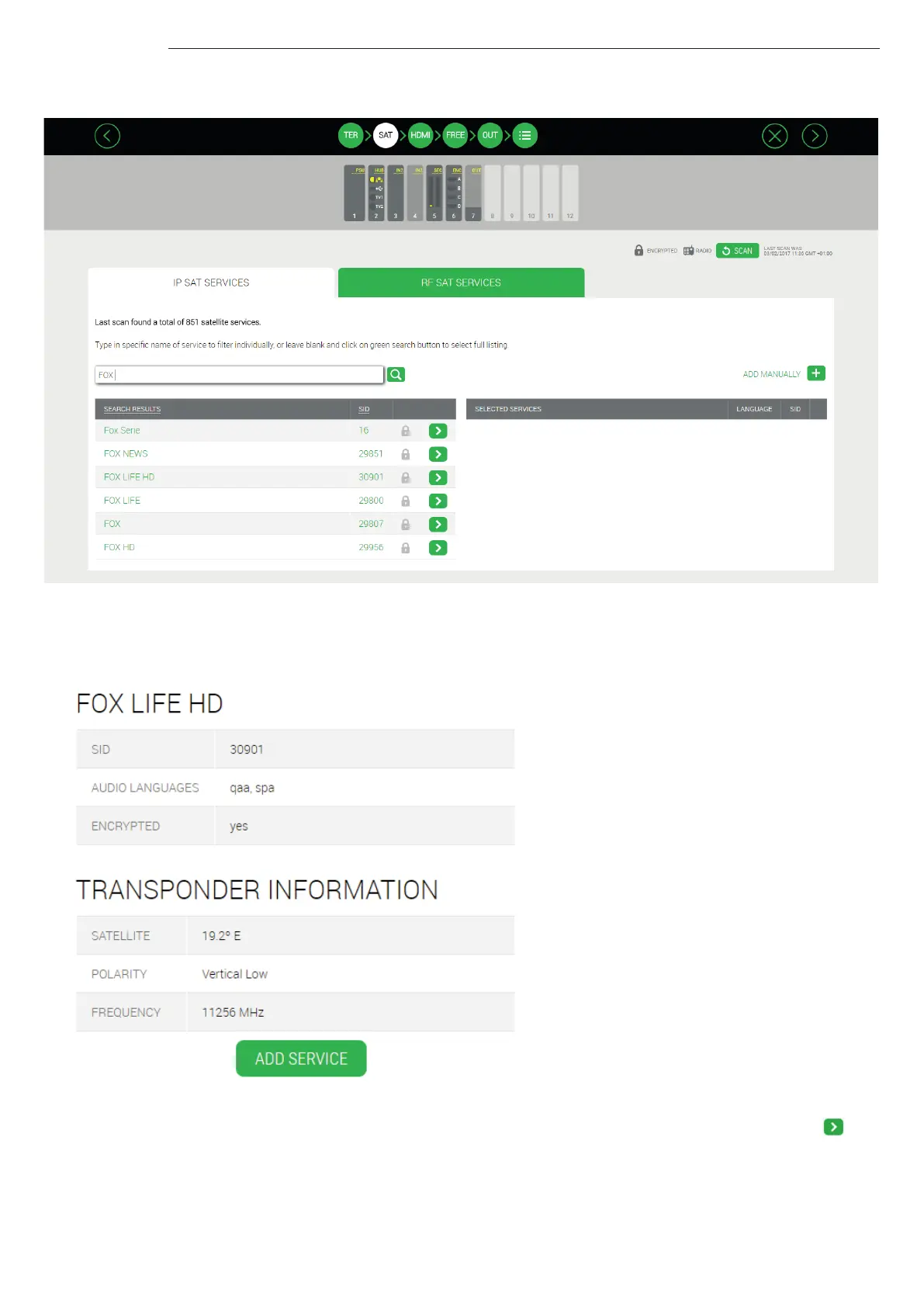
Start with the IP tab. Use the search box to search by name a service among all the detected ones in the satellite cables. For
example, if you type “FOX”, a list with all the detected services whose name include “FOX” will appear:
To obtain more information about a particular service, click over the name of the service. For example, clicking over FOX LIFE
HD service, the following window will open:
To add the service to the output, push “ADD SERVICE” button. Also, it can be added from the previous screen, pushing .



 To Next Page