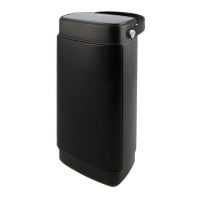
Features
Includes
• User’s Guide
• AC Power Cord
• 12V DC Car Power Adapter
Overview
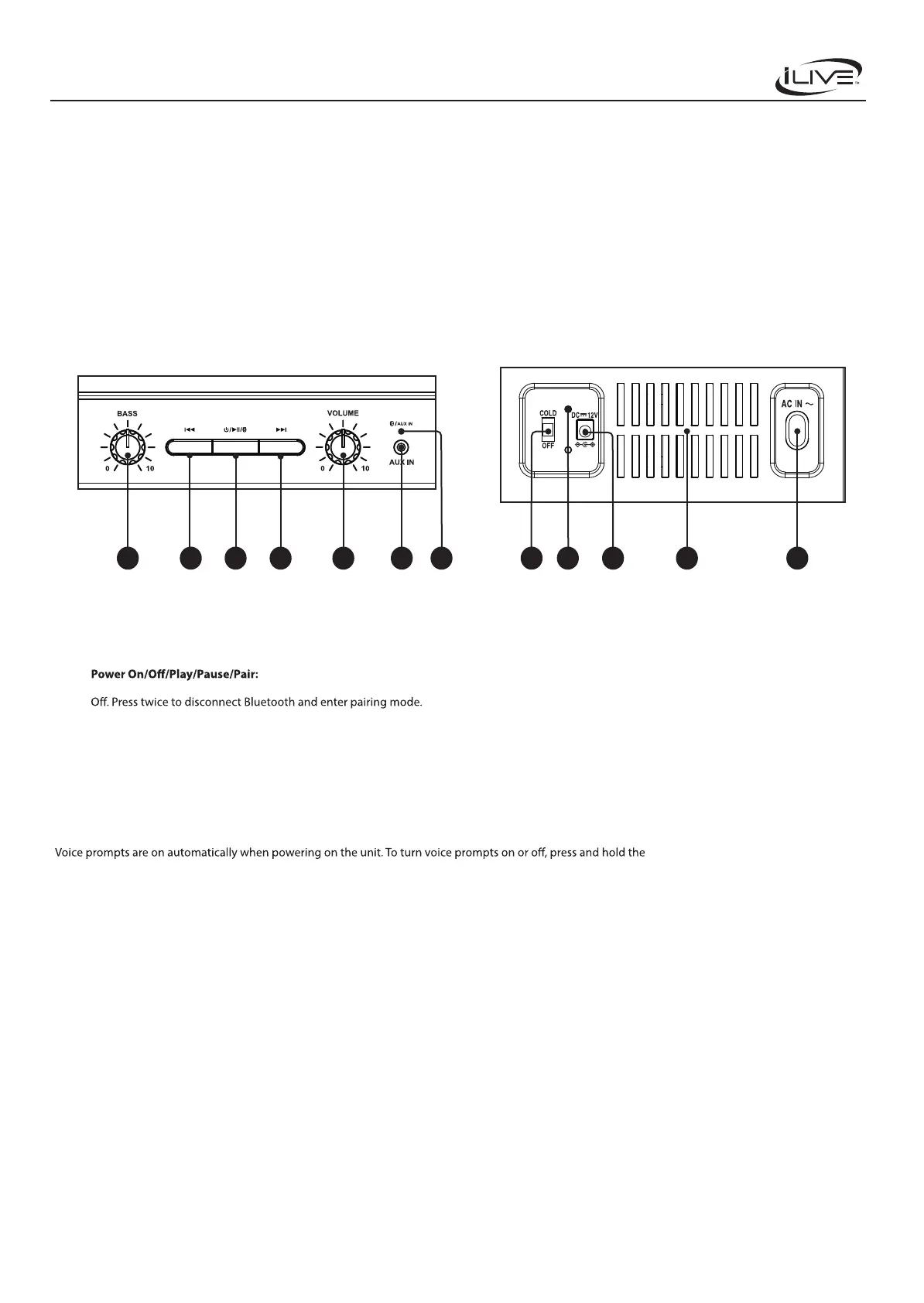
Controls and Functions
1. Bass Control Knob
2. Previous
3.
Press once to change play mode
between Aux In and Bluetooth. Press and hold to turn the speaker On/
4. Next
5. Volume Control Knob
6. Aux In (3.5mm Input)
7. Bluetooth/Aux In Indicator LED
9 118
Front Controls Cooler Power and Power Inputs
7654321
8. Cooler Power OFF/COLD
9. Power LED Indicator: Turns green when the speaker is powered on.
10. DC Power Input: Plug in the 12V DC Car Power Adapter to power the
speaker/cooler.
11. Cooler Ventilation
12. AC Power Input: Plug in the AC Power Cord to power the speaker/
cooler.
• Bluetooth wireless – range 60 ft.
• 4-liter capacity – holds up to 6 12oz cans
• Quiet thermoelectric cooling
• Cools to 28°–30°F below ambient temperature
• Stationary shelf
• Locking latch
• 3.5mm Aux in
• Carry handle
Voice Prompts
Previous and Next buttons at the same
time for three seconds.
10 12
Cooler Pro Wireless Speaker System with Cooler
User’s Guide for Model IAFSB503 v3040


 To Next Page