EasyManua.ls Logo

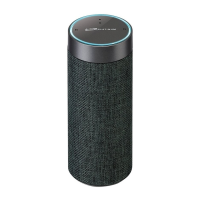
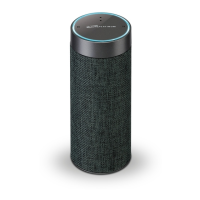
iLive Platinum Concierge ISWFV387 - User Manual

iLive Platinum Concierge ISWFV387
20 pages
Print Icon
To Next Page IconTo Next Page
Loading...
User’s Guide for Model ISWFV387 v1901-01

Questions and Answers

  • J
    Jasmine ComptonJul 28, 2025
    How to fix Bluetooth connection failure on iLive Speakers?
    • R
      russellmillerJul 28, 2025
      If your iLive Speakers are not connecting via Bluetooth, ensure the following: * The speaker has power and is adequately charged. * Both the speaker and your device are in Bluetooth mode. * You are within 33 feet of the speaker during the pairing process.
  • W
    Wanda MurrayAug 4, 2025
    Why is the audio intermittent on my iLive Platinum Concierge ISWFV387?
    • D
      David SnyderAug 4, 2025
      If you're experiencing intermittent audio or no audio at all with your iLive Speakers, there are a few things you can check: * First, ensure that the volume on both the speaker and your connected device is adequately turned up. * Second, consider that interference from devices like microwaves or cell phones might be disrupting the Wi-Fi signal. Try relocating the speaker to a different spot. * Third, close any other applications that might be streaming media from the internet. * Finally, the speaker's Wi-Fi connection might be weak. Try moving the speaker closer to your router to improve the connection.
  • O
    odompaulAug 12, 2025
    What to do if I cannot complete Wi-Fi network set up on iLive Platinum Concierge ISWFV387 Speakers?
    • B
      brianna47Aug 12, 2025
      If you are unable to complete the Wi-Fi network setup for your iLive Speakers, consider the following: 1. Ensure the speaker is powered and charged. 2. Verify you're connecting to the correct Wi-Fi network. 3. If using a dual-band router, use the 2.4GHz band. 4. Enable Wi-Fi on your mobile device. 5. Test your internet connection by reloading a web page; restart your router if necessary. 6. Use the alternate connection method. 7. Uninstall and reinstall the app, power cycle the speaker, and restart setup.
  • B
    Billy SteeleAug 20, 2025
    What to do if Aux In won’t play on iLive Speakers?
    • S
      Stacey RichAug 20, 2025
      If the Aux In on your iLive Speakers won’t play, check these things: * Make sure the audio cable is firmly connected to the audio ports of both the speaker and your device. * Ensure the volume on both the speaker and your connected device is not too low. * Press the Mode button to manually switch to Aux In mode.

Summary

Warnings and Precautions

General Safety and FCC Compliance

Covers safety hazards, cleaning, usage precautions, grounding, FCC rules, and interference guidelines.

Power and Charging

Speaker Operation

Using Speaker Controls and LEDs

Explains the function of speaker buttons for operation and the meaning of different LED status lights.

iLive Wi-Fi Control App Setup

App Download and Initial Wi-Fi Connection

Guides on downloading the iLive Wi-Fi Control app and connecting the speaker to your Wi-Fi network.

Amazon Alexa Integration

Linking Alexa Account and Voice Commands

Details connecting your Amazon account to the speaker and using Alexa voice commands for smart features.

Alternative Wi-Fi Setup

App Interface

Advanced App Features

Internet Music Services

Alternate Playback Modes

Troubleshooting

iLive Platinum Concierge ISWFV387 Specifications

General IconGeneral
BrandiLive
ModelPlatinum Concierge ISWFV387
CategorySpeakers
LanguageEnglish

Related product manuals