To download this User’s Guide in English, Spanish, or French, or to get answers to frequently asked questions, visit
the support section at: www.iLiveElectronics.com
Para descargar este Manual del Usuario en inglés, español y francés, o para obtener respuestas a preguntas
frecuentes, visite la sección de apoyo en: www.iLiveElectronics.com
Pour télécharger ce guide de l’utilisateur en anglais, espagnol ou français, ou pour obtenir des réponses à des
questions fréquemment posées, consultez la rubrique d’assistance sur: www.iLiveElectronics.com
For Warranty Information and the most up-to-date version of this User’s Guide, go to www.iLiveElectronics.com
Customer Service: 1-888-999-4215 | Email Support: prodinfo@dpiinc.com | Email Parts: partsinfo@dpiinc.com
Copyright © 2023 Digital Products International (DPI, Inc.) All other trademarks appearing herein are the property
of their respective owners. Specications are subject to change without notice.
Customer Support
Protect for Today
Made
Green
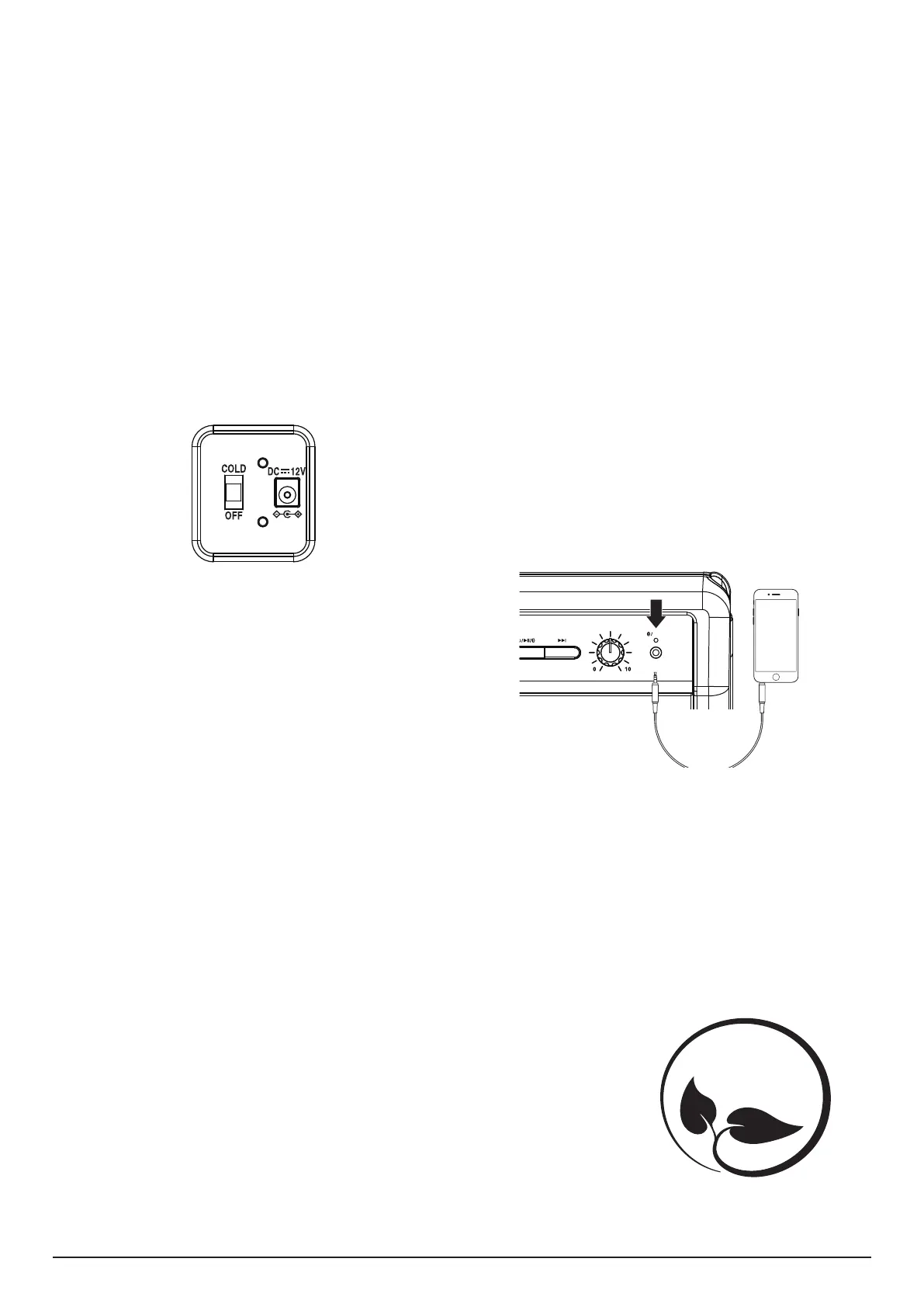
Aux In
Requires a 3.5mm audio cable (not included).
1. Connect a 3.5mm audio cable to the Aux In on the speaker and the
audio output/headphone jack on an audio device.
2. The speaker will automatically switch to Aux in mode. The Bluetooth/
Aux In Indicator LED will display a solid green light.
3. Use the controls on the connected device to select and play audio.
Note: If the playback volume through the speaker is low, make sure the
volume level on your connected device is turned up.
AUX IN
VOLUME
AUX IN
Bluetooth Wireless
Pairing & Playing Audio
1. When powered on, the speaker will enter Bluetooth Mode
automatically.
2. Using the Bluetooth setting on your device, search for new devices and
select IAFSB503. Refer to the user’s manual for your specic device for
instructions on pairing and connecting Bluetooth devices.
3. When successfully paired, a voice prompt will announce the
connection. The Bluetooth/Aux In Indicator LED will display a solid blue
light.
4. Use the controls on the connected device to select and begin playing
audio. Use the controls on the speaker or the connected device to play,
pause, and adjust volume.
Note: The speaker will automatically connect to the last paired device when
powering on. If your device becomes unpaired or it is unable to connect, press
the Power On/O/Play/Pause/Pair button twice to enter pairing mode. A
voice prompt will announce “Bluetooth is connecting” start from step two to
connect to your device.
Powering on the Unit
To power the unit, connect the AC Power Cord to the AC Power Input on the
speaker, then plug into a standard power outlet.
To power the unit using the car adapter, connect the 12V DC Car Power
Adapter to the DC Input on the speaker, then plug into the car cigarette
lighter.
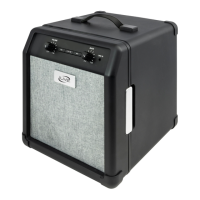
Cooler Operation
This thermoelectric unit is designed to be a portable storage container for
cold drinks and cold food while in “COLD” mode. The unit cools 28–30°F
below ambient room temperature depending upon environmental factors.
For example, in a room with a temperature of 75ºF, the unit will keep
contents chilled between 46º–50ºF. The maximum chill temperature of the
unit is approximately 43ºF.
Mode Selection (Located on the back of the unit)
COLD: Slide the COLD/OFF switch to “COLD.” The cooling function will then
turn on. You will hear a quiet fan running when the cooling function is on.
OFF: Move the sliding switch to “OFF”, the unit will be o.
Important Notice
1. After turning o the unit, wait about ve minutes before turning it on again.
2. When the cooling function is on, keep in a well-ventilated area. Do not
block the ventilation of the unit.
3. Do not operate under direct sunlight.
4. Do not disturb the airow of the unit.
5. Do not pour water into the unit.
6. Do not use near water. Keep unit out of wet weather conditions.
7. Use damp cloth to clean the unit; do not submerge unit in water.
8. When unattended for a long period of time, place in a well-ventilated area.
9. Avoid dropping unit.
10. Keep away from re or other ammable substances.
11. To avoid foodborne illness, do not store meats, poultry, sh, or dairy
products in the unit for more than one hour.
12. The use of extension cords is not recommended with this product.


 To Previous Page
 Loading...