Customer Support: 1-888-999-4215 9
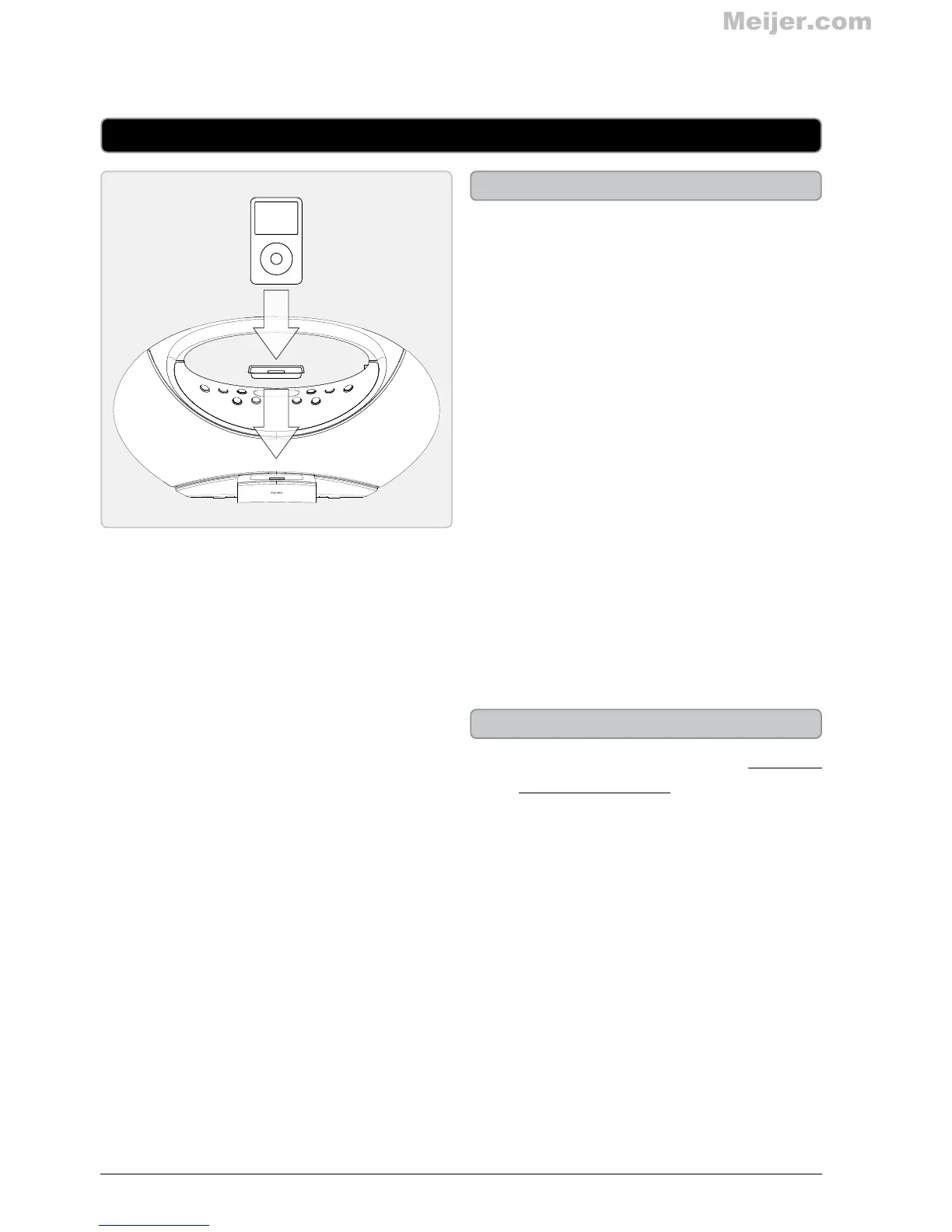
Docking an iPod or iPhone
1. Locate the numbered bracket that
ts the iPod or iPhone model that
will be docked.
Each included bracket has a
number on it, indicating which iPod
or iPhone model that bracket is
compatible with. See the separate
bracket chart page to identify which
bracket is needed.
2. Snap the bracket into place over
the iPod and iPhone connector in
the dock.
3. Connect the iPod or iPhone to the
connector inside the Dock for iPod
and iPhone.
4. When the dock is plugged in, using
AC power, the docked iPod or
iPhone will charge.
iPod and iPhone
Playing a Docked iPod or iPhone
1. Follow the instructions for Docking
an iPod or iPhone.
2. Press the SOURCE button to
switch to iPod mode.
3. Press the PLAY/PAUSE button to
begin playing the docked iPod or
iPhone.


 To Next Page