Powering the Unit
5
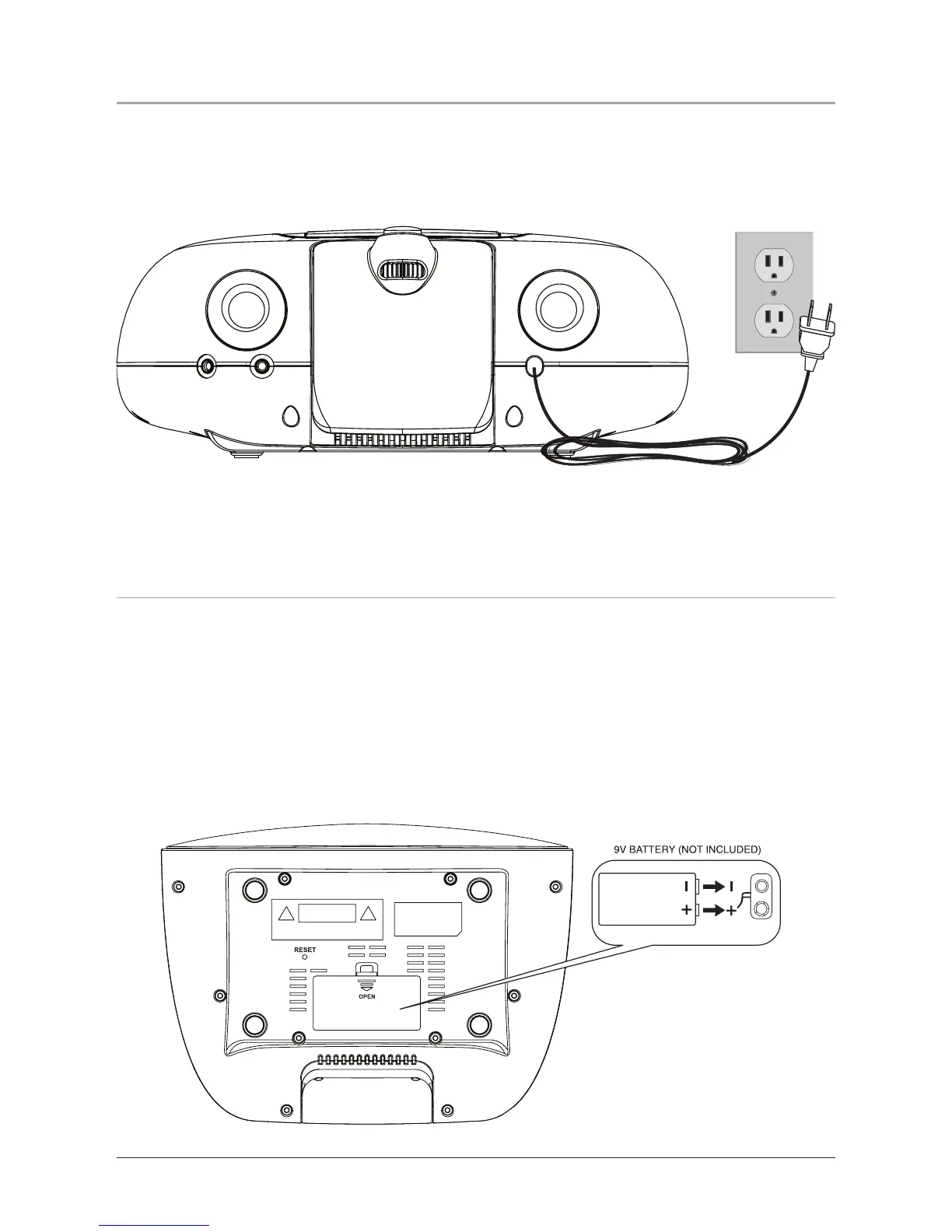
Power the unit by connecting it to a standard AC outlet (120V ~ 60Hz)
via the attached AC cord.
Battery Information
Battery power for Back-up only. Battery back-up will save the clock
times in case of a power outage.
The unit must be unplugged when installing the back-up battery. If
you experience problems while installing the back-up battery, press the
Reset Button, using a paperclip or like object, to reset the unit.



 To Next Page