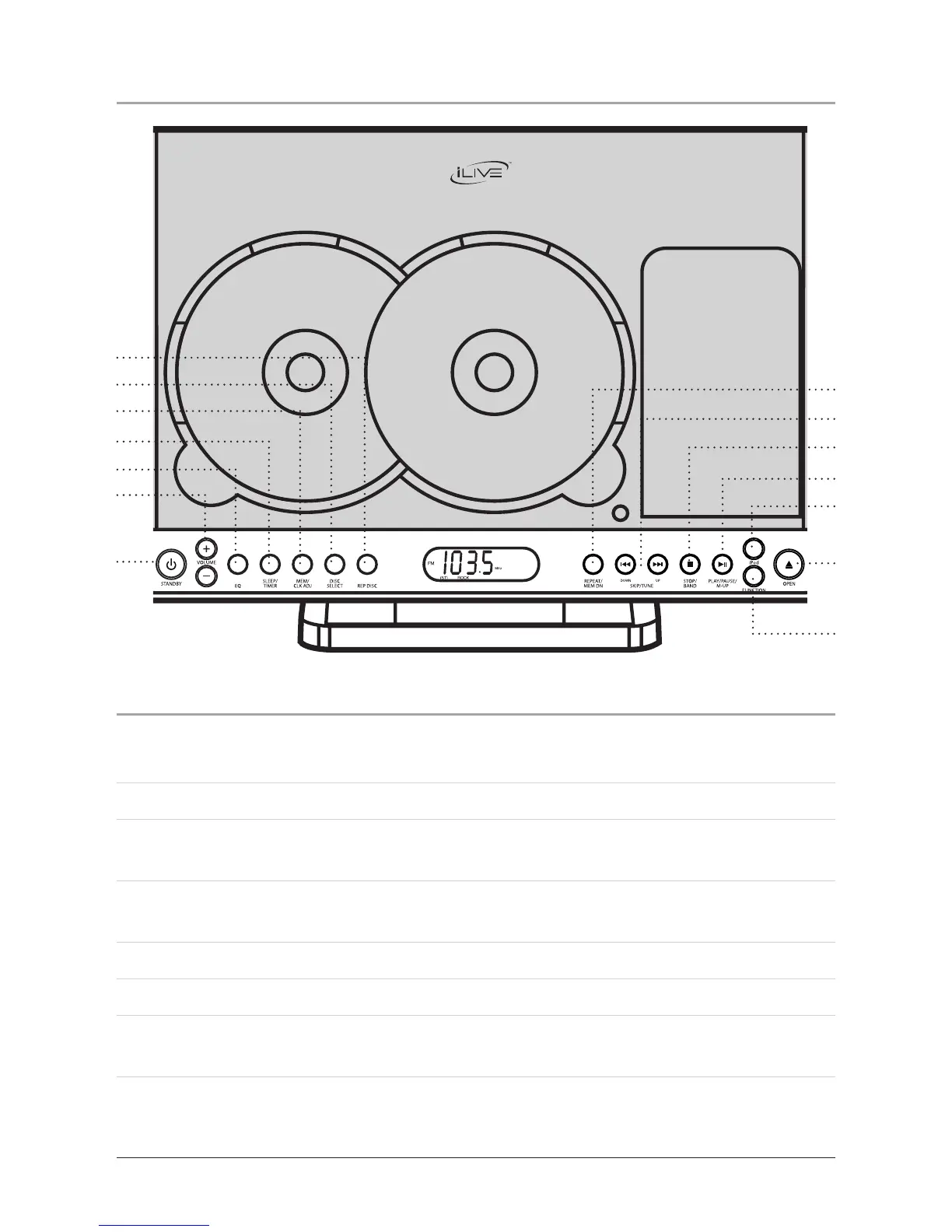
Location of Controls
12
6
5
4
3
2
1
7
13
11
12
10
9
8
14
1 Rep Disc Button
Press the Rep Disc Button consecutively in CD mode to repeat all discs.
Press the Rep Disc Button to display the time in radio mode.
2 Disc Select Button
Press the Disc Select Button in CD mode to switch between disc 1 and disc 2.
3 Mem/Clk Adj Button
Press the Mem/Clk Adj Button to save a radio station to the units memory.
Press the Mem/Clk Adj Button to program a loaded CD.
Press the Mem/Clk Ad Button to set the clock.
Press the Mem/Clk Adj Button to move backwards through the menus on a docked
iPod.
Location of Controls



 To Next Page