7
Playing a CD
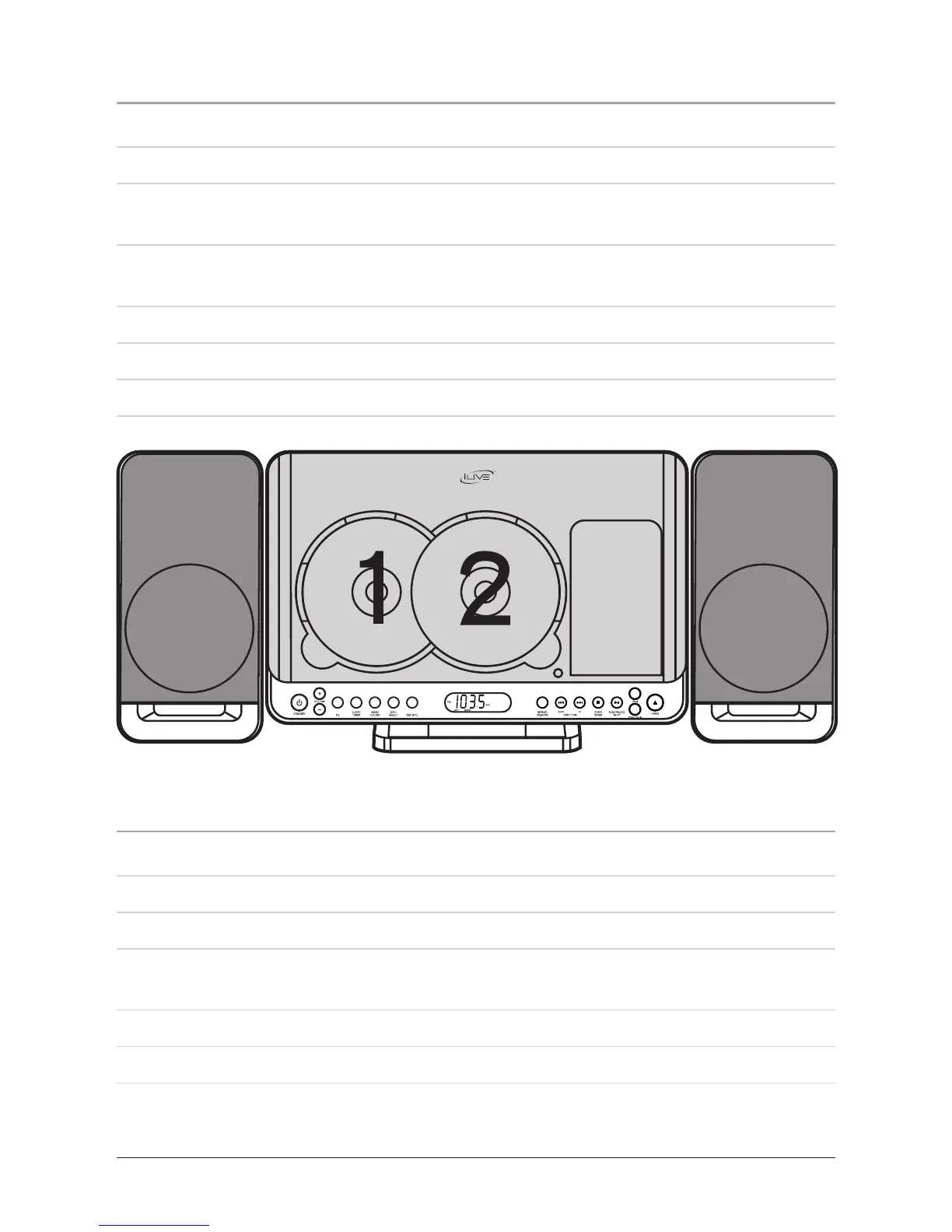
1. Press the Standby Button to turn the unit on.
2. Press the Open/Close Button to open the CD/iPod door.
3. Load a CD into the CD player. Press the Open/Close Button to close the CD/iPod
door.
AlwaysloadtheCDintotheleftopeningrst.AsecondCDshouldonlybeloaded
intotheCDopeningontheright.
4. Press the Function Button to switch the unit to CD mode.
5. Press the Disc Select Button to switch between CD 1 and CD 2.
6. Press the Play/Pause/Mem Up Button to pause the selected CD.
Programming a CD
1. With a CD loaded and playing, press the Stop/Band Button.
2. Press the Mem/Clk Adj Button.
3. Press the Skip/Search/Tune Buttons to select a CD track to be programmed.
4. Press the Mem/Clk Adj Button to set the selected track to the next available
program slot.
5. Repeat steps 3 through 4 until the desired tracks are programmed.
6. Press the Play/Pause/Mem Up Button to begin playing the programmed tracks.



 To Next Page