Connecting
Devices
USB Drive
1. Load a USB drive into the USB Port
(32GB
maximum).
2. Press the
Source
button to switch to
USB
Mode.The display will show the total number of tracks on the USB
drive.
3. Press the
PlayIPause
button to begin playing. Use the controls on the remote or the under cabinet music
system to pause, adjust volume, etc.
Programming the USB Drive
The unit can be programmed to up to
99
tracks in the order you wish.
1.
Please make sure the unit
is
stopped and in USB mode.
2. Press the
Prog
button, the Prog indicator will flash and the display will show "PO1
."
3. Press the
SkipITune
buttons to select the desired audio tracks. Press the
Prog
button to confirm the selection.
4.
The display will advance to "P02," repeat step 3, up to a maximum of
99
tracks. When the maximum of
99
tracks
have been programmed the display will read "FUC' to indicate the program
list
is
full.
5.
When you have completed programming, press the
PlayIPause
button to begin the program.The tracks will
now play in the designated order. In order to cancel the programming press the
Stop
button twice.
USB Repeat Mode
With the repeat feature you can choose to repeat one song, a folder or repeat all tracks.
To repeat a track press the
Repeat
button once.The display will show
"
rn
ll'indicating the unit will begin
replaying the current track.
Press the
Repeat
button again to repeat a folder, the display will show
"
r)
FOLDER.
"
Note:
If there
is
no
folder this function cannot be selected.
Press the
Repeat
button again to repeat all, the display will show
"
0
ALL.
"
To cancel the repeat function, press the
Repeat
button until the repeat indicator on the display turns off.
Line In (3.5mm Audio Input)
Required: 3.5 mm audio input cable (not included).
II
II
1. Press the
Power
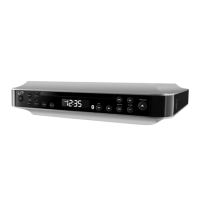
button to power on the under cabinet
11
1
I
music system.
III
2.
Connect a 3.5mm audio cable to the
Line In Input
on
Pr"-'
the side of the under cabinet music system and the
a
audio outputlheadphone jack
on an audio device.
3. Press the
Source
button to switch to
Line
in
Mode.
4.
Use the controls on the connected device to play your
audio through the under cabinet music system.


 To Next Page