11
Connecting to External Audio Sources
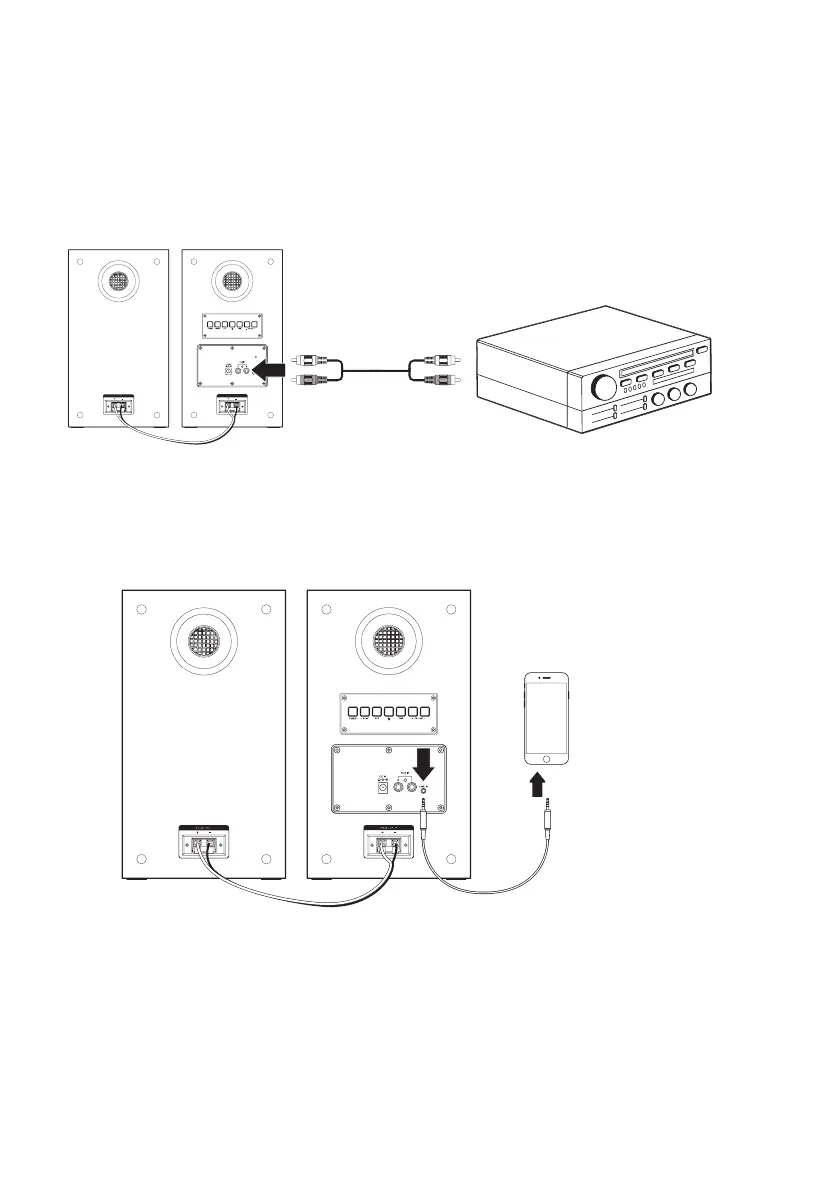
RCA Connection
• You can connect the speakers to an audio system using an RCA stereo audio cable (included). Just
connect the color-coded ports on the speaker to the same ports on your audio device.
• Next, press the Aux button on the back of the speaker or press the Aux Mode button on the
remote
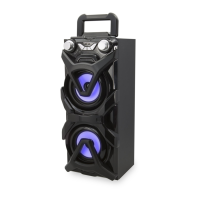
3.5mm Audio Cable Connection
• You can also connect the speakers using a 3.5mm audio cable (not included). Just connect the
Line In on the speakers to the headphone jack on your audio device.
• Next, press the Line In button on the back of the speaker or press the Line In button on the
remote


 To Next Page