6
Controls
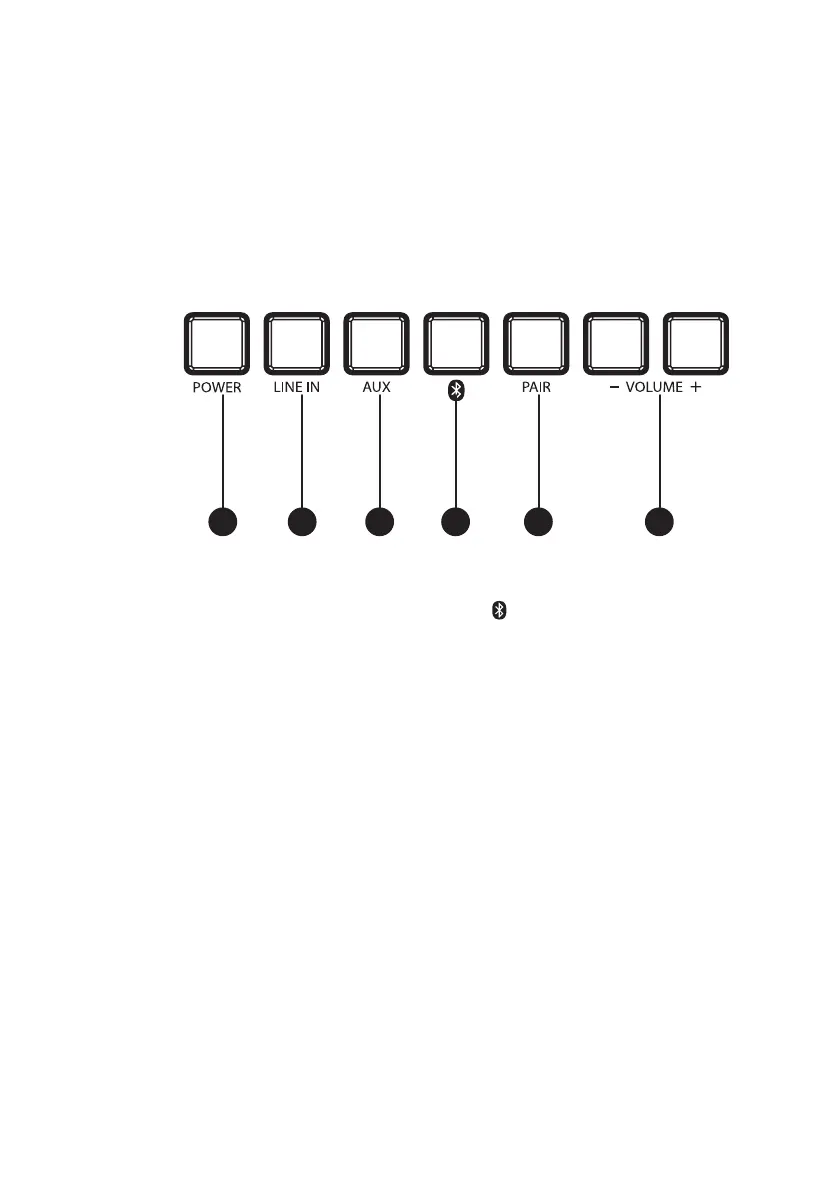
1. Power: Press to power ON.
Press and hold to power OFF.
2. Line In: Press to select Line In Mode,
indicated by a green LED on the front of the
speaker.
3. Aux: Press to select Aux Mode, indicated by
a white LED on the front of the speaker.
4. : Press to select Bluetooth Mode,
indicated by a blue LED on the front of the
speaker.
5. Pair: Press to begin Bluetooth pairing. The
indicator on the front of the speaker will
flash quickly while pairing, then turn solid
when successfully paired.
6. Volume -/+: Press to adjust the volume
level of the speakers.
1 2 3 4 5 6


 To Next Page