7
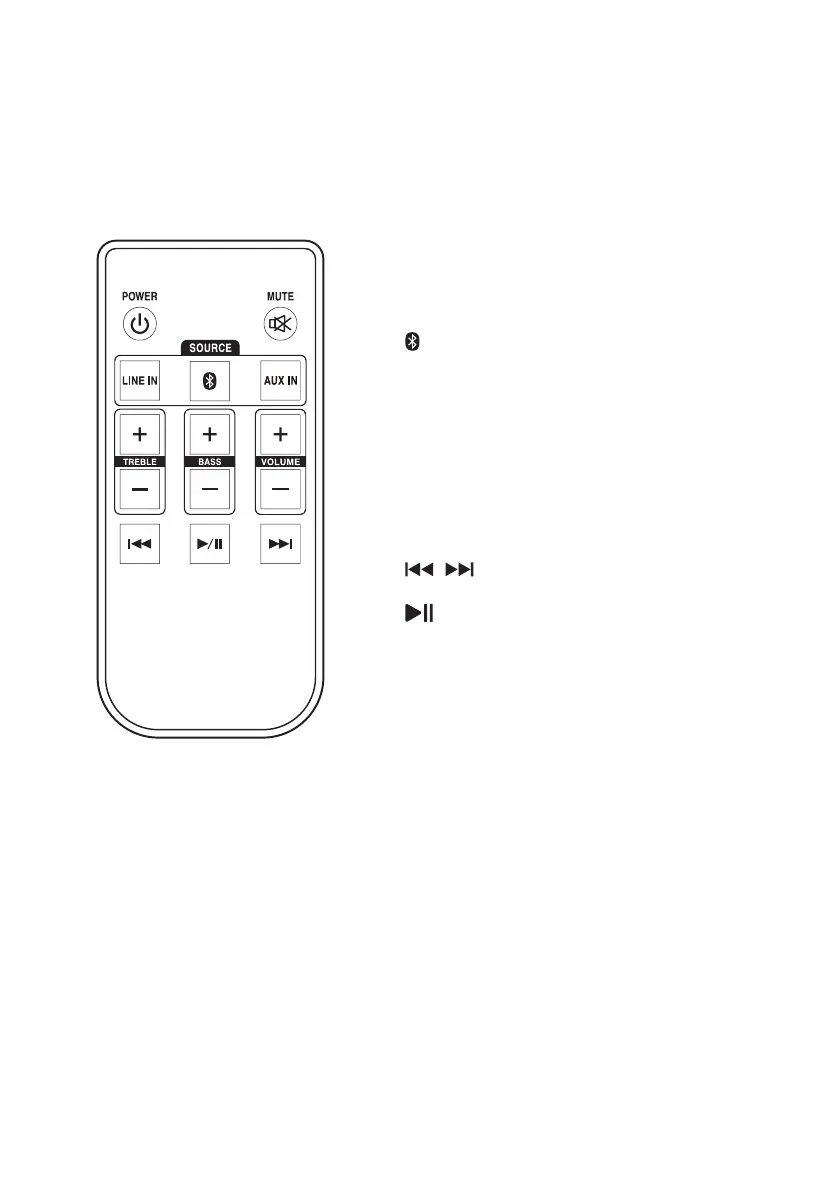
Remote
Power: Press to power ON or OFF.
Mute: Press to mute the volume.
Line In: Press to select Line In Mode, indicated
by a green LED on the front of the speaker.
: Press to select Bluetooth Mode, indicated by
a blue LED on the front of the speaker.
Aux In: Press to select Aux Mode, indicated by a
white LED on the front of the speaker.
Treble -/+: Press to adjust the treble level of the
speakers.
Bass -/+: Press to adjust the bass level of the
speakers.
Volume -/+: Press to adjust the volume level of
the speakers.
: Press to skip audio tracks (Bluetooth
Mode).
: Press to play or pause audio tracks
(Bluetooth Mode).
Get to Know Your Speakers


 To Next Page