11
CONNECTIVITY
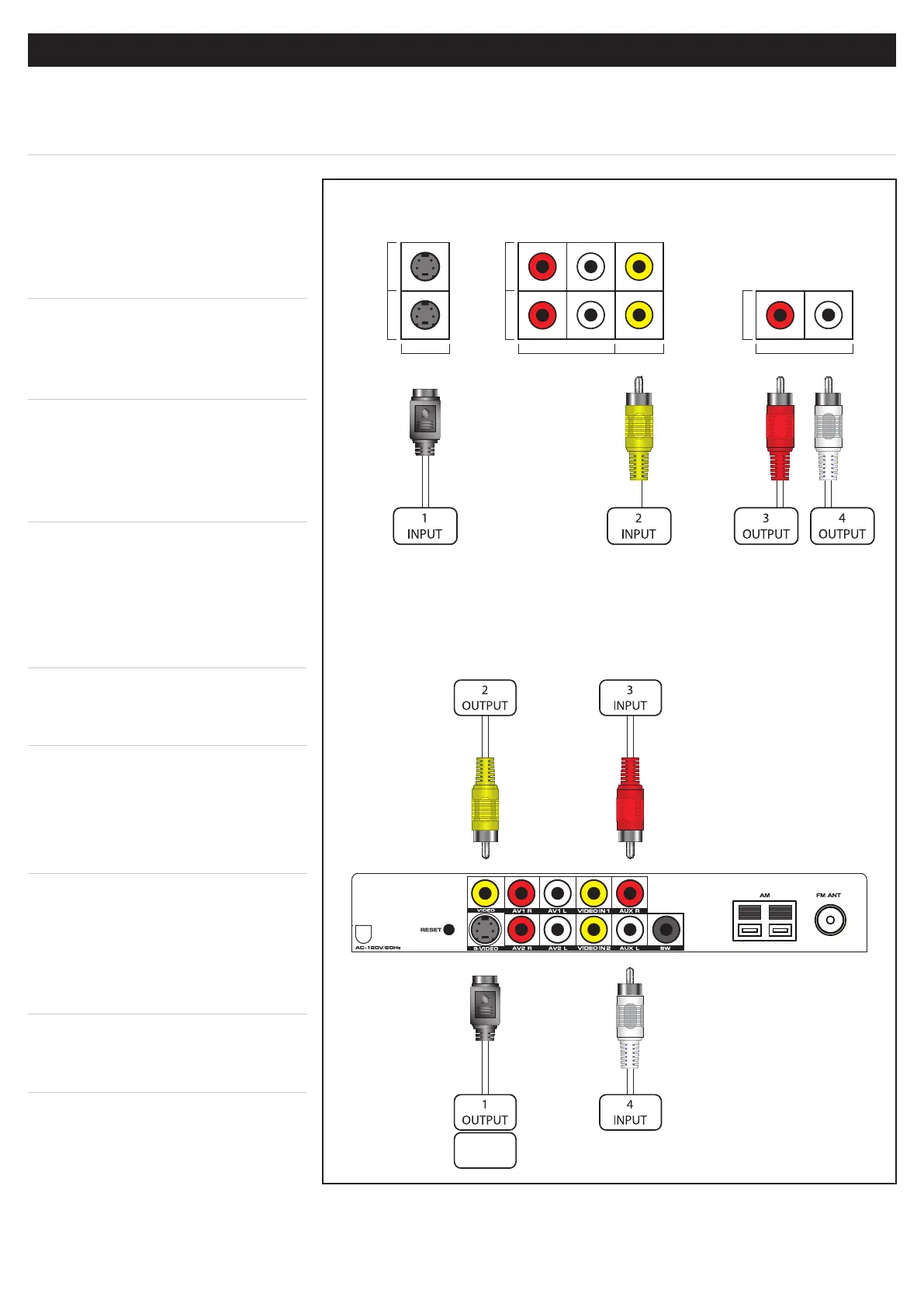
█ CONNECTINGATELEVISIONTOTHEBARSPEAKER
When connecting a television to the bar speaker, is outputting the audio from the television to the bar speaker,
the bar speaker will provide you with a higher quality audio output than your television.
iPod Only
█ AUDIOTOTHEBAR
SPEAKER
1. Connect a Stereo RCA Cable
to the Audio Outputs on the
television.
2. Connect the other end of
the Stereo RCA Cable to the
AuxiliaryStereoInputson the
bar speaker.
The volume on your television
may need to be adjusted
independently of the bar speaker,
or adjusted to a xed audio
mode.
█ S-VIDEOFROMTHEBAR
SPEAKER
1. Connect an S-Video Cable to the
S-Video Input on the television.
2. Connect the other end of the
S-Video Cable to the S-Video
Outputon the bar speaker.
The S-Video Output will not
output video from a connected
DVD Player. The S-Video Output
will only output video from a
docked iPod.
█ COMPOSITEVIDEOFROM
THEBARSPEAKER
1. Connect an RCA Video Cable to
the Video Input on the television.
2. Connect the other end of the RCA
Video Cable to the VideoOutput
on the bar speaker.
SVIDEO 1
SVIDEO 2
VIDEO INPUT
AV 1
AV 2
AUDIO INPUT VIDEO INPUT
R L
AUDIO OUT
AUDIO OUTPUT
R L
Example of Television Inputs & Outputs
Diagram of the IT209’s Inputs & Outputs


 To Next Page