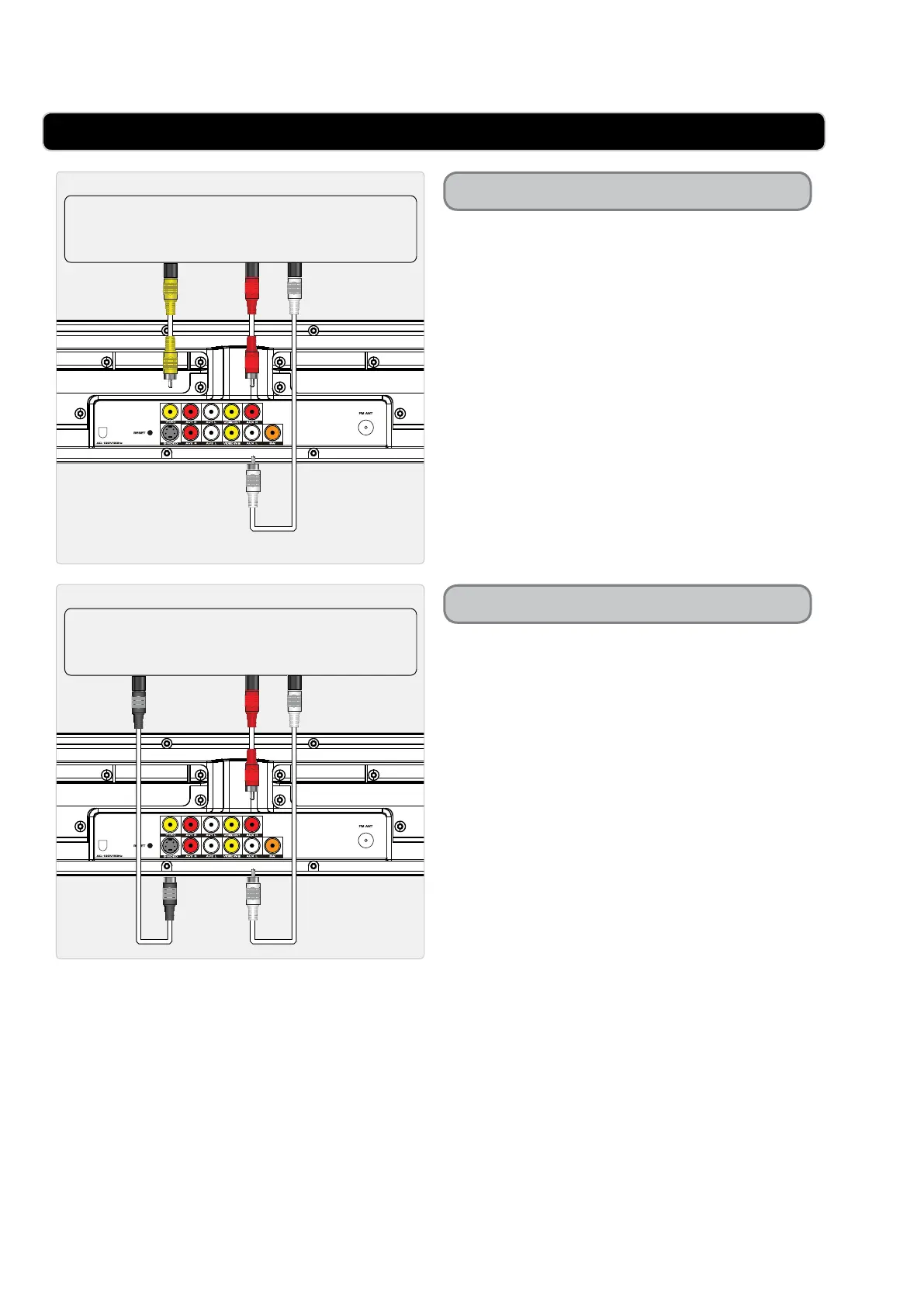
CONNECTING THE BAR SPEAKER TO A TELEVISION
VIDEO INPUT
TELEVISION
AUDIO OUTPUTS
TELEVISION
AUDIO OUTPUTSS-VIDEO INPUT
Composite Video Output
S-Video Output
Requires an RCA audio/video cable (not
included.
1 Plug an RCA audio/video cable into the
COMPOSITE VIDEO OUTPUT (yellow)
on the bar speaker and the composite
video input (yellow) on a television.
2 Plug the remaining plugs on the included
RCA audio/video cable into the RCA
AUXILIARY AUDIO INPUTS (red and
white) on the bar speaker and the RCA
stereo audio outputs (red and white) on a
television.
3 Adjust the television’s input setting to
correspond to the inputs used when
connecting the bar speaker.
Requires an RCA audio cable (not
included.
Requires an S-video cable (not included)
1 Plug an S-video cable into the S-VIDEO
OUTPUT on the bar speaker and the
S-video input on a television.
2 Plug an RCA audio cable into the RCA
AUXILIARY AUDIO INPUTS (red and
white) on the bar speaker and the RCA
stereo audio outputs (red and white) on a
television.
3 Adjust the television’s input setting to
correspond to the inputs used when
connecting the bar speaker.


 To Next Page