INTRODUCTION
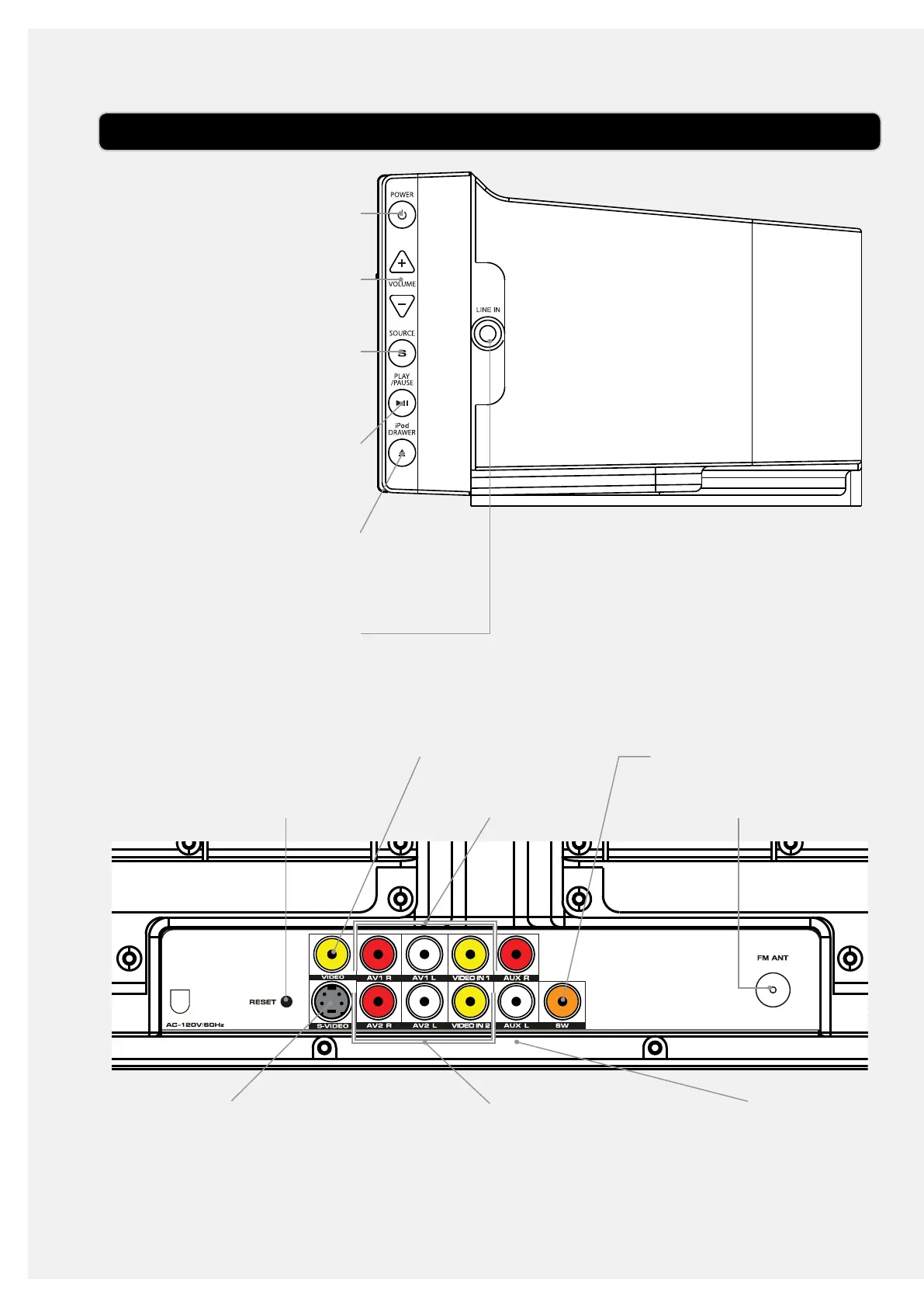
POWER
Press to turn the bar speaker
o or on.
VOLUME
Press to adjust the volume.
SOURCE
Press to switch between iPod/
iPhone, FM radio, AV1, AV2,
Line, and AUX modes.
PLAY/PAUSE
Press to play or pause a
docked iPhone or iPod.
iPod DRAWER
Press to open and close the
iPod docking drawer.
LINE INPUT (3.5mm)
Use to connect an MP3 player
or other audio source to the
bar speaker.
RESET
Press using a paperclip or like
object to reset the bar speaker
to it’s original settings.
VIDEO OUTPUT
AV1 INPUT
AV2 INPUTS-VIDEO OUTPUT
SUBWOOFER OUTPUT
FM ANTENNA CONNECTION
RCA AUXILIARY AUDIO
INPUTS


 To Next Page