Customer Support: 1-888-999-4215 9
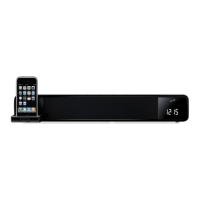
iPod and iPhone
1. Press the Power button to turn the sound bar on.
2. Press the Source button to switch to iPhone/
iPod mode. (iPhone button on the remote)
3. Gently press the iPod Drawer to open the
motorized dock for iPod and iPhone.
4. Connect the iPhone or iPod to the connector
inside the Dock for iPhone/iPod.
When the speaker is plugged in, using AC
power, the docked iPhone or iPod will charge.
1. Follow the instructions for
Docking an iPod or iPhone.
2. Press the Play/Pause button to begin playing
music from the docked iPhone or iPod.
Docking an iPod or iPhone
Playing an iPod or iPhone
Radio
1. Press the Power button to turn the sound bar on.
2. Press the Source button to
switch to FM radio mode.
3. Press the Skip/Tune buttons on the remote
to tune the FM radio. Press and hold the
Skip/Tune buttons on the remote to
search for the next available station.
1. Follow the instructions for Tuning the FM Radio.
2. Press the Mem button.
3. Press the Memory buttons to select
a preset. (SA 01, 02, 03, etc.)
4. After you’ve selected a preset, press
the Mem button to save the current FM
radio station to the selected preset.
1. Follow the instructions for Tuning the FM Radio.
2. Follow the instructions for Saving
a Station as a Preset.
3. Press the Memory buttons on the remote
to cycle through preset radio stations.
Tuning the FM Radio
Saving a Station as a Preset
Tuning to a Preset FM Radio Station



 To Next Page