11
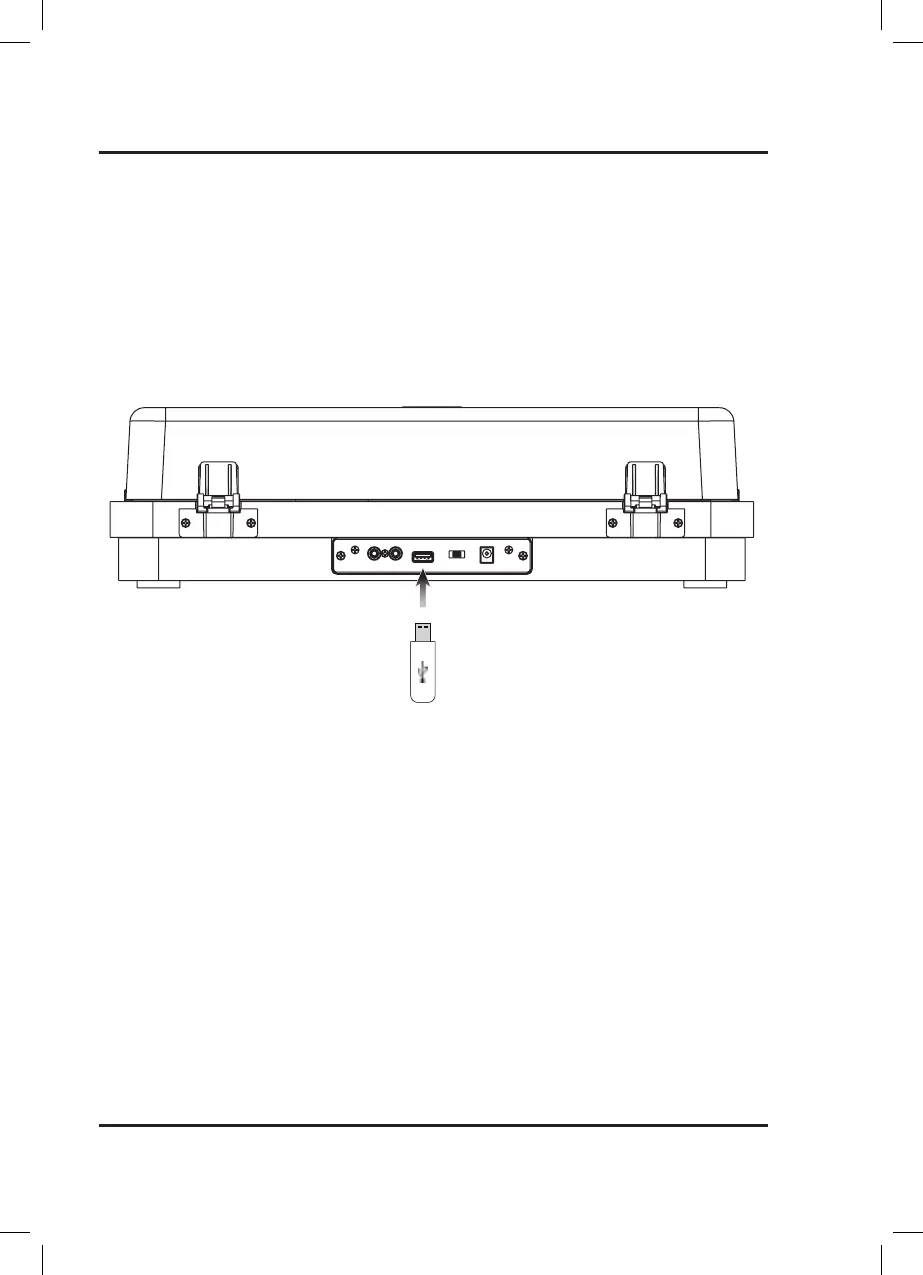
Note: This unit can record playback from a record onto a USB drive to be saved via MP3 format.
Please Check to make sure Bluetooth is OFF.
1. Insert a USB drive into the rear of the unit.
2. Press the Recording button to begin recording the audio of the record being played. When recording the
backlighting will turn red.
3. To pause recording, press the Rec. Stop button. The red backlighting will begin flashing slowly.
4. When the recording is finished or you want to stop it, press and hold the Recording/Rec. Stop button for 5
seconds, the red backlighting will turn off and the unit will exit recording mode.
USB
AUX OUTRL
AC ~ 12V
PHONO LINE
Recording (USB)


 To Next Page