9
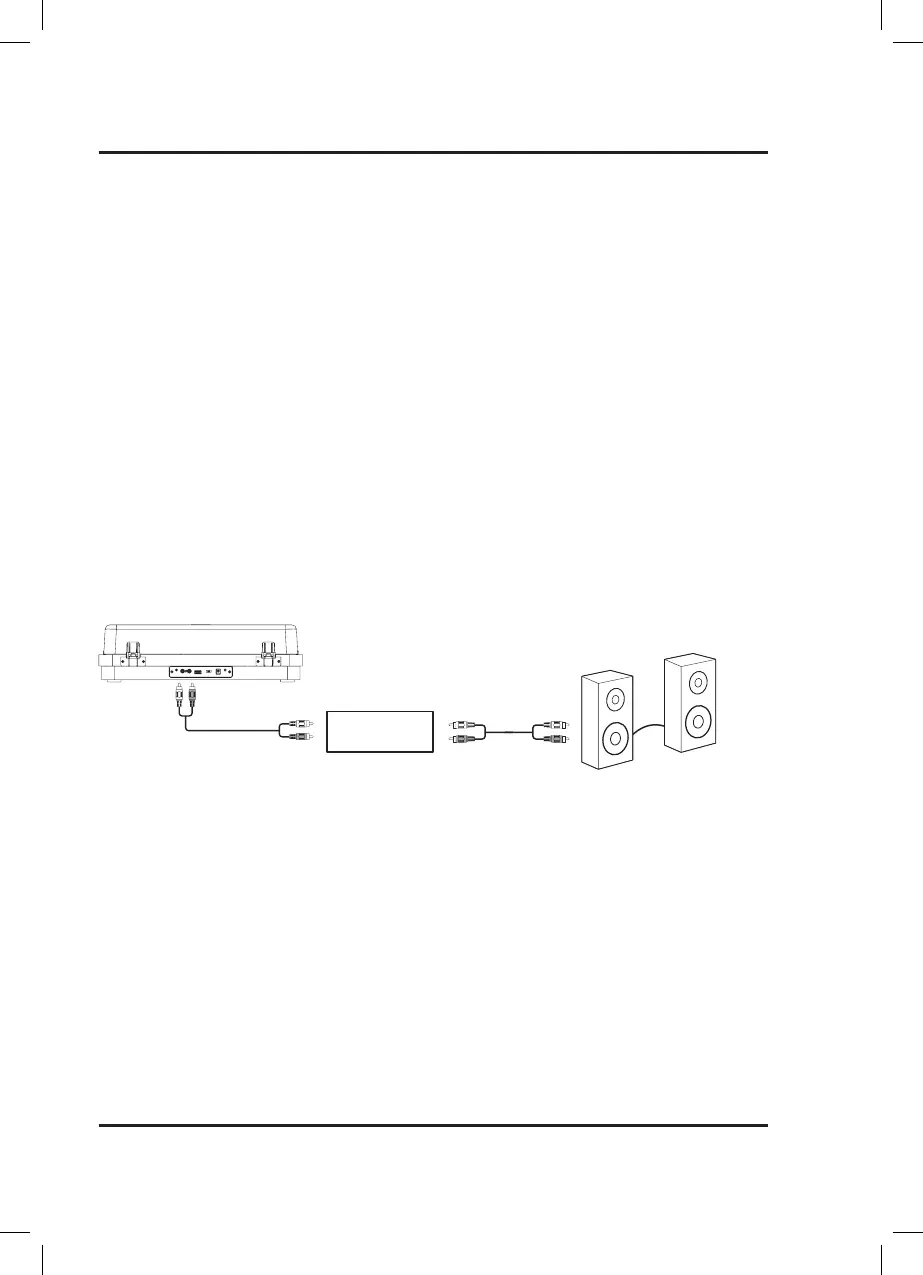
Using the Aux Out
Requires RCA audio cable (included).
1. Plug the included RCA audio cable into the Aux Out on the turntable and your amplifier.
2. Set the Playback Switch to Phono mode, the backlighting will turn white.
3. Audio from the record will now be heard through the connected amplifier/speakers.
1. Start by enabling Pairing Mode on the Bluetooth Speaker you want to use. Before beginning the pairing process,
be sure no other devices are connected to the speaker.
2. Press the Pair button on the turntable to begin pairing to your speaker. The backlight on the turntable will
quickly flash blue while it attempts to connect to the speaker.
3. When successfully paired, the indicator light on the turntable will turn solid. Note: If the turntable fails to
connect, the indicator light will continue flashing blue. Press the Pair button to try again.
4. Audio from the record will now be heard through the connected speakers system.
Note: This turntable has a Bluetooth transmitter and can stream the audio from a record to
a speaker for room-filling sound. This unit does not have a Bluetooth Receiver, therefore it
cannot receive Bluetooth signals from a phone or tablet to play music.
Connecting to Devices
Preamp
Speakers
USB
AUX OUTRL
AC ~ 12V
PHONO LINE
Connecting to a Bluetooth Speaker
Note: Select Phono on the Playback Switch if your stereo
system (amplifier) has Phono inputs connect your turntable to
the phono inputs on your stereo system to play music out loud.
If your stereo system (amplifier) does not have Phono inputs
set the Playback Switch to Line.


 To Next Page