12
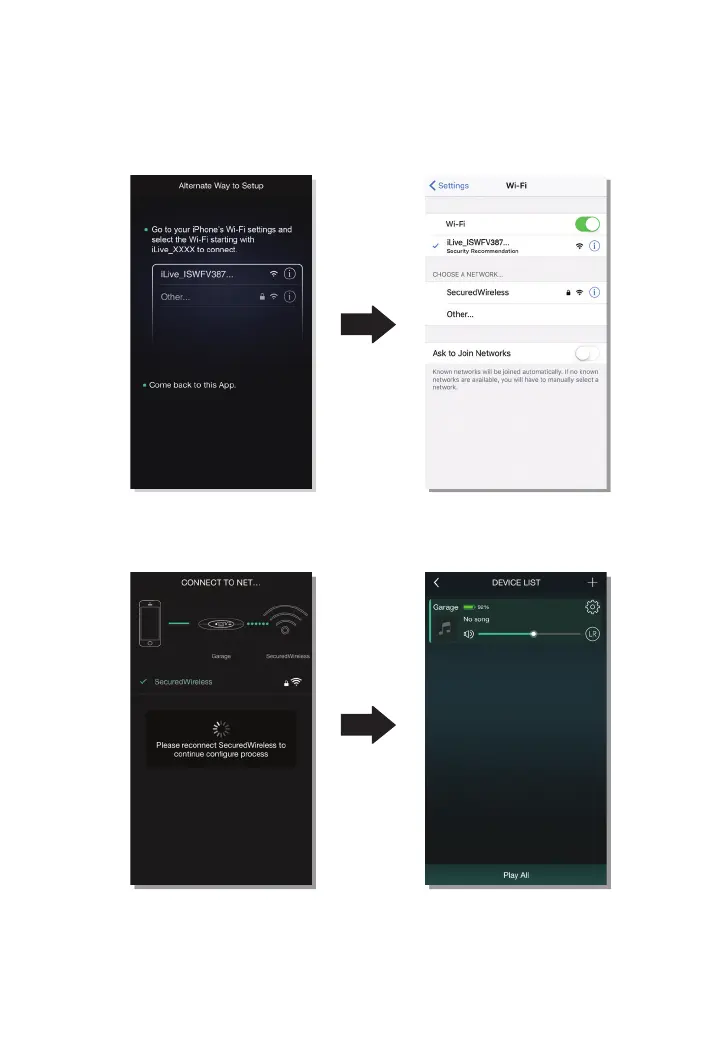
Alternate Setup - Visual Guide
At the start of the Alternative setup,
this screen will appear. Exit the app
and go to your phone’s Wi-Fi Settings.
You will need to reconnect to your
network, select your Wi-Fi network and
enter your password when prompted.
Select the speaker and connect
to it. After connecting, exit and
return to the iLive Wi-Fi app.
When Wi-Fi network connection is
complete, the app will display the
speaker in the device list. You may
now begin using your speaker.
ILIVE WI-FI APP


 To Next Page