15
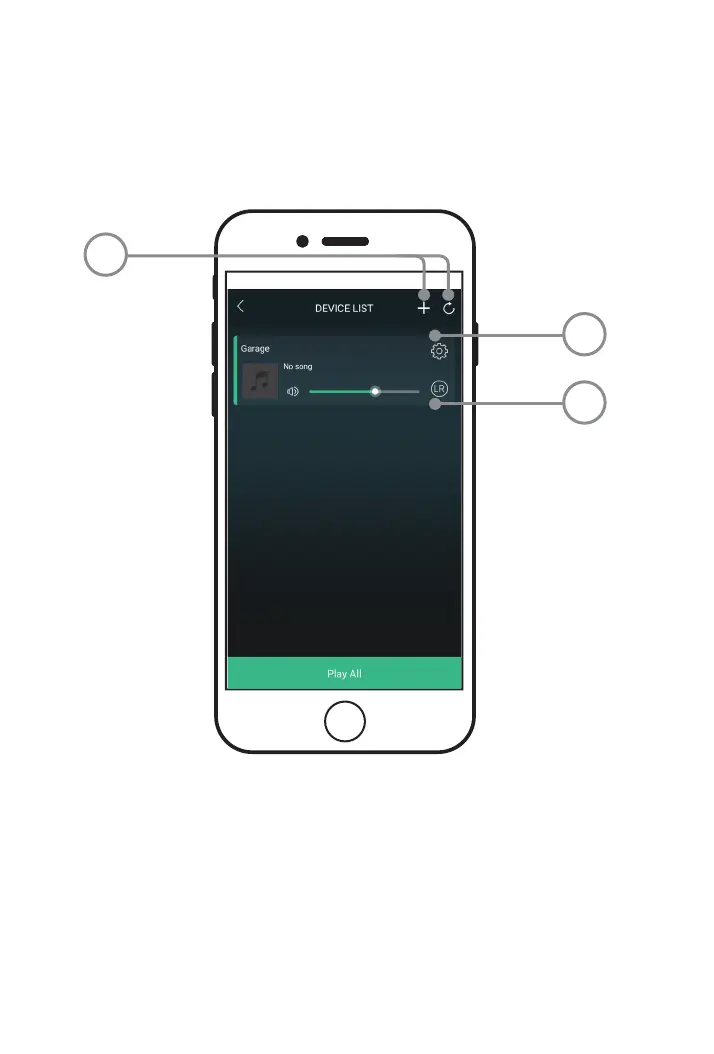
Device List
1
3
2
1. ADD DEVICE/REFRESH LIST
Add more speakers for more
play options.
Refresh the list of connected devices.
2. SPEAKER SETTINGS
Rename a speaker, set preset
stations, and nd additional
information on a speaker.
3. AUDIO CHANNEL SELECTOR
Set audio channels for the speaker
L / R / LR (left/right/stereo).


 To Next Page