7
Controls
LED Indicator Lights
» Amazon Alexa (light ring)
Solid White - Amazon Alexa standing by
Solid Blue - Amazon Alexa responding
Solid Red - Amazon Alexa and microphones muted
» Wi-Fi (lower light)
Blinking White - Connecting to Wi-Fi
Solid White - Connected to Wi-Fi
» Bluetooth Wireless (lower light)
Blinking Blue - Pairing Bluetooth
Solid Blue - Paired
» Auxiliary Audio Input (lower light)
Solid Green - Aux In detected and in use
» Battery (upper light)
Solid Red - Charging
Off - Fully charged
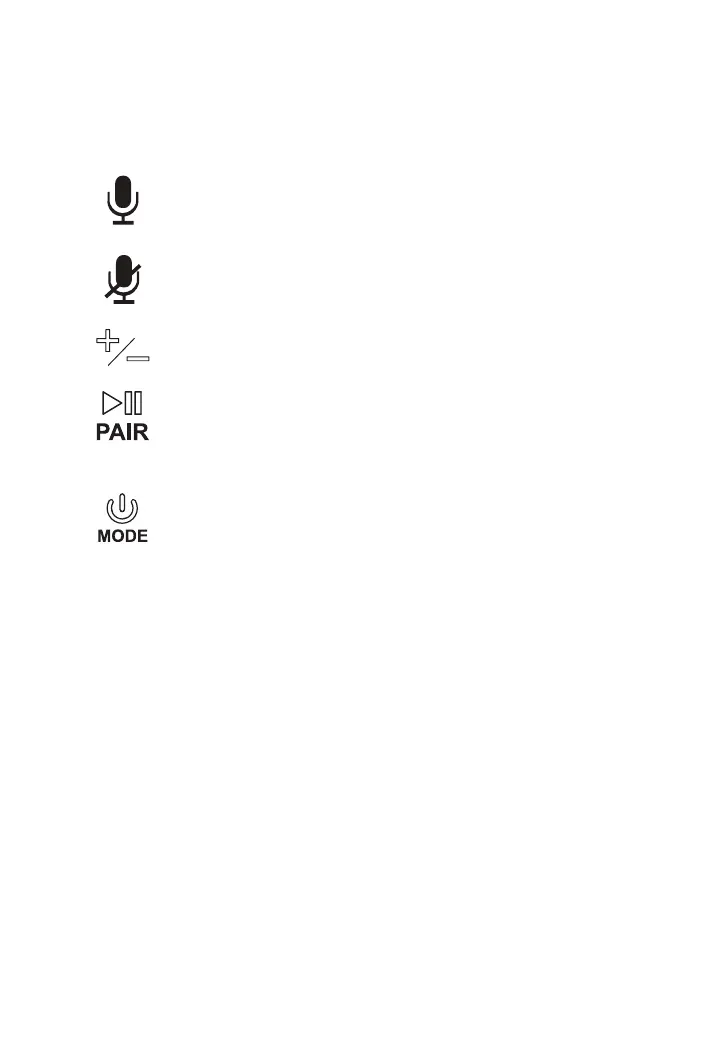
» Power/Mode
Press and hold to power the speaker ON or OFF.
Press to switch between Wi-Fi, Bluetooth, and Aux modes.
» Connect Wi-Fi/ Pair Bluetooth/Play/Pause
In Wi-Fi Mode (white LED), press and hold to begin searching for Wi-
Fi networks. In Bluetooth Mode (blue LED), press and hold to begin
pairing to a Bluetooth device.
Short press to pause or play audio.
» Alexa ON
Press to activate Amazon Alexa and say a command. You can also
just say, “Alexa...”, within range of the speaker’s microphones.
» Alexa Mute
Press to mute the microphones and disable Amazon Alexa.
» Volume
Press to adjust volume.


 To Next Page