5-7 L4803EA
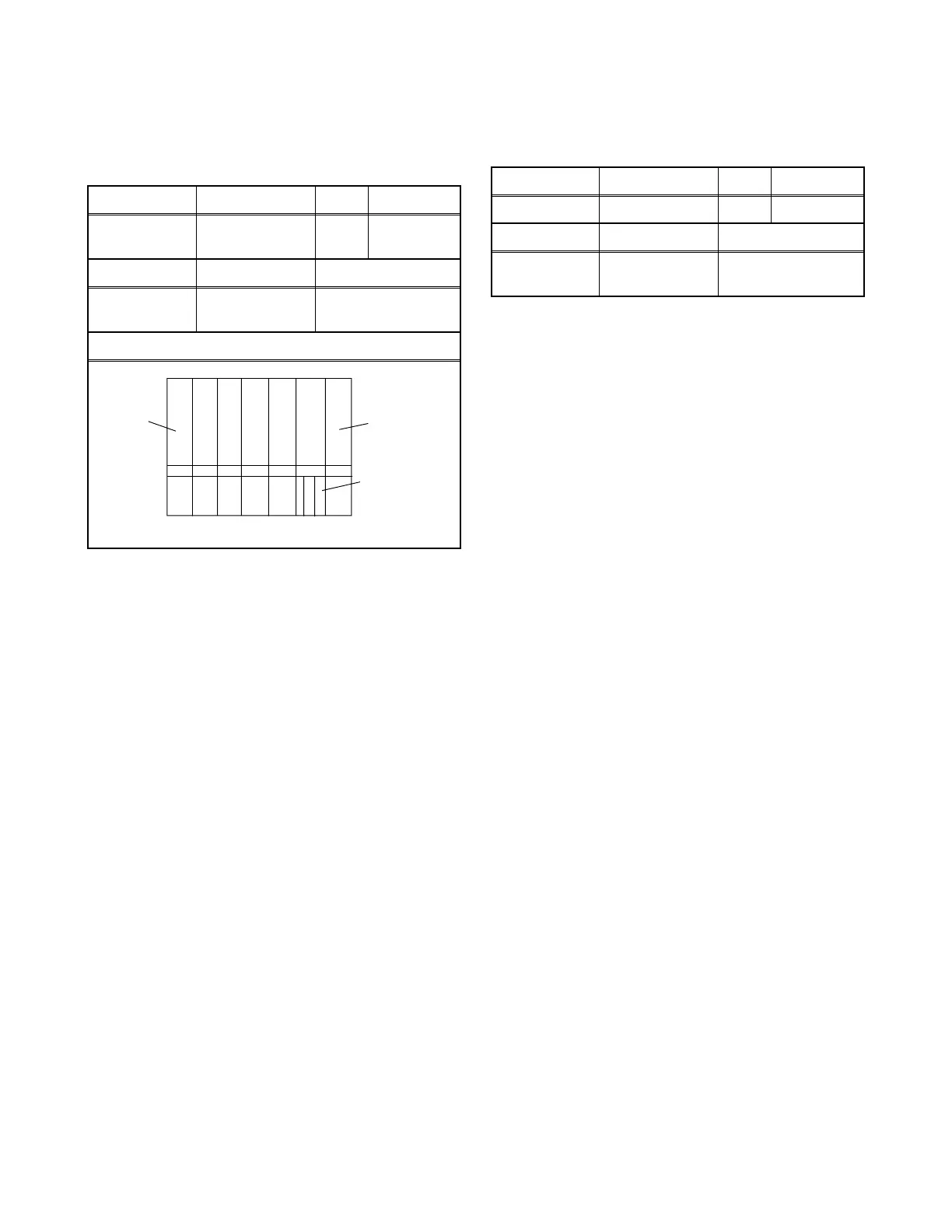
17. Sub-Brightness Adjustment
Purpose: To get proper brightness.
Symptom of Misadjustment: If Sub-Brightness is
incorrect, proper brightness cannot be obtained by
adjusting the Brightness Control.
Note: IQW Setup level --- 7.5 IRE
Use service remote control unit
1. Enter the Service mode. (See page 5-1.) Then
input IQW signal from RF Input.
2. Press [MENU] button on the service remote
control unit and Select “BRT” mode. (Display
changes “BRT,” “CNT,” “CLR,” “S-CLR,” “C-CLR,”
“TNT,” “V-TNT,” “S-TNT,” “C-TNT,” “SHARP,” “S-
SRP,” and “C-SRP” cyclically when [MENU] button
is pressed.) Press [CH o / p] buttons so that the
bar is just visible (See above figure).
3. Turn the power off and on again. (Main power
button on the TV unit.)
18. Focus Adjustment
Purpose: Set the optimum Focus.
Symptom of Misadjustment: If Focus Adjustment is
incorrect, blurred images are shown on the display.
Note: Focus VR (FBT) --- Main CBA,
FBT = Fly Back Transformer
1. Operate the unit more than 30 minutes.
2. Face the unit to the East and Degauss the CRT
using Degaussing Coil.
3. Input the Monoscope Pattern.
4. Adjust the Focus Control on the FBT to obtain
clear picture.
The following adjustments normally are not
attempted in the field. Only when replacing the
CRT then adjust as a preparation.
Test Point Adj. Point Mode Input
---
[CH o / p]
buttons
RF IQW
Tape M. EQ. Spec.
---
Pattern
Generator
See below
Figure
Fig. 4
White
Black
This bar
just
visible
Test Point Adj. Point Mode Input
--- Focus Control --- Monoscope
Tape M. EQ. Spec.
---
Pattern
Generator
See below



 To Next Page