6
EN
7
EN
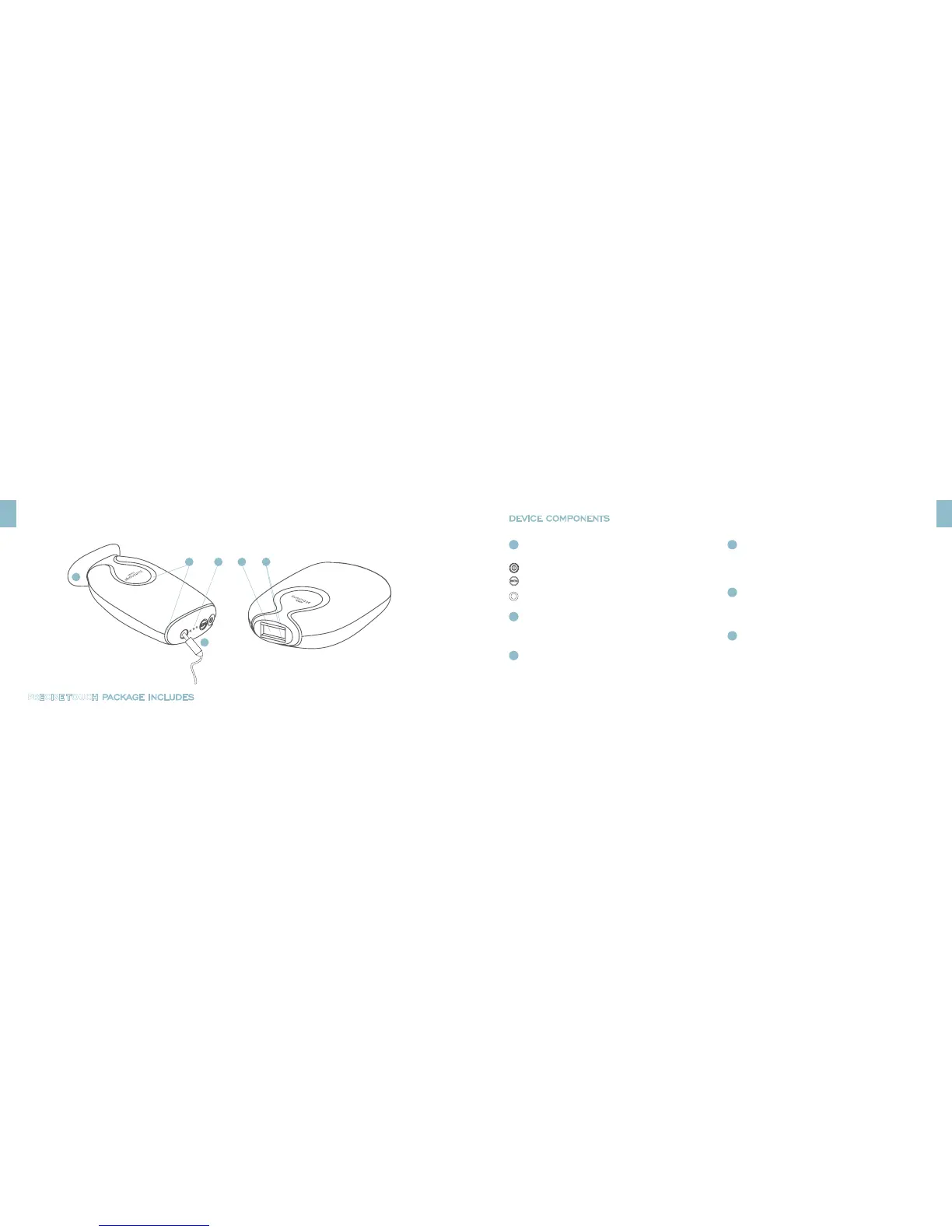
PRECISE TOUCH BOTTOM VIEWPRECISE TOUCH TOP VIEW
1
2
5
6
3
4
PRECISE TOUCH PACKAGE INCLUDES
PRECISE TOUCH device
Power supply
DEVICE COMPONENTS
COOLING VENTS
Cool air is continuously circulated to keep the device cool while in use.
2
3
TREATMENT WINDOW
The light energy flashes out through the treatment window.
GETTING TO KNOW YOUR PRECISE TOUCH GETTING TO KNOW YOUR PRECISE TOUCH
CONTROL PANEL
Power button
elōs energy setting button with 3 energy level indicators:
LOW- MEDIUM- HIGH
Power supply port
1
RADIO FREQUENCY (RF) CONTACT BARS
Both RF bars must be in complete contact with the skin for the light
energy to flash.
4
PRECISE TOUCH STAND
Stand holds the device and covers the treatment window when not in use.
5
POWER SUPPLY
Connects the device to an electrical source during use.
6



 To Next Page