9
Switching off the automatic cooking:
Action Control panel Display
Zone selection Press key [ + ] [ 7 ] blinking with [ A ]
Power level selection Press key [ - ] [ 0 ]
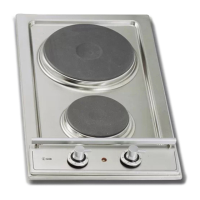
Extension zone ( according on model )
Switch off/on the extension zone:
Action Control panel Display
Zone selection Press key [ + ] [ 0 ]
Increase power Press key [ + ] [ 0 ] to [ 9 ]
Switch off Touch key [ ] Extension zone
light is off
Switch on Touch key [ ] Extension zone
light is on
Control panel locking
To avoid modifying a setting of cooking zones, in particular with within the framework of cleaning
the control panel can be locked (with exception to the On/Off key [ ]).
Locking:
Action Control panel Display
Start Press [ ] [ 0 ] or [ H ]
Hob locking Press simultaneously [ - ]
and [ + ] at left No modification
Press key [ + ] [ L ] on 4 displays
Unlocking:
Action Control panel Display
Start Press key [ 0/I ] 4 x [ L ]
In the 5 seconds after start:
Unlocking the hob Press simultaneously [ - ]
and [ + ] at left [ 0 ] or [ H ]
Press key [ - ]



 To Next Page