3.Operation Instruction3.Operation Instruction
before using it for the first time.
To get the best performance from your dishwasher, read all operating instructions
IMPORTANTIMPORTANT
Control PanelControl PanelControl PanelControl Panel
11
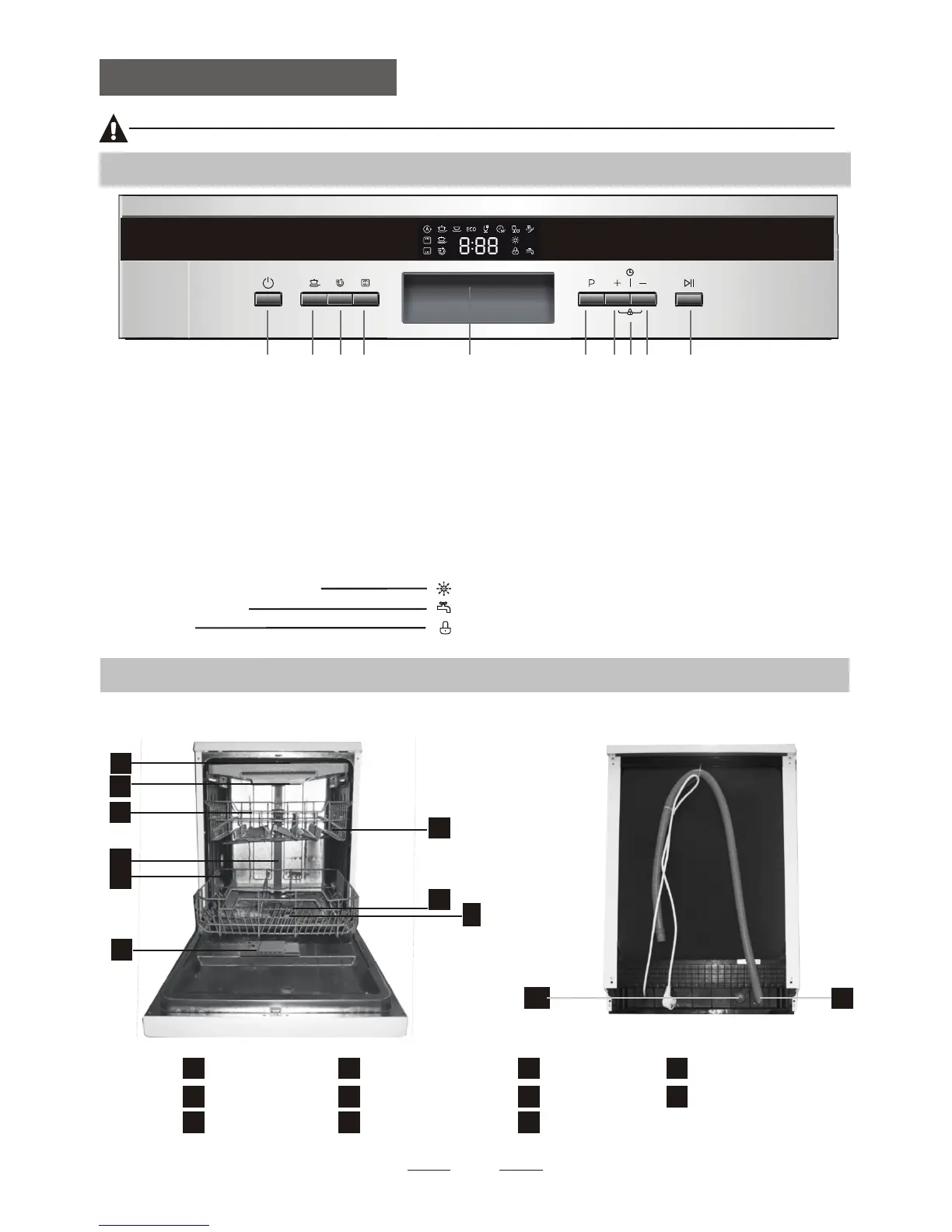
1.On/Off Button: To turn on/off the power supply.
2. Strong Wash function Button :improve the cleaning
efficiency(only Intensive, Heavy, ECO, Glass and
90 min have this function)
5.Display screen: to show the reminding time,program
error code , Rinse Aid indicator etc
4.Alt Button: Dual zone wash function, press the button
to select either upper basket or lower basket loaded.
3.Extra Drying function Button : improve the drying
efficiency(only Intensive, Heavy,, ECO, Glass and
90 min have this function )
7.Delay Button:Press the button to increase dealay time
Dishwasher FeaturesDishwasher Features
33
22 33 44 55 66 77 99 1010
88
10.Start /Pause button: To start the selected
washing program or pause the washing program
when the machine is working..
6.Program Button : To Press the button to select
8.Child lock button: press the two buttons
simultaneously to lock the button
for 3 seconds
9.Delay Button:Press the button to decrease dealay time
Faucet is not open
Rinse detergent need to be refilled
Child lock
10
11
Back View
1
2
3
4
5
6
8
8
9
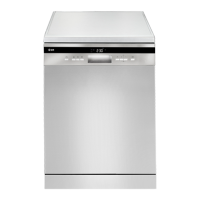
Front view
Lower basket
Dispenser
Cup shelf
Spray arms
Filter assembly
Inlet pipe connector
Drain pipe
Upper basket
Cutlery rack
Top spray arm
1
Inner pipe
5
6
7
8
9
10
11
3
2
4
7
And the response indicator will light


 To Next Page