Platinum™ IP3
Installation and Operation Manual Platinum SX Hybrid Multiviewer Modules
© 2016 Imagine Communications Corp. Proprietary and Confidential. September 2016 | Page 261
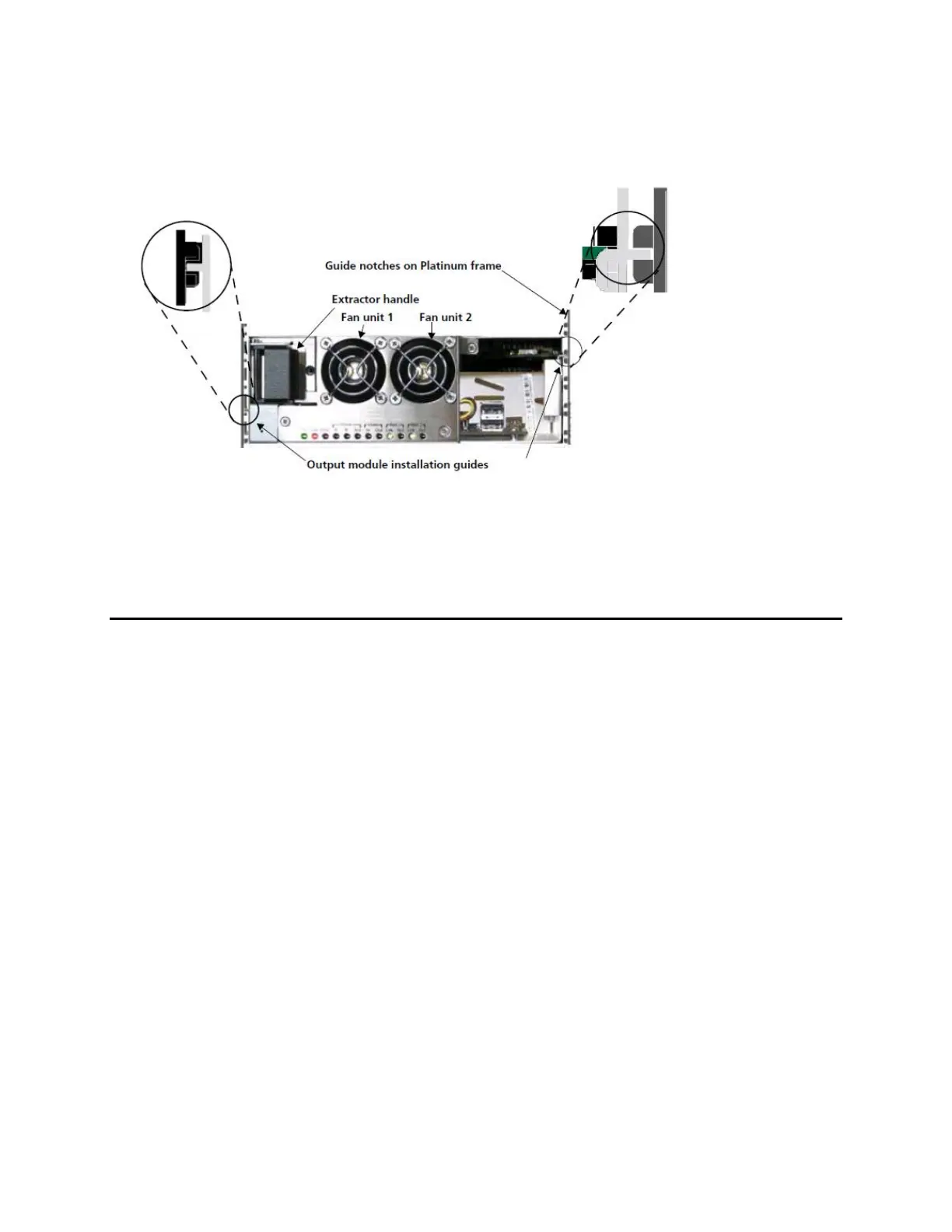
3. Align the installation guides on the left and right sides of the back module with the guide notches of
the appropriate slots in the frame.
4. Pull and hold the back module’s extractor handle, and then slide the back module assembly into the
frame until it is fully seated.
5. Let go of the extractor handle and push it into the locking position.
6. Close the I/O Guide door.
Configuring the Platinum SX Hybrid Module
Please refer to the Platinum SX Hybrid Installation and Operation User Manual and the Platinum SX
Hybrid Designer User manual.
See the Platinum IP3 Controller User Manual (accessible from the Controller Web UI) for database
configuration information.



 To Next Page