Installing your Disc Stakka
Requirements
• Pentium II or G3 processor (minimum)
• Microsoft XP, 2000 (SP4), 98SE, ME or Mac OS X (v10.1 or higher)
• 32 MB RAM (minimum), 64 MB RAM (recommended)
• 200 MB free disc space
• USB 1.1 or 2.0 compliant port
• CD or DVD drive for capturing disc content
• Microsoft Internet Explorer 5.01 or higher (for Windows only)
Check you have all of the box contents
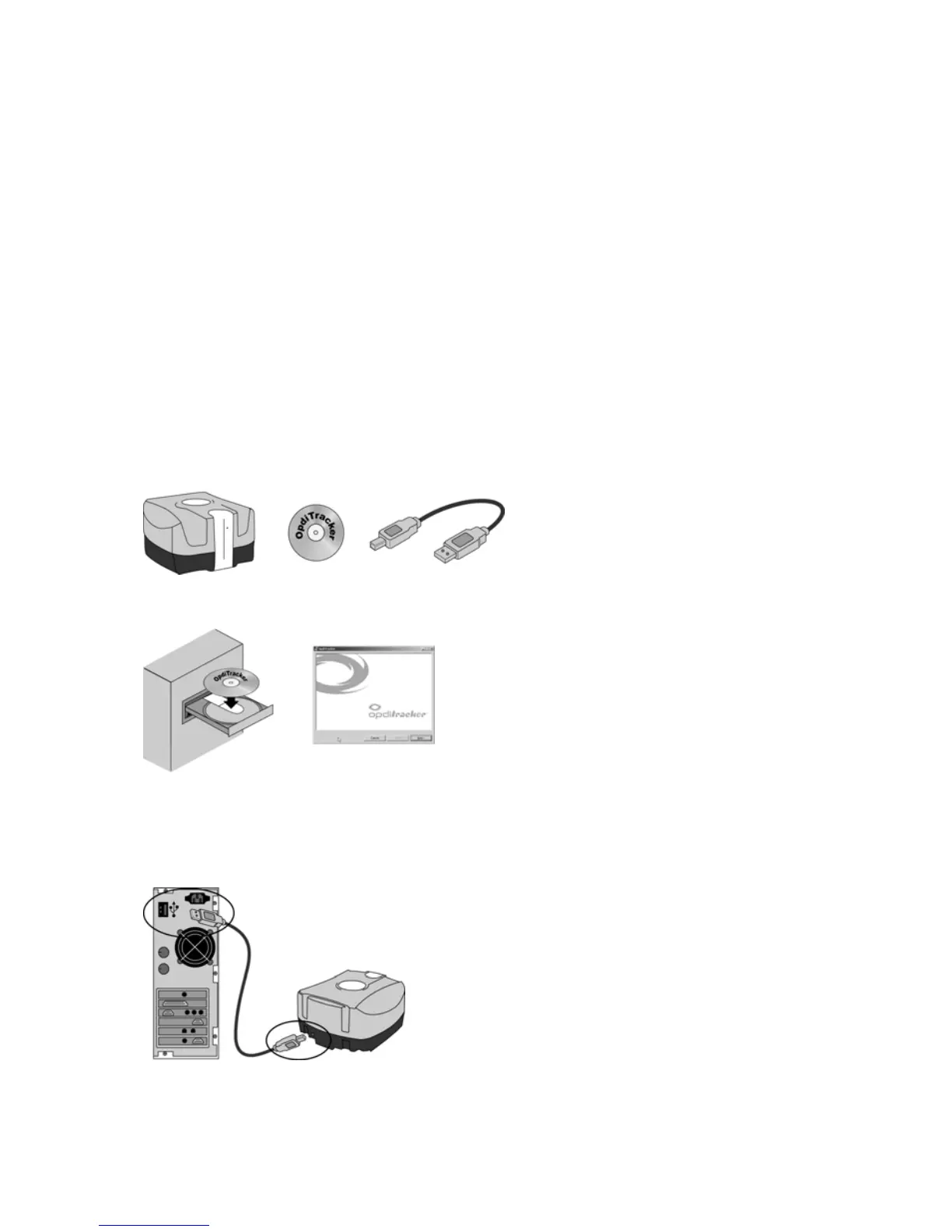
In addition to this Setup Guide, you should have a Disc Stakka unit, OpdiTracker software disc and USB cable.
Install the OpdiTracker software
Insert the disc into your computer’s CD or DVD drive.
If the installer does not start automatically,
1. Navigate to the disc in Explorer (Win) or
double-click the OpdiTracker disc on your
desktop (Mac).
2. Double-click Setup (Win) or OpdiTracker
Installer (Mac), and then follow the on-
screen instructions.
Connect the Disc Stakka to your computer’s USB port



 To Next Page