Goblin Shark - User Manual
IMENCO AS Visiting Address: Kophaug 3, 5570 Aksdal, Norway Office: +47 52 86 41 00 imenco@imenco.com
Org No: 923 005 749 MVA Postal Address: PO. Box 2143, 5504 Haugesund, Norway Fax: +47 52 86 41 01 www.imenco.com
IMPORTANT! The Ethernet wiring must comply with IEEE 1000BASE-T all the way
through subsea connectors and cabling to the next network node.
5 Installation Instructions
Make sure that Imenco’s Terms & Conditions are followed when using this product.
5.1
Unpacking and testing
When having received the camera, do a visual inspection for damage of the
packet or any of the parts.
The packet should include:
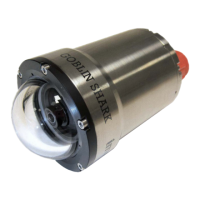
• Goblin Shark camera
• USB Memory Stick with Software
• User manual
• Pressure test certificate
• Quality control certificate
• Optional test Cable
5.2
Function test
A preliminary function test should be performed prior to full scale installation.
This is to familiarize the user with the control functions and to verify that the
system is fully operational after shipment.
Follow these steps to power up and check the proper functioning of the camera:
1) Acquire a cable that is terminated in one end with a connector compatible
with the Goblin camera connector as specified in this document and the
other end is split into a Cat5e network cable with RJ45 termination for the
computer as well as a DC-power cable.
2) Clear necessary space on your working desk and gather the:
a. Goblin Shark camera
b. Power supply providing DC anywhere between 9V and 36V, minimum 10W or
PoE from a switch / inserter (please ensure which model you have)
c. Computer with necessary software installed
d. Test cable
3) Lubricate the subsea connector and mate it properly.


 To Next Page