When only this LED is on, the only working tilting controls are that act on the tilting forward
Durante the movement BACK / BACKWARD, will remain on only the LED "TILTING BACK ENABLED / BACKWARD
ENABLED".
When only this LED is on, the only working tilting controls are those that act on the tilting back
To return the machine to the washing position, use the opposite commands (FORWARD-DOWN or BACKWARD
DOWN).
When the machine is in the washing position, both LEDs:
- "FORWARD ENABLED TILTING"
- "BACKWARD ENABLED TILTING"
they must be switched on.
In this situation, activate the UNLOCK CRADLE / CRADLE UNLOCK command until the relative LED is switched
on the front of the machine.
At the end, deactivate the remote control position its sandreader in the"0" position: the green led of the remote
control turns off.
Only in this last condition you can use the washing machine in a standard way.
ATTENTION!
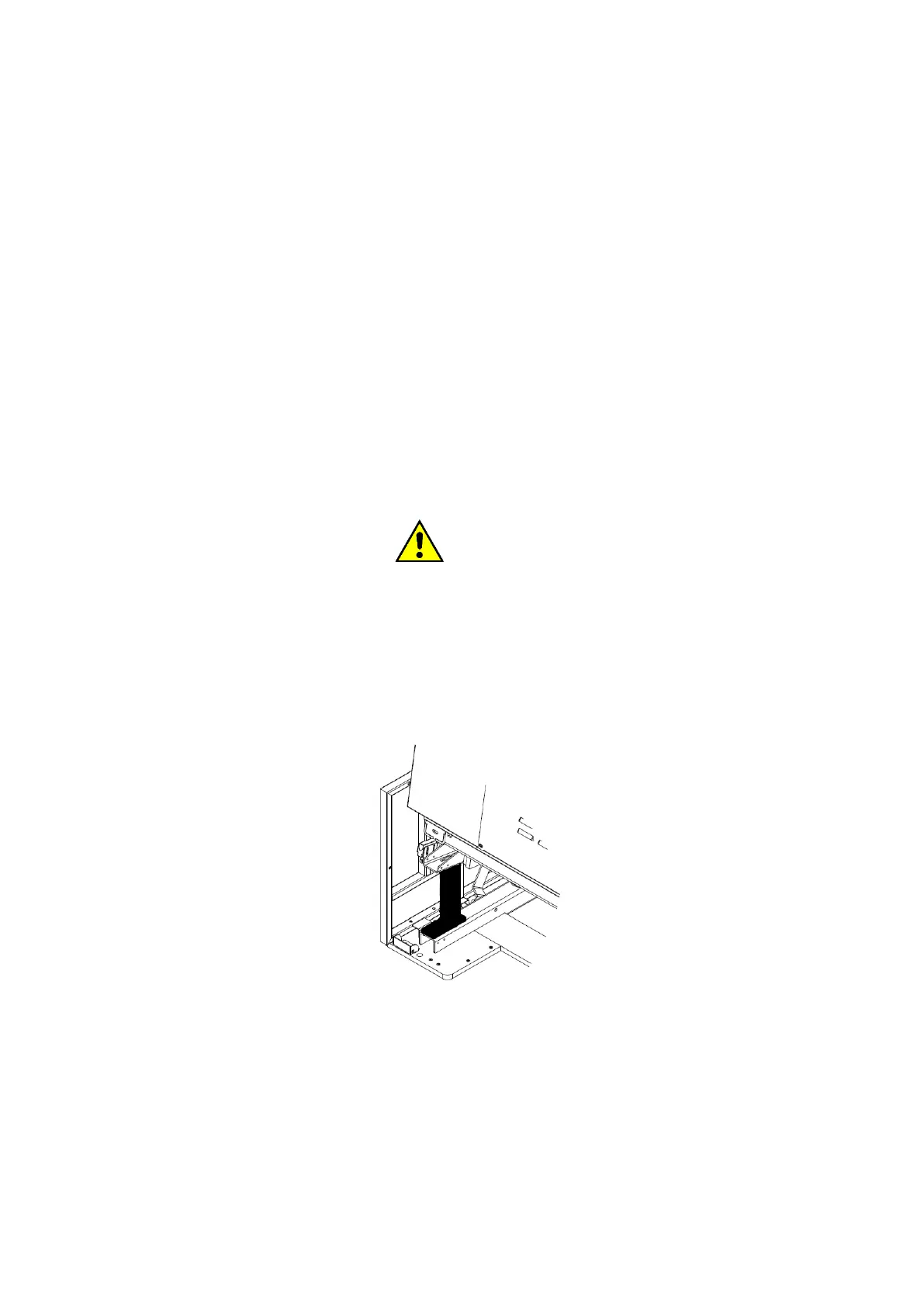
Use the appropriate maintenance stop, supplied with the machine, to perform checks, cleaning and service
operations located at the bottom of the tank or under the machine. The maintenance stop ensures the support
of the tank and prevents its movement. The maintenance stop can be installed both front and rear, depending
on whether the machine is 1-way tilting (lifting only front or only rear) or 2-way (alternating lifting of the front
and rear). For the installation of the maintenance stop lift the machine from one of the desired directions, place
the maintenance stop as in the next figure, make sure that the maintenance stop is correctly interposed between
the base and the upper part of the machine that must remain locked. Disconnect the machine from the main
switch and make sure that the water and air lines have been closed upstream of the machine.
36. EASY DOWNLOAD
For machines that are equipped with it, the EASY DOWNLOAD function facilitates the unloading of linen, making
the basket slowly rotate during the unloading phase of the linen.
To activate the function, simply hold down the "EASY DOWNLOAD" button on the front of the machine, and at
the same time, press one of the icons on the display: CLOCKWORK ROTATION or COUNTERCLOCKLESS
ROTATION.
NOTE: The rotation of the basket occurs only if the button and one of the icons are held down at the same time.
37. PROCEDURE FOR CHECKING SAFETY DEVICES



 To Next Page