3.2
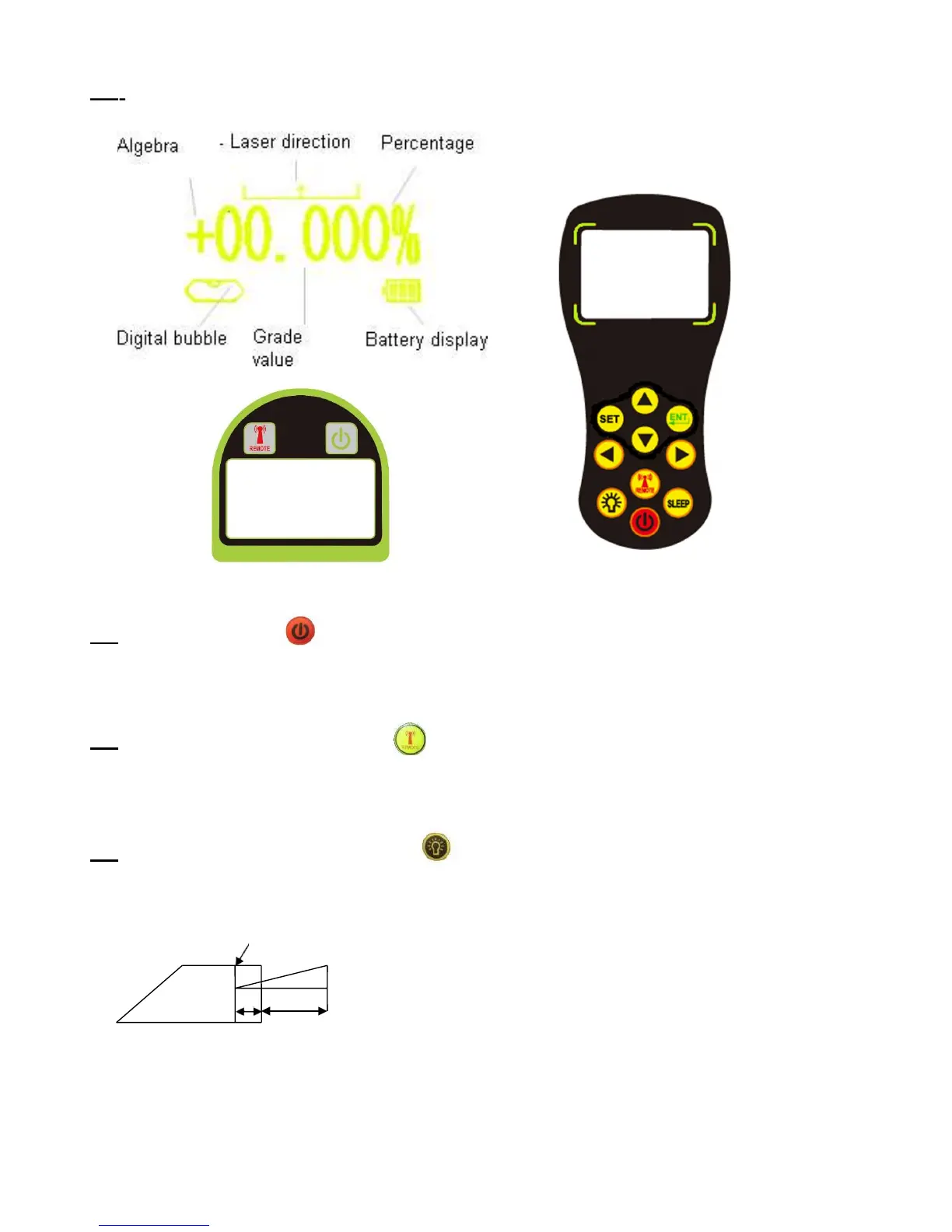
Instrument Display
3.3
ON/OFF button
a)
Press ON/OFF button, the instrument will turn on, and self-level.
b)
Instrument will display the last set grade value.
3.4
Channel selection button
Press this button to switch the channels from 1-9.The laser functions can only be
controlled from a remote control on the same channel as the instrument.
3.5
Laser Grade Starting Dot LED
Press this button, the green LED on the top of the laser instrument light, this LED is
indicates the commencement position of where the laser grade starts from.
Laser starting dot
H
L1 L2
Grade = H / ( L1 + L2 )



 To Next Page